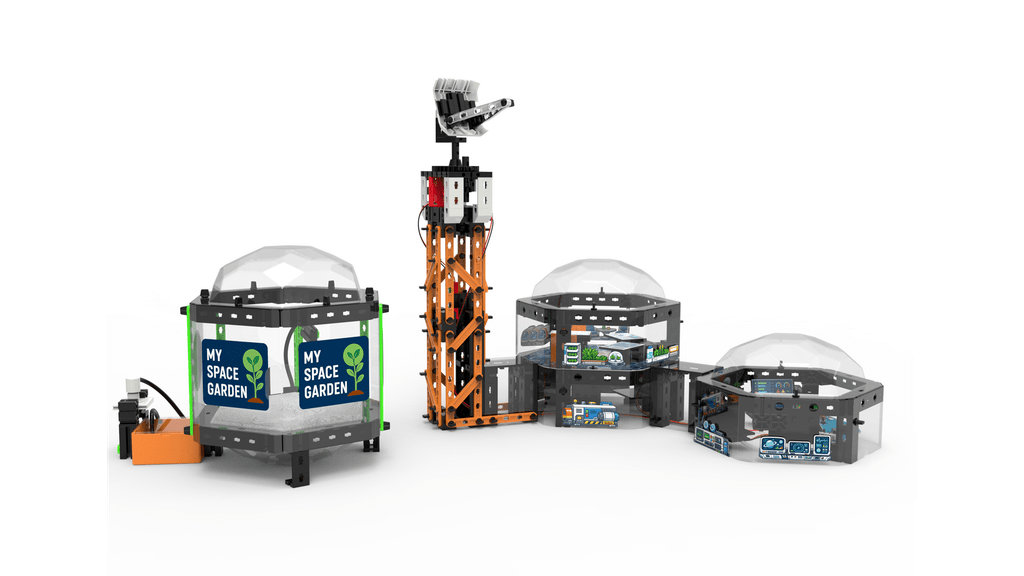
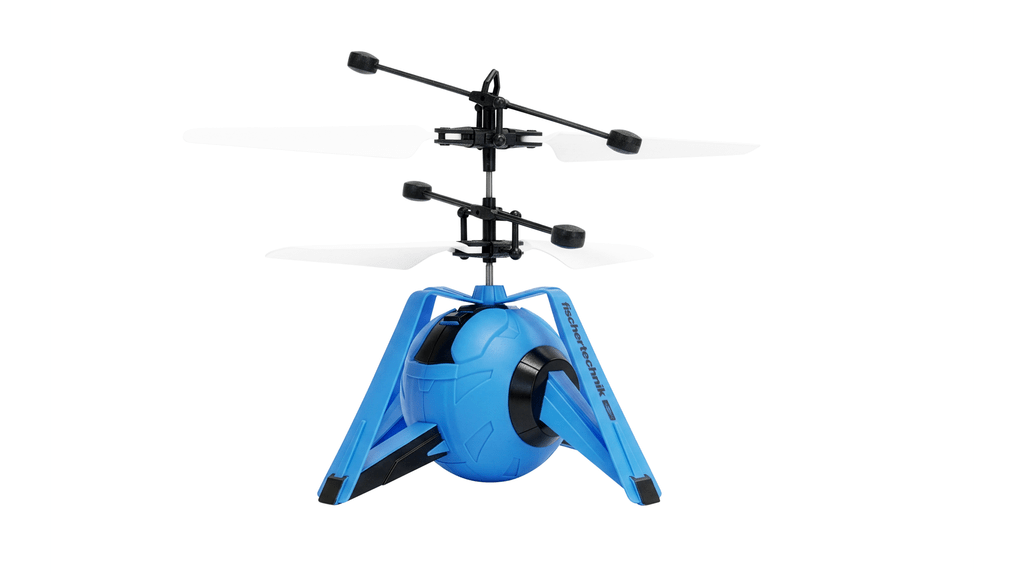
Eine Drohne hebt ab, ein Roboter folgt einer Linie und im Space-Garten wächst echte Kresse: Mit der neuen fischertechnik Space World wird das Kinderzimmer zur Raumstation. Kinder ab acht Jahren können auf spielerische Weise erleben, wie Technik, Natur und Raumfahrt zusammenspielen – und dabei ihre eigene kleine Weltraumwelt immer wieder neu gestalten.
Aus über 530 sorgfältig gestalteten Teilen bauen junge Forscherinnen und Forscher drei individuell anordenbare Space-Module, die immer wieder neu zusammengestellt werden können – so entstehen jedes Mal spannende, neue Raumlandschaften. Ein besonders innovatives Element ist der Space-Garten, in dem echte Kresse wächst und Weltraumforschung zum Anfassen wird. Hier trifft Natur auf Technik und lädt zum Staunen ein.
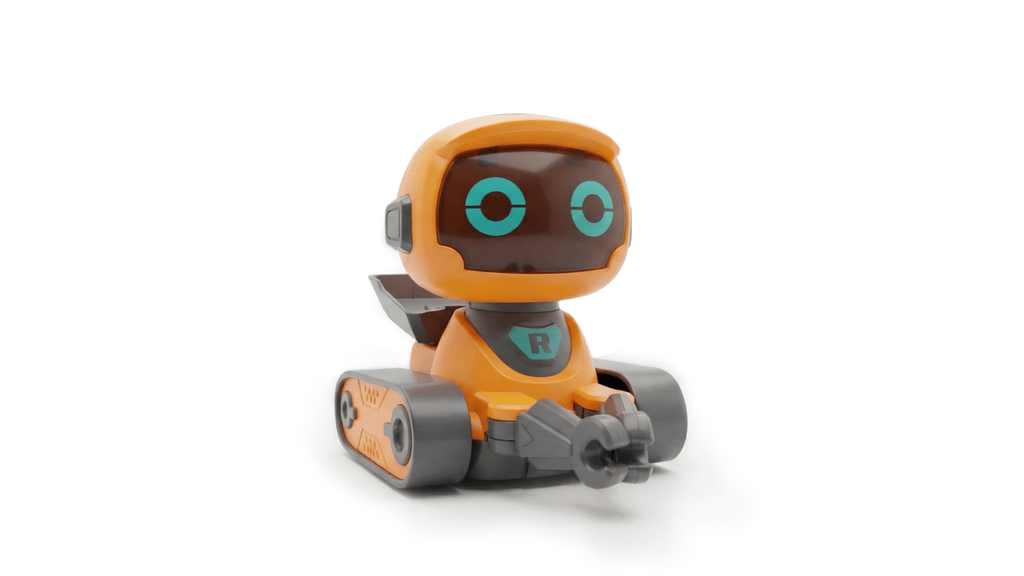
Licht und Bewegung bringen eine Platine mit einstellbarem Lauflicht, zwei leuchtende LED-Streifen und ein Motor ins Spiel. Die fliegende Drohne mit Abstandserkennung und der clevere Fahrroboter mit Linienerkennung übernehmen aufregende Missionen – echte Technik, die kleine Weltraumabenteurer begeistert und ihre Fantasie beflügelt.
Drei liebevoll gestaltete Spielfiguren – ein mutiger Astronaut und zwei neugierige Kinder – rufen nach spannenden Rollenspielen und abenteuerlichen Geschichten, die die Zusammenarbeit und den Forschergeist fördern.
Die fischertechnik Space World (199,99 Euro UVP) ist weit mehr als ein Spielzeug: Sie ist eine Einladung, die Zukunft des Weltraums mit eigenen Händen zu gestalten und spielerisch technische Zusammenhänge zu entdecken. Ein Erlebnis voller Spaß, Kreativität und Wissen – perfekt für kleine Entdecker ab 8 Jahren, die hoch hinaus wollen.
Über fischertechnik — Technik spielend begreifen Die Marke fischertechnik steht seit Jahrzehnten für hochwertige Bau- und Konstruktionssets, die Neugier und kreatives Denken fördern. Bereits ab drei Jahren ermöglicht fischertechnik – mit dem nachhaltigen Bastelmaterial fischerTiP – einen spielerischen Einstieg in die Welt des Konstruierens und Gestaltens. Darauf aufbauend bietet fischertechnik kostengünstige Einsteiger-Sets, die einen schnellen und unkomplizierten Zugang zur Technik ermöglichen. Mit zunehmendem Alter und wachsendem Interesse führen die Produktlinien Schritt für Schritt zu anspruchsvolleren Baukästen – bis hin zu programmierbaren Systemen und Simulationsmodellen, mit denen Studierende und Erwachsene reale Abläufe innerhalb einer modernen Fabrik verstehen können. So vermittelt fischertechnik bereits in einem frühen Alter spielerisch technisches und MINT-Wissen – Kompetenzen, die für spätere berufliche Wege in Technik und Naturwissenschaften von unschätzbarem Wert sind.
Kinder wachsen heute mit digitaler Technik auf. Tablets, Apps und vernetzte Geräte gehören zum Alltag. Aber wie funktioniert diese Technik eigentlich? 🤔
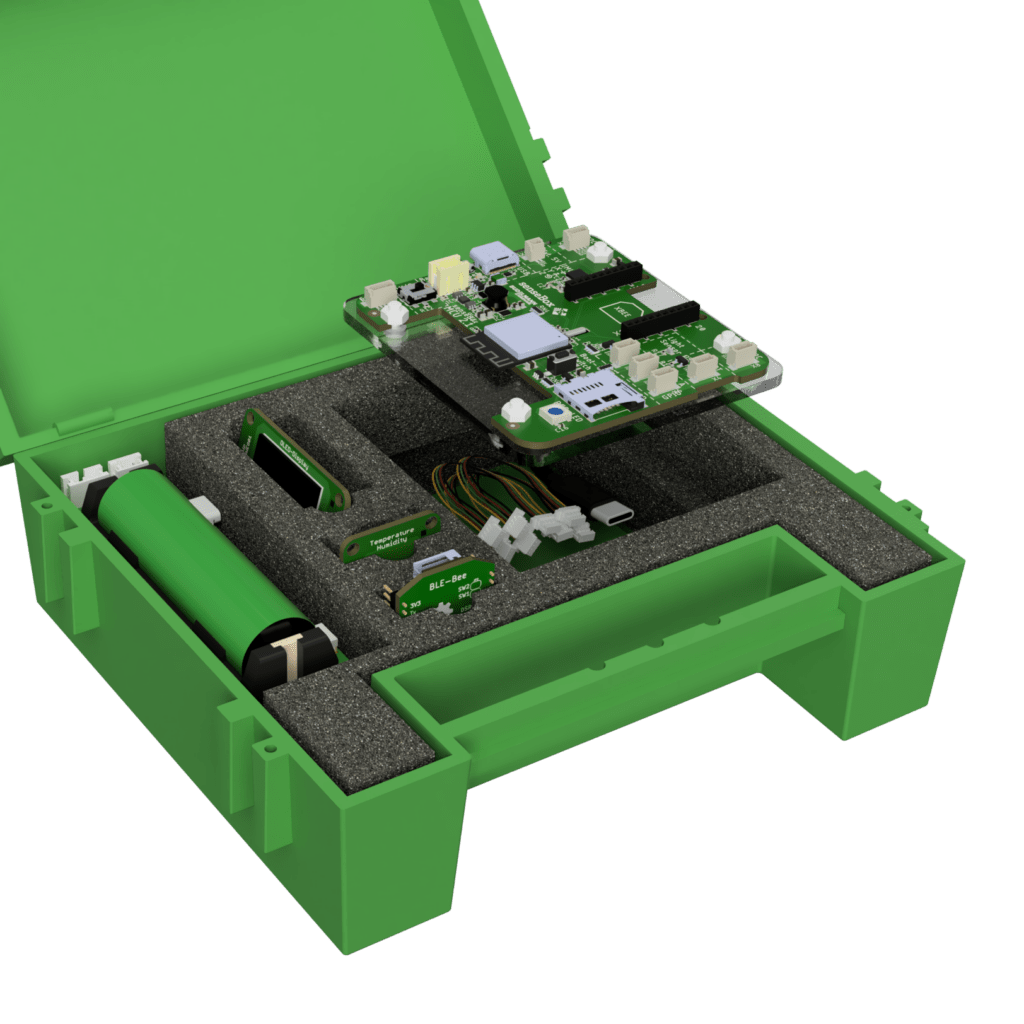
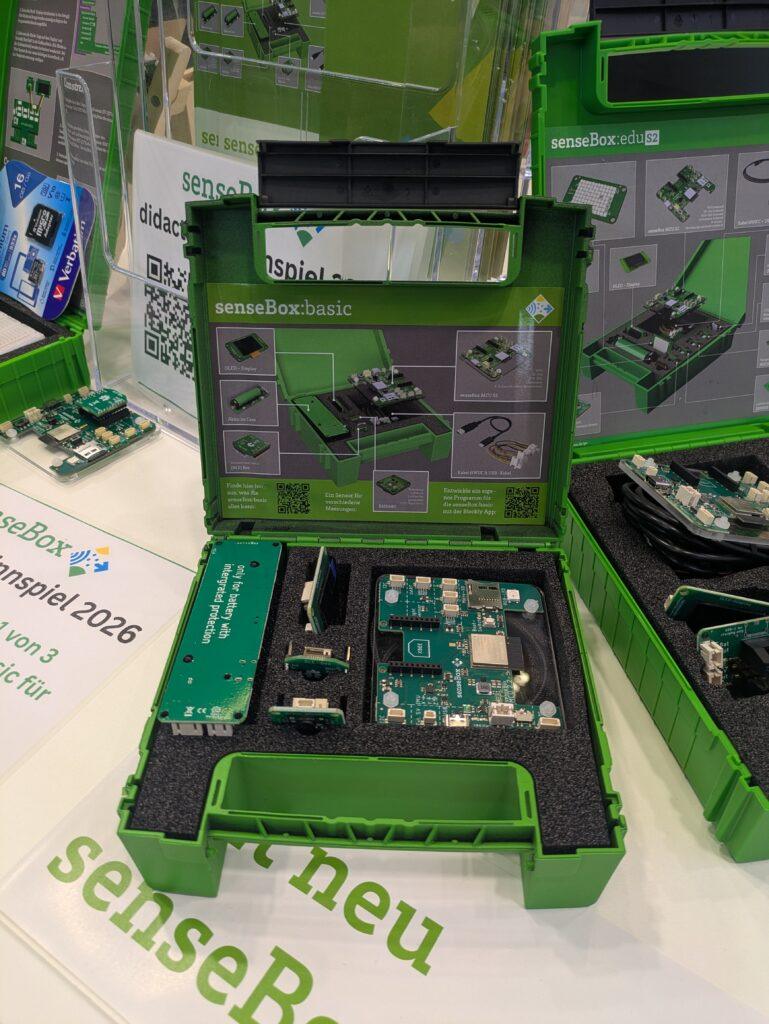
Mit der neuen senseBox:basic kommt bald ein Bausatz, der genau hier ansetzt: Digitale Bildung und informatische Grundbildung schon ab der Grundschule.
Bildrechte: Reedu GmbH & Co. KG
Informatische Grundbildung zum Anfassen
Die senseBox:basic wurde speziell für den niedrigschwelligen Einstieg in Programmierung und Sensorik entwickelt. Kinder lernen spielerisch und praxisorientiert, wie Sensoren funktionieren, wie Programme aufgebaut sind und wie Umweltdaten gemessen sowie ausgewertet werden. So wird aus dem reinen Nutzen digitaler Technologien ein fundiertes Verständnis für deren Funktionsweise.
Als vereinfachte Variante der bewährten senseBox:edu legt die senseBox:basic den Fokus auf einfache Bedienung, grundlegende Sensorprojekte und einen kostengünstigen Einstieg.
Damit eignet sie sich besonders gut für:
Grundschulen
erste Programmierprojekte
AGs und Workshops
informatische Grundbildung
Programmieren ohne Vorkenntnisse mit senseBox-Blockly
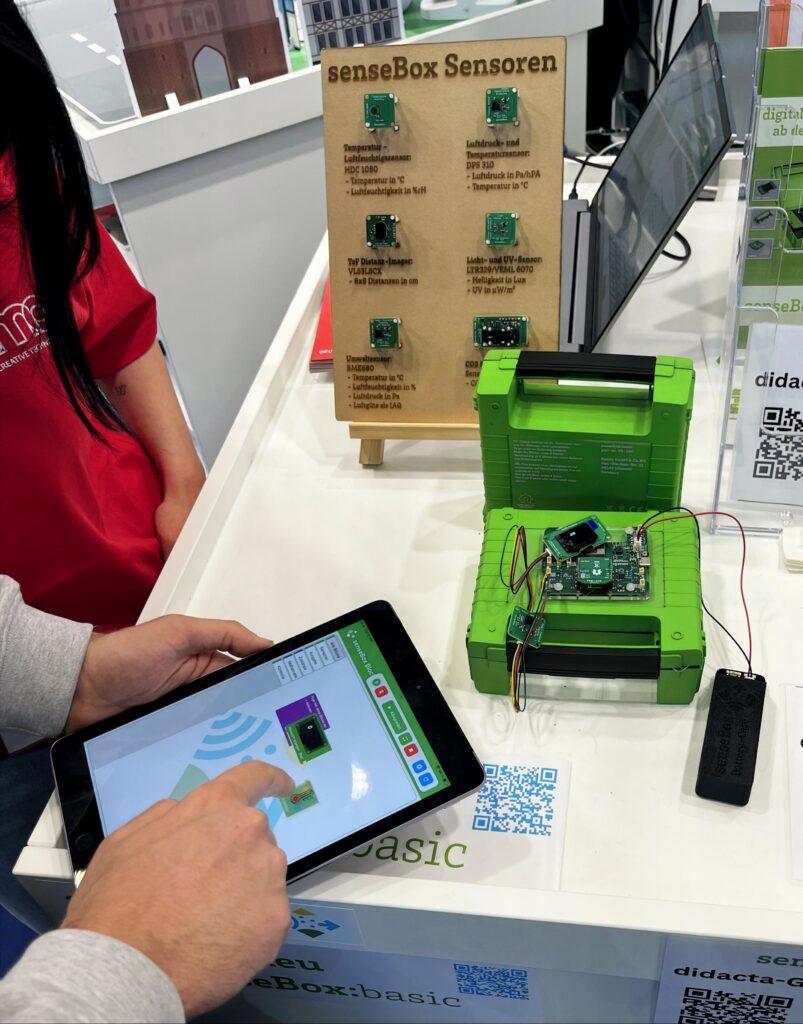
Damit der Einstieg leicht gelingt, wird mit senseBox-Blockly programmiert. Die Software steht als App kostenlos zur Verfügung. Hierbei werden Programme intuitiv aus visuellen Bausteinen zusammengesetzt – ganz ohne komplizierten Code. Kinder können zum Beispiel:
Sensorwerte auslesen
einfache Abläufe programmieren
eigene kleine Experimente entwickeln
So entstehen schnell erste eigene Projekte.
Bildrechte: Reedu GmbH & Co. KG
Welche Sensoren sind dabei?
Die senseBox:basic ermöglicht es, Umweltphänomene selbst zu erforschen:
BME680 Umweltsensor – Dieser Sensor misst gleich mehrere Dinge:Temperatur, Luftfeuchtigkeitund Luftqualität.
Lichtsensor – Der Lichtsensor misst die Helligkeit der Umgebung. Perfekt für Projekte wie, automatische Lichtreaktionen, Experimente zu Licht und Schatten sowie Messungen der Tageshelligkeit
Beschleunigungssensor – Der Sensor erkennt Bewegungen und Erschütterungen. Damit können Kinder zum Beispiel Bewegungsprojekte programmieren, Lage im Raum bestimmen oder einfache Reaktionssysteme bauen.
Mit einem Bluetooth-Bee und einem OLED-Display können die Messwerte ganz einfach übertragen und live visualisiert werden.
Kostenloses Lehr- und Lernmaterial
Zur senseBox:basic als Hardware wird es auch kostenlose Unterrichtsmaterialien geben.
Diese stehen als Open Educational Resources (OER) zur Verfügung und enthalten:
Projekte zum Nachbauen
Unterrichtsideen
Materialien für den Einstieg in Programmierung
Die Sammlung wird kontinuierlich erweitert.
Bildrechte: Reedu GmbH & Co. KG
Online-Meetup zur senseBox:basic
Wer mehr über die neue senseBox erfahren möchte ist herzlich zum kostenlosen Online-Meetup eingeladen. Dort stellt das Team von re:edu die senseBox:basic vor und beantwortet Fragen. Das senseBox-Meetup findet bis zum Sommer jeden zweiten Dienstag im Monat von 15–16 Uhr via Zoom statt. Der erste Termin ist am 14. April.
Mit der senseBox:basic wird der Einstieg in Programmierung, Sensorik und digitale Technologien bereits ab dem Grundschulalter möglich – einfach, praxisnah und mit viel Raum zum Experimentieren. Damit leistet sie einen wichtigen Beitrag zur frühzeitigen Förderung digitaler Kompetenzen. Nachdem das Produkt auf der Didacta 2026 erstmals im Rahmen einer Preview präsentiert wurde, ist es nun bereits im Shop erhältlich und die Auslieferung erfolgt in Kürze: https://sensebox.kaufen/products/sensebox-basic
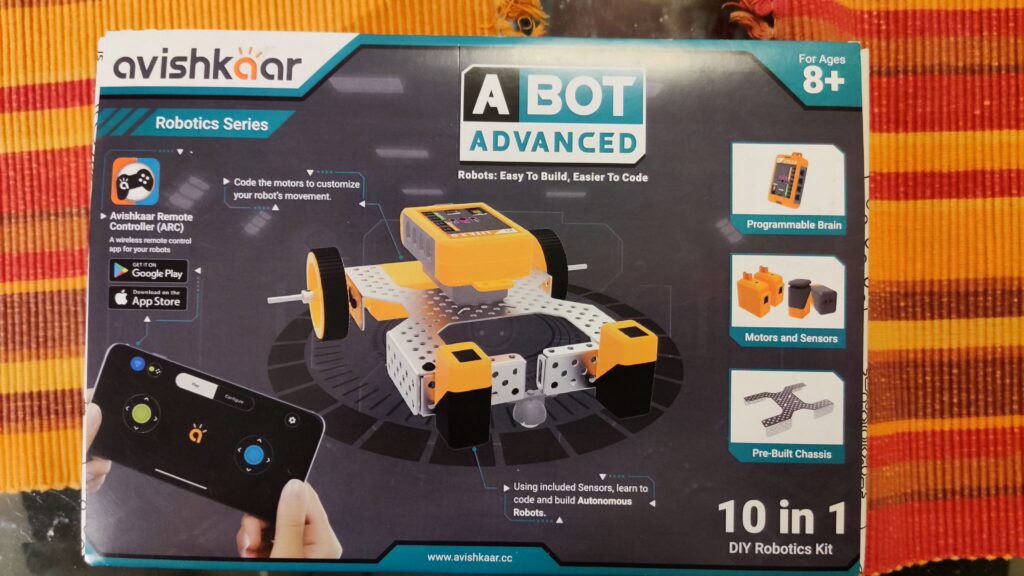
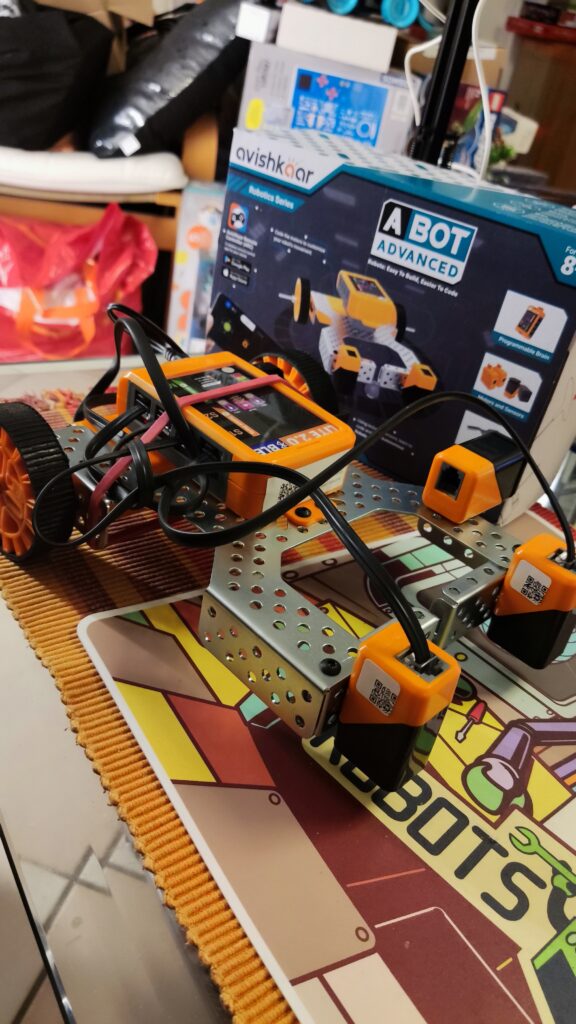
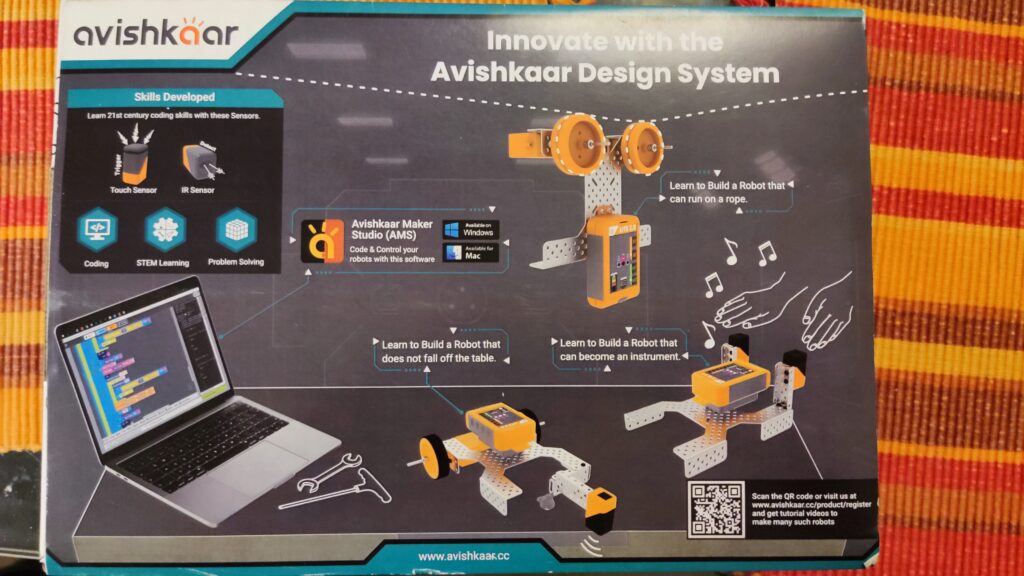
The Avishkaar ABot Advanced Kit is a comprehensive DIY kit for STEM robotics and coding designed specifically for children aged 8 and up. It contains over 60 parts, including metal parts, motors, sensors, wheels, USB cables, screws, nuts, an Allen wrench, and a wrench. With these parts, children can build 10 different robots, from simple vehicles to more complex constructions The set reminded me of the mBot when I set it up, as it was also based on a sturdy metal construction. The included stickers and the tool are nice. The instructions were easy to understand and I didn’t find any errors or had any problems assembling. The app for remote control and programming must be activated with the product code and the user must be registered before using it for the first time. When deploying, e.g. in the classroom, you should have done this in advance. By the way, the 9V block battery visible in the video is not included when purchased from a dealer, but a full-fledged battery pack. I only use the 9V battery because of delivery problems. Overall, however, it is interesting that the robot makes this possible at all. I’m playing with the idea of connecting a solar cell here and operating the robot with solar energy…like a real Mars rover…
Here is more detailed information:
Easy to build programmable robots: With this kit, kids can create 10 different robots with over 60 pieces. This includes metal parts, an easily programmable brain, motors, sensors (2x light sensor, 1x touch sensor/button), wheels, USB cables, screws, nuts, an Allen key, a wrench, cables, and instructions.
Control via mobile app: The robots can be controlled via a remote control app. They can also be programmed using a visual block-based programming environment (similar to Scratch/Blockly).
Learning Objectives: With the ABot Advanced Kit, children learn robotics, programming, construction, mechanical design and problem solving.
Compatibility: The mobile app is compatible with iOS 11 or later and Android 10 or later.
Inexpensive Kit: The ABot Advanced Kit offers a sturdy metal frame to which motors and sensors can be attached. For the equivalent of about 60€, the set offers good value for money. Maybe the set will soon be available at a German retailer.
You can find a comprehensive assembly video of one of the 10 robot models here:
Das Avishkaar ABot Advanced Kit ist ein umfassendes DIY-Set für STEM-Robotik und Codierung, das speziell für Kinder ab 8 Jahren entwickelt wurde. Es enthält über 60 Teile, darunter Metallteile, Motoren, Sensoren, Räder, USB-Kabel, Schrauben, Muttern, ein Inbusschlüssel und ein Schraubenschlüssel. Mit diesen Teilen können Kinder 10 verschiedene Roboter bauen, von einfachen Fahrzeugen bis hin zu komplexeren Konstruktionen Das Set erinnerte mich beim Aufbau an den mBot, da auch hier eine stabile Metallkonstruktion als Grundlage diente. Nett sind die mitgelieferten Sticker und das Werkzeug. Die Anleitung war einfach zu verstehen und ich fand keine Fehler oder hatte Probleme beim Zusammenbau. Die App zur Fernsteuerung und Programmierung muss vor der ersten Verwendung mit dem Produktcode aktiviert und der Benutzer registriert werden. Beim Einsatz, z.B. im Klassenzimmer, sollte man dies vorab schon erledigt haben. Die im Video sichtbare 9V Blockbatterie ist übrigens beim Kauf über einen Händler nicht dabei, sondern ein vollwertiges Akkupack. Ich verwende die 9V Batterie nur wegen Lieferschwierigkeiten. Insgesamt aber schon interessant, dass der Roboter dies überhaupt ermöglicht. Ich spiele direkt mit dem Gedanken hier eine Solarzelle anzuschließen und den Roboter mit Sonnenenergie zu betreiben…wie so ein richtiger Marsrover…
Hier sind weitere detaillierte Informationen:
Einfach zu bauende programmierbare Roboter: Mit diesem Kit können Kinder 10 verschiedene Roboter mit über 60 Teilen erstellen. Dazu gehören Metallteile, ein leicht programmierbares Gehirn, Motoren, Sensoren (2x Lichtsensor, 1x Berührungssensor/Taster), Räder, USB-Kabel, Schrauben, Muttern, ein Inbusschlüssel, ein Schraubenschlüssel, Kabel und eine Anleitung.
Steuerung über mobile App: Die Roboter können über eine Fernbedienungs-App gesteuert werden. Außerdem können sie mithilfe einer visuellen blockbasierten Programmierumgebung (ähnlich Scratch/Blockly) programmiert werden.
Lernziele: Mit dem ABot Advanced Kit lernen Kinder Robotik, Programmierung, Konstruktion, mechanisches Design und Problemlösung.
Kompatibilität: Die mobile App ist mit iOS 11 oder höher und Android 10 oder höher kompatibel.
Preiswertes Kit: Das ABot Advanced Kit bietet einen stabilen Metallrahmen an dem Motoren und Sensoren angebracht werden können. Für umgerechnet ca. 60€ bietet das Set ein gutes Preis-Leistungsverhältnis. Vielleicht findet sich das Set ja auch bald bei einem deutschen Händler.
Ein umfassendes Aufbauvideos eines der 10 Robotermodelle findet ihr hier:
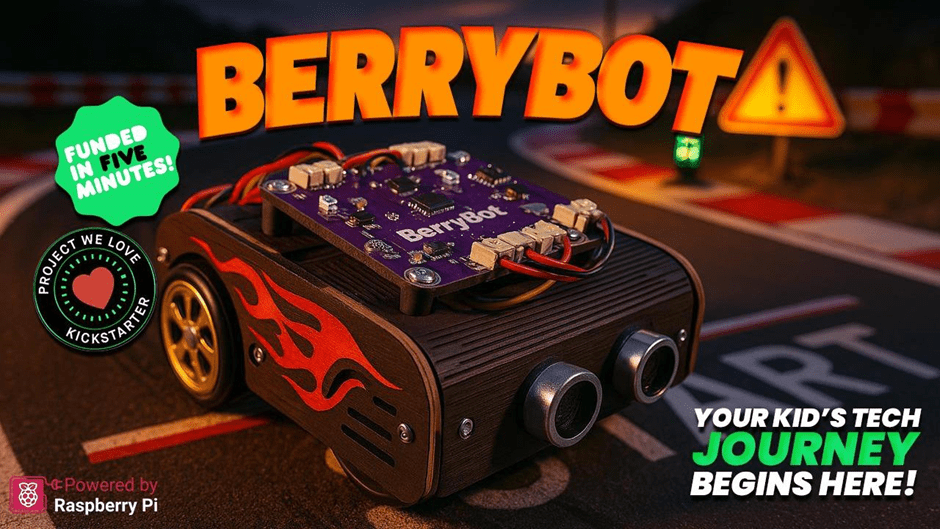
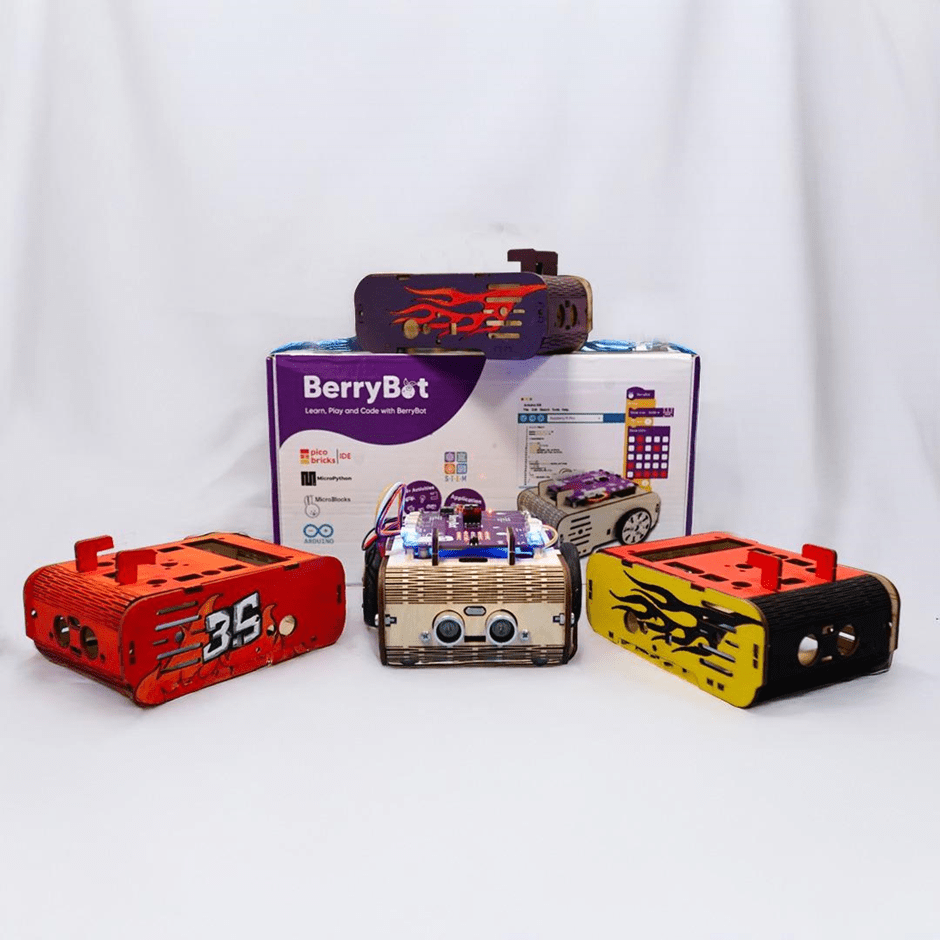
Robotistan, a pioneer in innovative educational solutions, has introduced a new STEM robot called BerryBot. Designed to help children develop coding and robotics skills, this creative and educational robot offers practical experiences in science, technology, engineering, and mathematics (STEM).
A New Era in Robotics Education
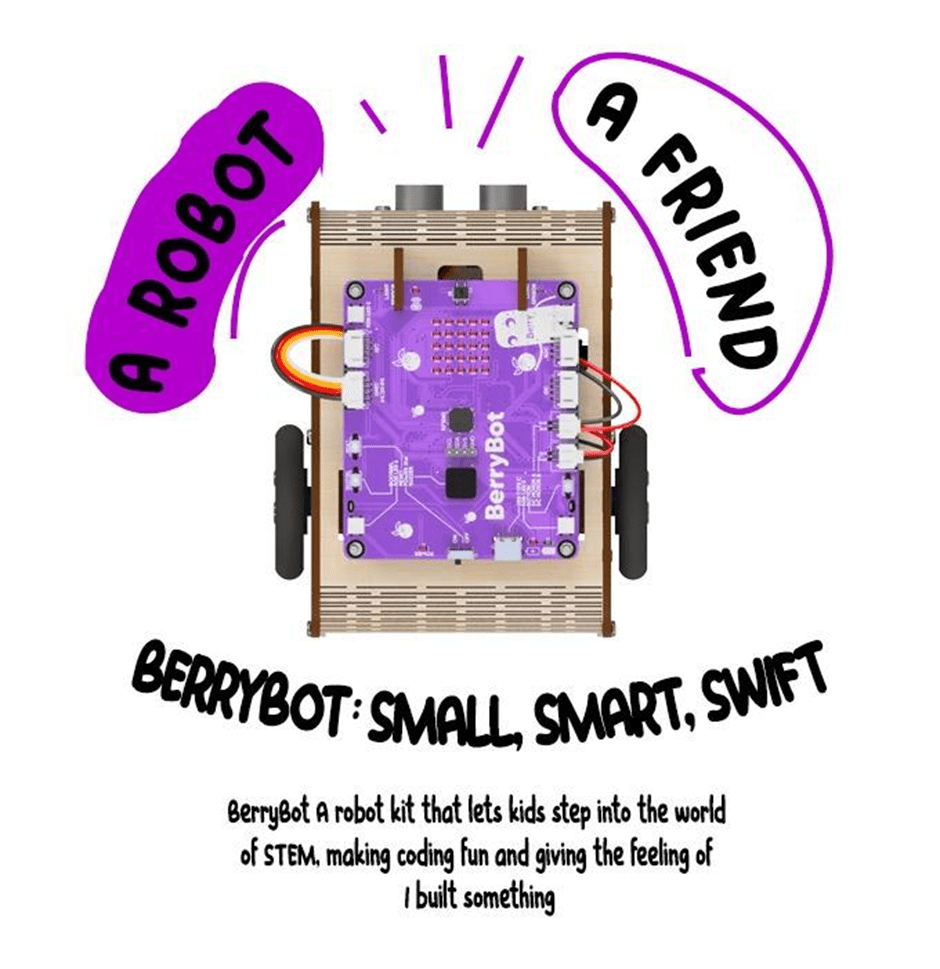
BerryBot is more than just a robot; it’s a learning platform that nurtures creativity and problem-solving skills. With its compact and customizable design, BerryBot allows users to paint and personalize their robot, thanks to its wooden body.
The wooden structure not only reflects an eco-friendly design approach but also allows children to shape their robots according to their own style. BerryBot is designed to be flexible enough for both classroom and home use.
Key Features
BerryBot’s innovative features support the development of both technical and creative skills:
Customizable Wooden Body:
Kids can paint their robots to reflect their unique style.
Durable and sustainable construction.
Versatile Coding Options:
Block-based programming for beginners.
Advanced programming with Python and Arduino IDE.
User-friendly interface for an easy learning process.
Multi-Mode Movement:
Line-following, sumo, and free movement modes.
Real-time visual feedback via the LED matrix display.
Wireless control through Bluetooth connectivity.
An Educational Tool Combining Coding Skills with Creativity
BerryBot offers young aspiring engineers a fun and educational experience. While creating different movement scenarios, children not only enhance their problem-solving skills but also develop creative projects.
Thanks to BerryBot’s multi-mode structure, users can program the robot’s movement capabilities in various ways. This feature transforms BerryBot from being just a toy to a valuable educational tool that encourages creative thinking.
Mehmet Akçalı, Marketing and Product Director at Robotistan, highlighted the educational features of BerryBot:
„BerryBot offers a practical and fun way for children to step into the world of STEM. Combining coding skills with creative projects, this robot will become an indispensable educational tool for both teachers and parents.“
He also mentioned a special opportunity for early supporters:
„We’re thrilled to announce our Kickstarter campaign, where backers can take advantage of the Early Bird offer. Additionally, as part of our commitment to supporting STEM education, for every 10 pledges, we will gift one BerryBot to a school or an educational organization in need. This way, our supporters not only get an amazing educational robot but also help inspire the next generation of young innovators.“
Shaping the Engineers of the Future
As the importance of STEM education continues to grow, innovative tools like BerryBot are preparing young minds for the future. With its fun yet educational nature, BerryBot strengthens children’s coding, algorithmic thinking, and problem-solving skills while also inspiring creative projects.
Robotistan emphasizes that BerryBot is not just an educational robot but also a platform where children can express themselves. Produced with this vision in mind, BerryBot is ready to make a difference both at home and in educational environments.
To learn more about BerryBot and to be among the first to own it and take advantage of the Early Bird offer, visit the Kickstarter page!
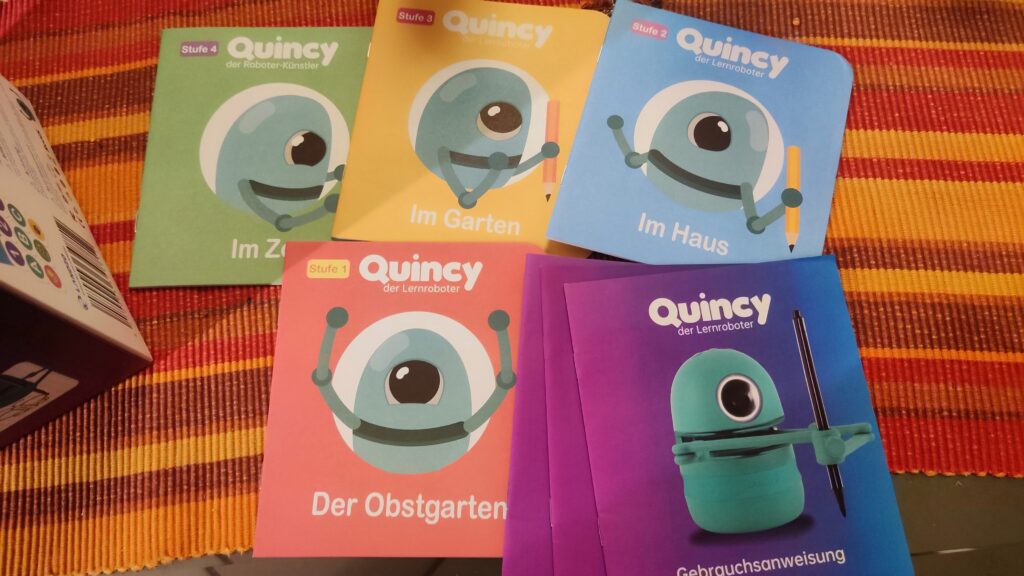
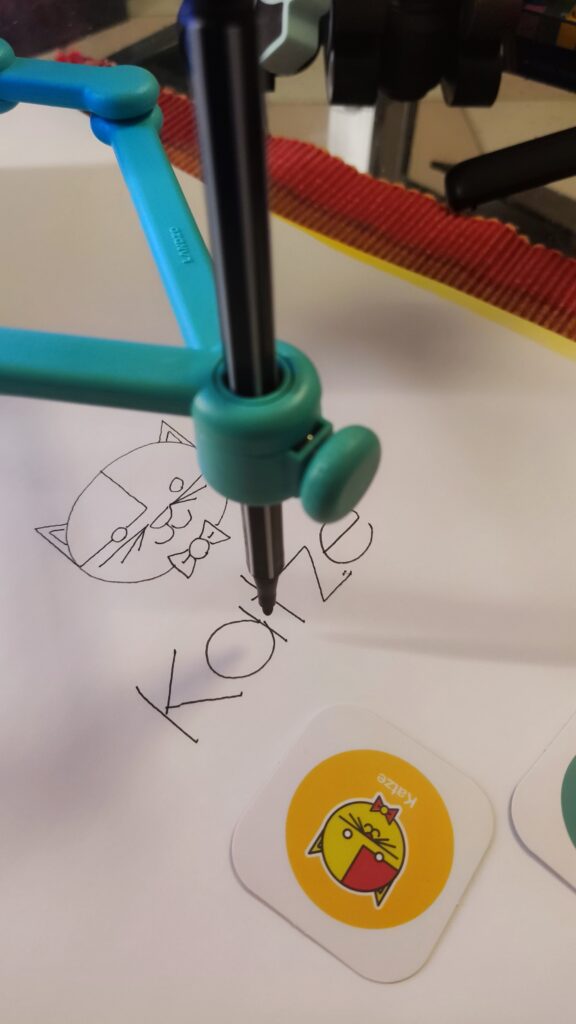
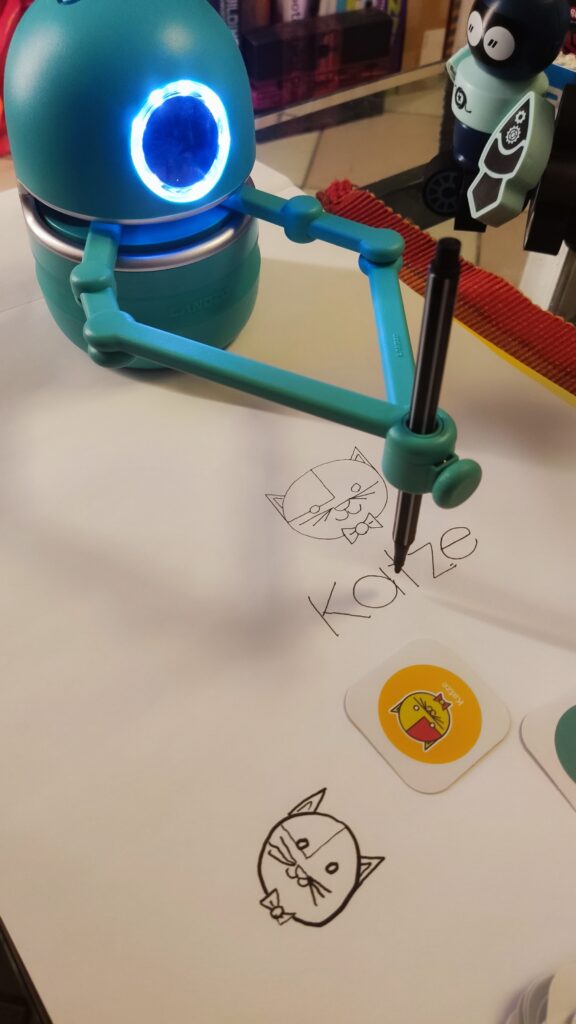
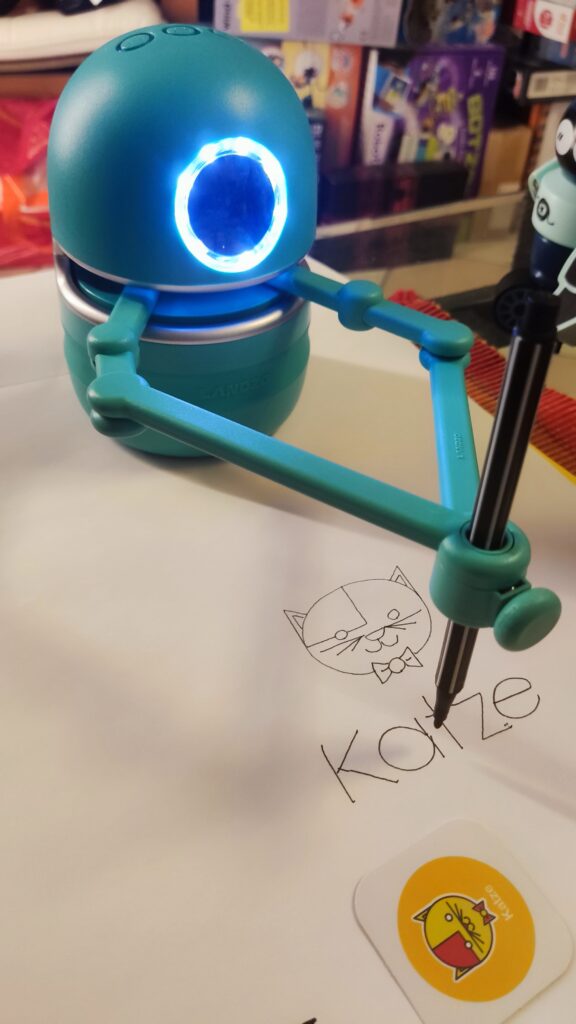
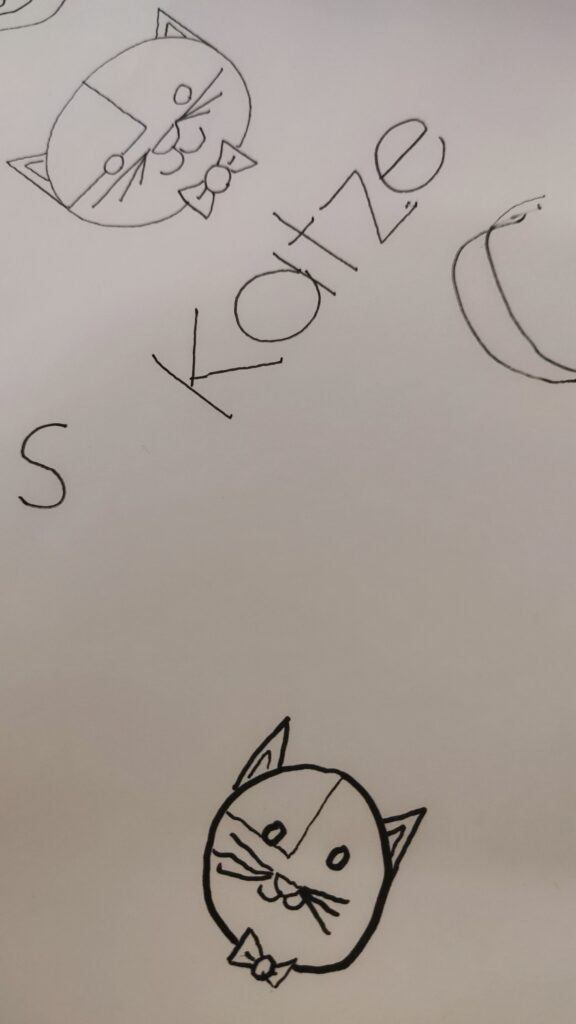
Quincy ist ein Roboter, der speziell für Kinder im Alter von 3 bis 8 Jahren entwickelt wurde. Er hat die Gestalt eines putzigen Roboter-Zyklopen mit zwei magnetischen Armen, die einen Stift halten können. Er kann verschiedene Bilder zeichnen, die er von speziellen Karten scannt, und dabei Kinder anleiten, ihm zu folgen und mitzuzeichnen. Er kann auch lehren, wie man das Alphabet, die Rechtschreibung, das Zählen und Mathematik lernt, indem er ihnen Geschichten erzählt, Fragen stellt und sie zum Mitmachen auffordert.
Quincy ist mehr als nur ein Spielzeug, er ist ein innovativer Lernbegleiter, der die Kreativität, die kognitiven und die sprachlichen Fähigkeiten der Kinder fördert. Er verwendet eine interaktive und spielerische Methode, um die Kinder zu motivieren. Er passt sich dem Lernniveau und dem Tempo der Kinder an und gibt ihnen positives Feedback und Ermutigung. Er ist ebenso ein schönes Spielzeug, das die Kinder unterhält und aktiv beschäftigt.
Quincy funktioniert mit verschiedenen Karten, die er mit seinem Auge, bzw. der dahinter verbauten Kamera, scannen kann. Es gibt vier Arten von Karten: Zeichenkarten, Buchstabenkarten, Zahlenkarten und Mathe-Herausforderungskarten. Die Zeichenkarten enthalten Bilder von Tieren, Pflanzen, Objekten und anderen Themen, die Quincy zeichnen und erklären kann. Die Buchstabenkarten enthalten die 26 Buchstaben des Alphabets, die Quincy verwenden kann, um die Kinder das Alphabet und die Rechtschreibung zu lehren. Die Zahlenkarten enthalten die Zahlen von 0 bis 9, die Quincy verwenden kann, um Kindern das Zählen und die Grundrechenarten zu lehren. Die Mathe-Herausforderungskarten enthalten Geschichten mit Mathefragen, die Quincy zeichnen und erzählen kann, und die Kinder sollen die richtige Antwort mit den Zahlenkarten geben.
Um Quincy zu benutzen, muss man ihn zuerst einschalten, indem man den Lautstärkeregler nach rechts dreht. Dann muss man einen Stift in seine Arme stecken, so dass die Spitze das Papier berührt. Dann muss man Quincy auf die obere Mitte des Papiers stellen, so dass seine Arme über dem Papier sind. Dann kann man eine Karte auswählen, die man Quincy zeigen möchte, und sie in etwa 5 cm Entfernung von sein Auge halten. Wenn sein Auge blinkt, bedeutet das, dass er die Karte erkannt hat, und man kann die Weiter-Taste drücken, um fortzufahren. Quincy wird dann das Bild zeichnen oder die Geschichte erzählen, und die Kinder können mitzeichnen oder ihm antworten. Mit der Weiter, Wiederholen oder Pause Taste lassen sich die Ansagen entsprechend steuern.
Quincy hat ein modernes und einzigartiges Design, das ihm Flexibilität und Stabilität beim Zeichnen und Schreiben verleiht. Er hat eine Saugnapfkonstruktion, die verhindert, dass er versehentlich beim Zeichnen verrutscht, und einen Arm, der durch seine magnetische Befestigung verhindert, dass er abbricht, wenn er mal herunterfällt. Seine schnelle Scanfähigkeit von 0,5 Sekunden ermöglicht es ihm, Bilder sofort zu erkennen und zu zeichnen. Er hat einen eingebauten 2500mAh wiederaufladbaren Lithium-Akku, der 2-2,5 Stunden zum Aufladen benötigt und 5,5 Stunden ohne Unterbrechung arbeiten kann. Er hat einen eingebauten gut klingenden Lautsprecher, der seine Stimme klar und angenehm macht. Er ist aus PET-Kunststoff gefertigt und hat eine rutschfeste Silikonbasis.
Das erste Ausprobieren und Starten von Qunicy gelang uns auf Anhieb und stellt keine Hürde dar. Vermutlich schaffen es die meisten Kinder, ohne die Hilfe Ihrer Eltern, Quincy in Betrieb zu nehmen. Wir empfehlen Quincy direkt neben einem Malblock zu platzieren, der gegen Verrutschen gesichert ist oder entsprechendes Eigengewicht besitzt.
Quincy ist bei Amazon für ca. 90 Euro erhältlich. Das Quincy Starterpaket enthält: Quincy, eine Bedienungsanleitung, zwei magnetische Arme, ein Ladekabel sowie zwei Stifte. Außerdem sind 24 Zeichenaufgaben, 4 Mathematikaufgaben, 26 Buchstabenkarten und 10 Zahlenkarten enthalten. Es gibt auch ein Quincy Erweiterungsset, das bald erhältlich sein wird, und das mehr Rechenaufgaben, Zeichenaufgaben und Buchstabieraufgaben bietet.
Quincy ist ein pädagogischer Zeichenroboter, der Kindern hilft, ihre Kreativität zu entwickeln und das Zeichnen zu lernen. Er ist ein perfekter Hauslehrer für Ihre Kinder, der ihnen verschiedene Fähigkeiten und Kenntnisse vermittelt, wie z.B das Alphabet, Rechtschreibung, Zählen, Mathe und mehr. Er ist ein lustiger und lehrreicher Begleiter, der Kinder zu motivieren und beschäftigen weiß.
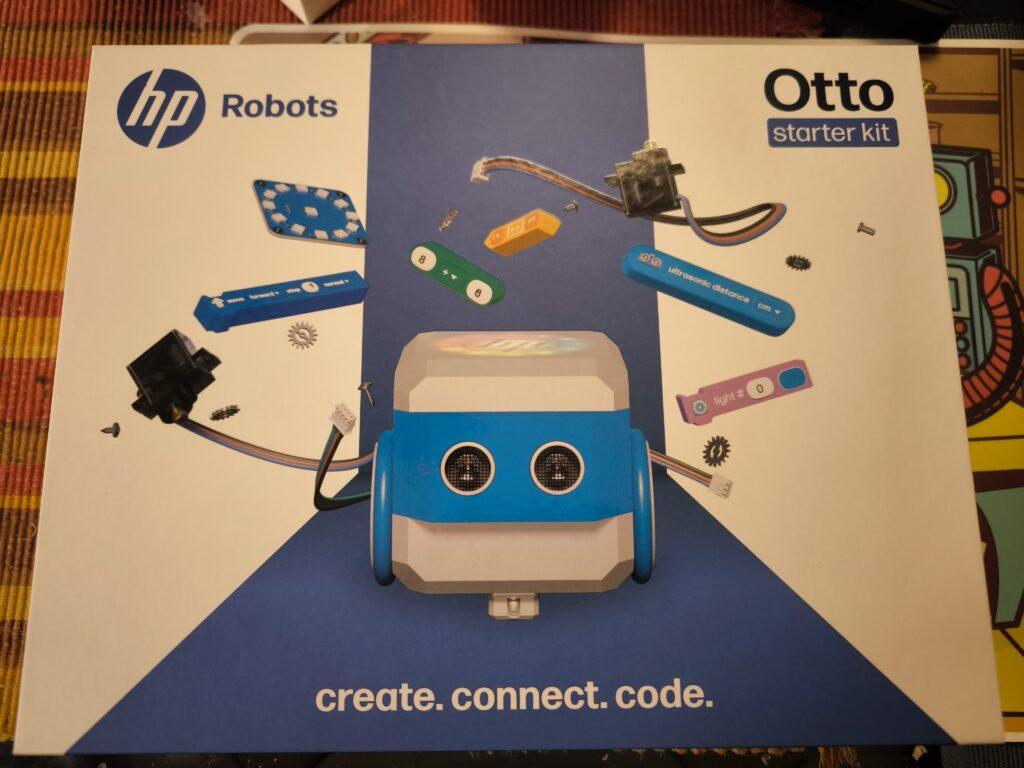
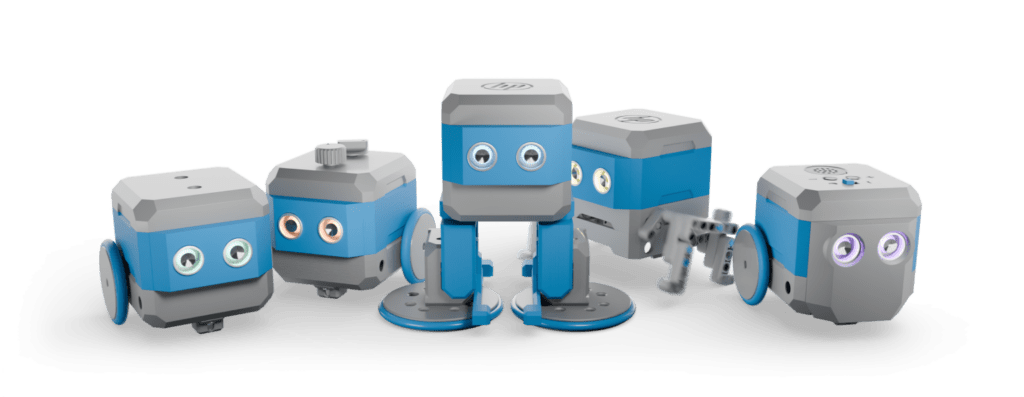
The HP Robots Otto is a versatile, modular robot designed specifically for educational purposes. It offers students and teachers an exciting opportunity to immerse themselves in the world of robotics, 3D printing, electronics and programming. The robot was developed by HP as part of their robotics initiative and is particularly suitable for use in science, technology, engineering and mathematics (STEM) classes.
Key features of Otto:
Modular design: Otto is a modular robot that allows students to build, program and customize it through extensions. This promotes an understanding of technology and creativity. The modular structure allows various components such as motors, sensors and LEDs to be added or replaced, which increases the learning curve for students.
Programmability: The robot can be programmed with various programming languages, including block-based programming for beginners and Python and C++ for advanced programmers. This diversity allows students to continuously improve their coding skills and adapt to the complexity of the tasks.
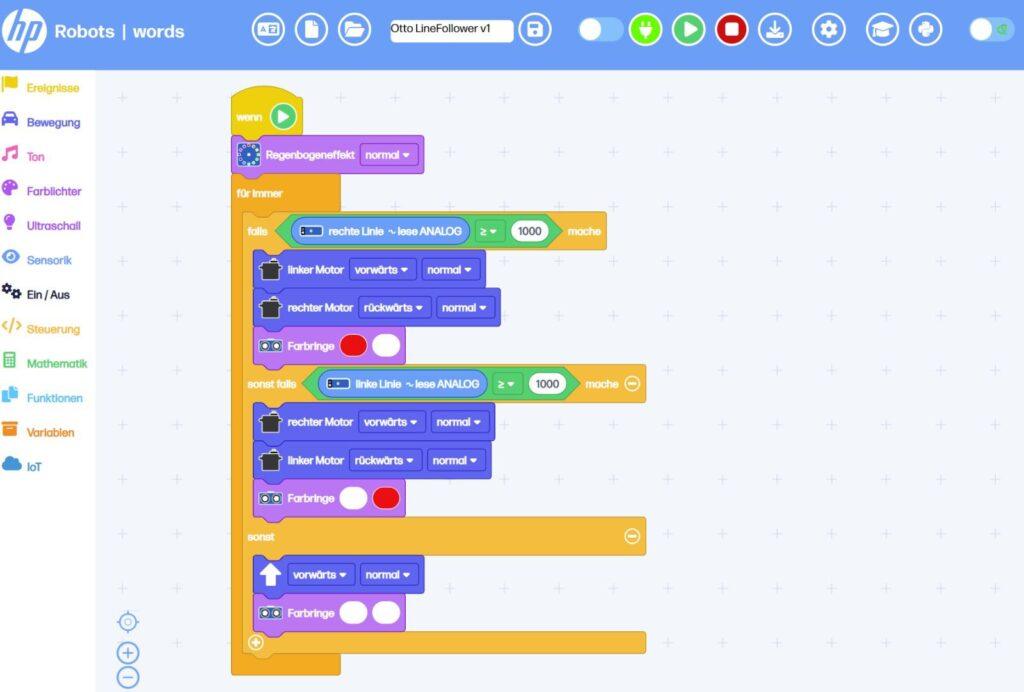
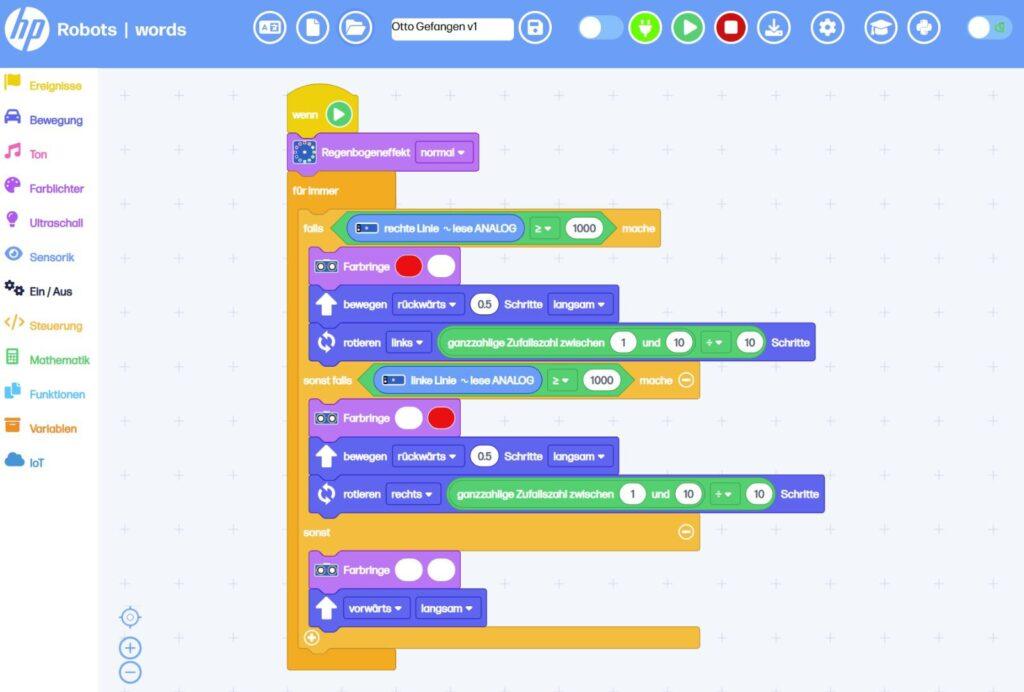
Sensors and functions: Equipped with ultrasonic sensors for obstacle detection, line tracking sensors and RGB LEDs, Otto offers numerous interactive possibilities. These features allow students to program complex tasks such as navigating courses or tracing lines. The sensors help to detect the environment and react accordingly.
3D printing and customizability: Students can design Otto’s outer parts themselves and produce them with a 3D printer. This allows for further personalization and customization of the robot. This creative freedom not only promotes technical understanding, but also artistic skills. Own parts can be designed and sensors can be attached to desired locations.
Educational approach:
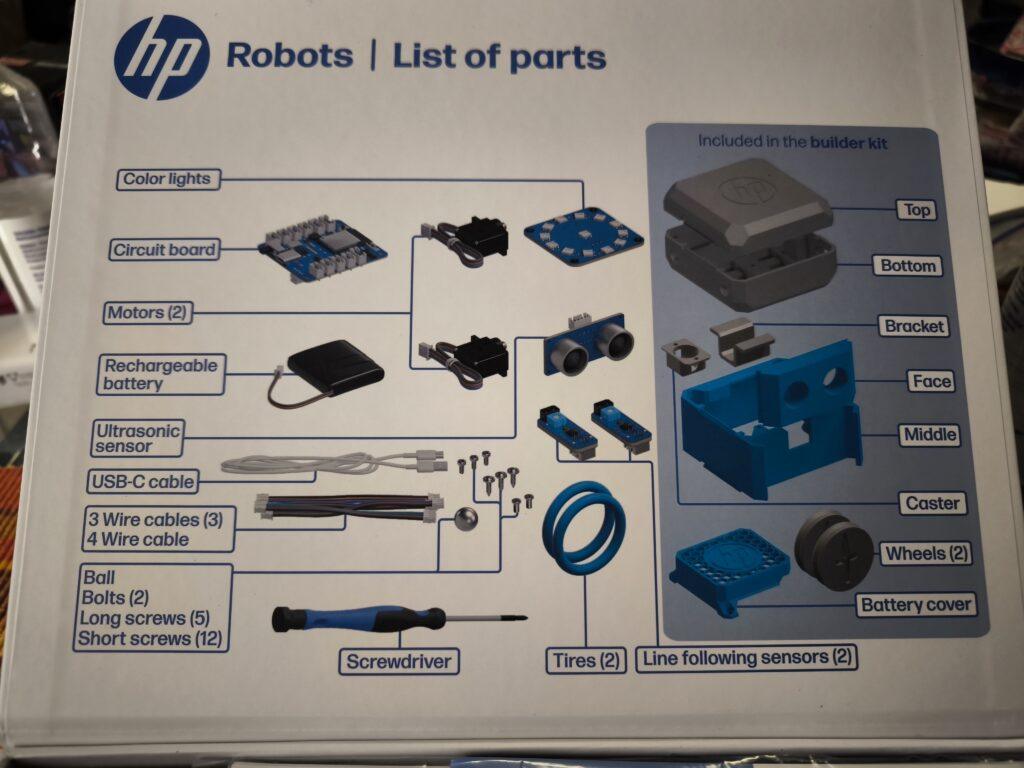
Otto is ideal for use in schools and is aimed at students from the age of 8. Younger students can work under supervision, while older students from the age of 14 can also use and expand the robot independently. The kit contains all the necessary components to build a functioning robot, including motors, sensors, and a rechargeable battery.
Programming environments:
Otto is programmed via a web-based platform that runs on all operating systems. This platform offers different modes:
Block-based programming: Similar to Scratch Jr., ideal for beginners. This visual programming makes it easier to get started in the world of programming and helps students understand basic concepts such as loops and conditions.
Python: A Python editor is available for advanced users. Python is a popular language that works well for teaching because it is easy to read and write. Students can use Python to develop more complex algorithms and expand their programming skills.
C++: Compatible with the Arduino IDE for users who have deeper programming knowledge. C++ offers a high degree of flexibility and allows students to access the hardware directly, allowing for their own advanced projects.
Expansion Kits:
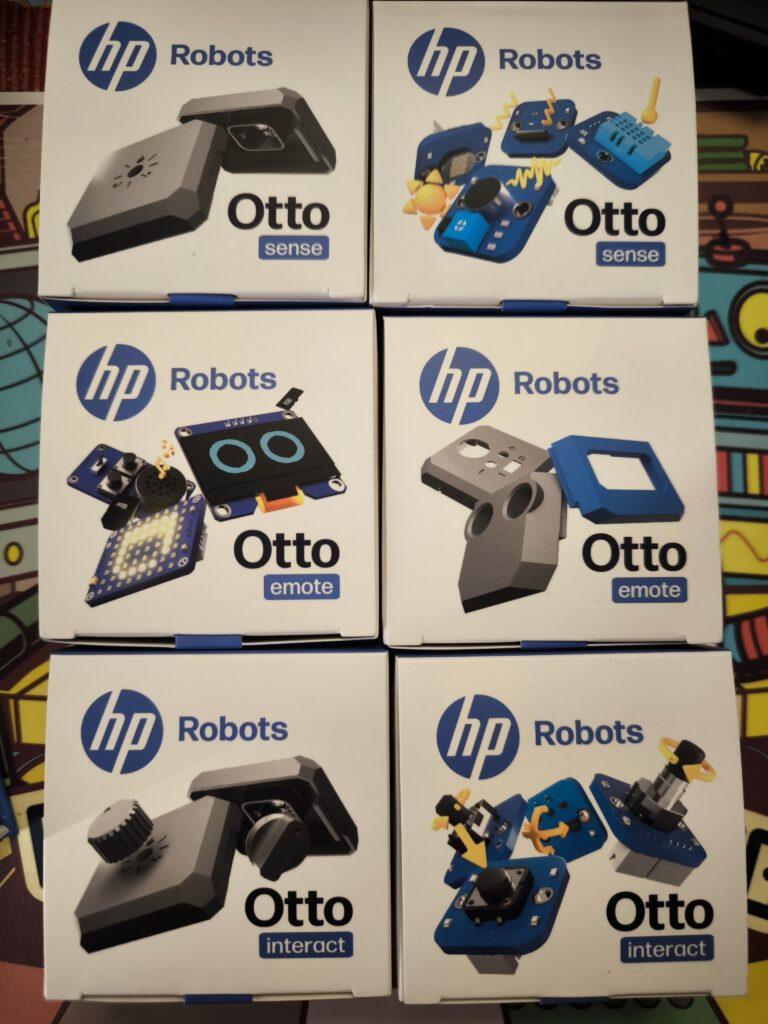
In addition to the Starter Kit, there are several expansion kits. All expansion kits require the starter kit, as they are built on top of it.
Emote Expansion Kit:
It includes components such as an LED matrix display, OLED display, and an MP3 player that allow the robot to display visual and acoustic responses.
This kit is particularly suitable for creative projects where Otto should act as an interactive companion.
The emote kit allows Otto to show emotions, mirror human interactions, and develop different personalities.
Sense Expansion Kit:
With the Sense Kit, Otto can perceive its surroundings through various sensors.
Included are sensors for temperature, humidity, light and noise as well as an inclination sensor. These enable a wide range of interactions with the environment.
The kit is ideal for projects that focus on environmental detection and data analysis.
Interact Expansion Kit:
The Interact kit expands Otto’s tactile interaction capability through modules such as push buttons, rotary knobs and accelerometers.
It enables precise inputs and reactions, as well as measurement of acceleration.
This kit is great for playful activities and interactive games.
Invent Expansion Kit:
The Invent kit is specifically designed to encourage users‘ creativity. It allows the individual adaptation of Otto’s functionalities and design through 3D printing and additional modules as well as compatible clamping blocks.
Users can design and print new accessories to make the robot unique.
Equip Otto with legs and teach him to walk or make him fit for outdoor use off-road with chains.
Use in the classroom:
Otto comes with extensive resources developed by teachers. These materials help teachers design effective STEM lessons without the need for prior knowledge. The robot can be used both in the classroom and at home. The didactic materials include:
Curricula: Structured lesson plans that help teachers plan and execute lessons.
Project ideas and worksheets: A variety of projects that encourage students to think creatively and expand their skills.
Tutorials and videos: Additional learning materials to help students better understand complex concepts.
Conclusion:
The HP Robots Otto is an excellent tool for fostering technical understanding and creativity in students. Thanks to its modular design and diverse programming options, it offers a hands-on learning experience in the field of robotics and electronics. Ideal for use in schools, Otto provides teachers with a comprehensive platform to accompany students on an exciting journey into the world of technology. In particular, Otto’s versatility through the 3D-printed parts and expansion packs offers the opportunity to build the personal learning robot.
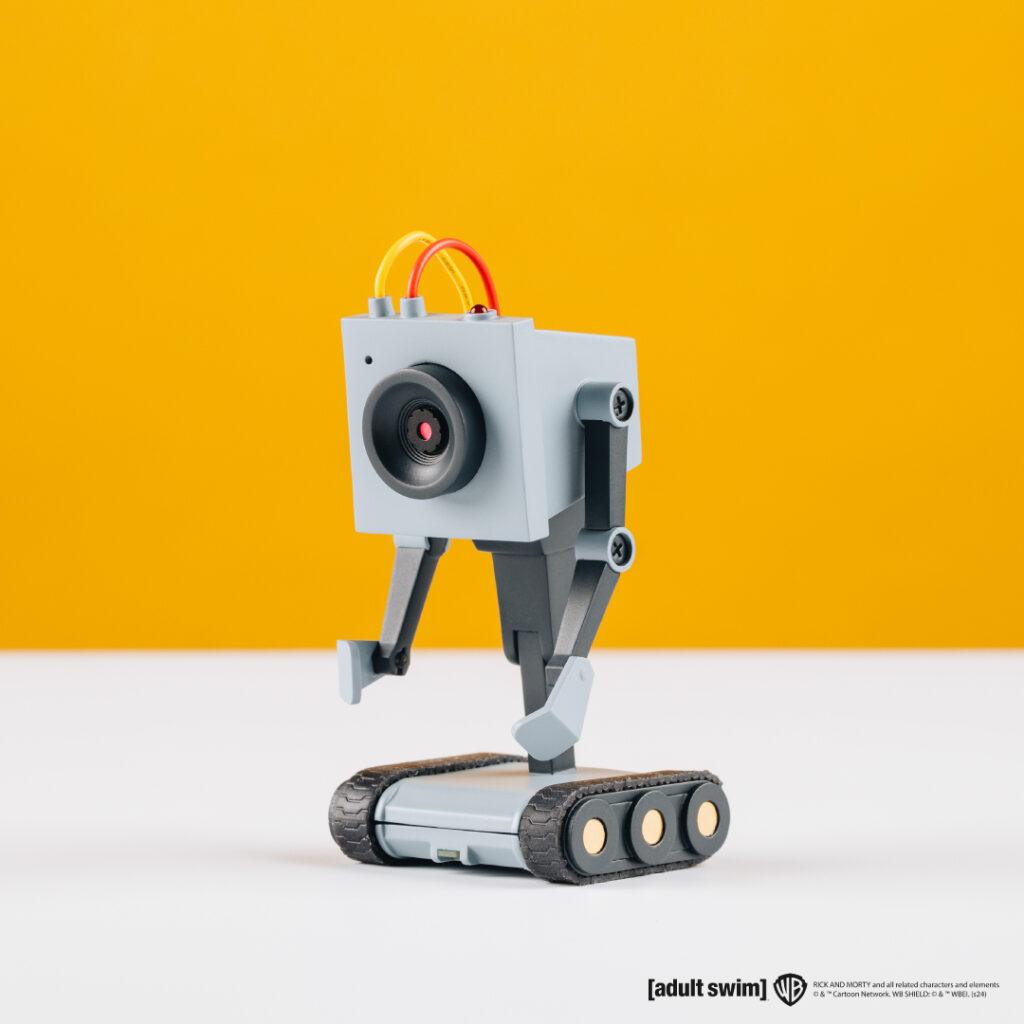
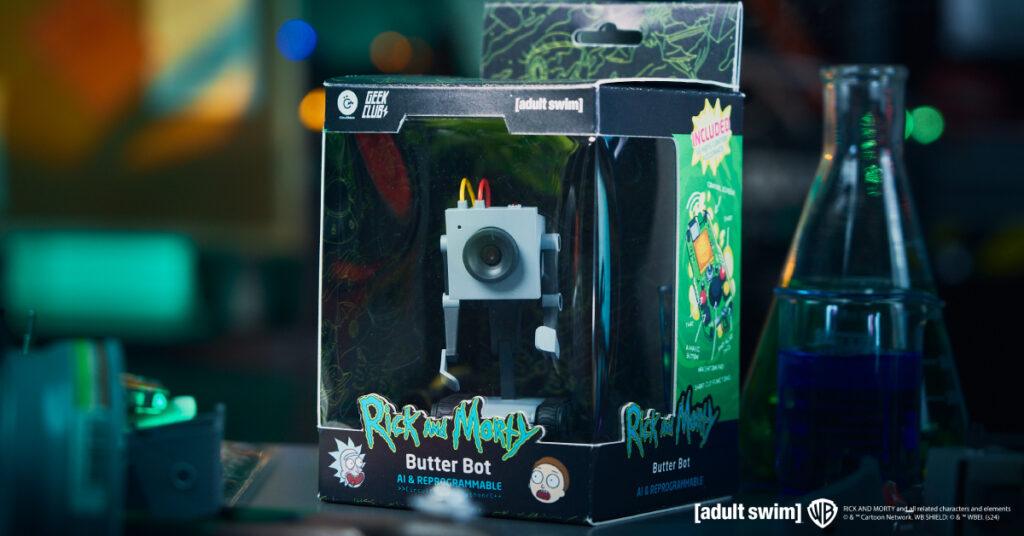
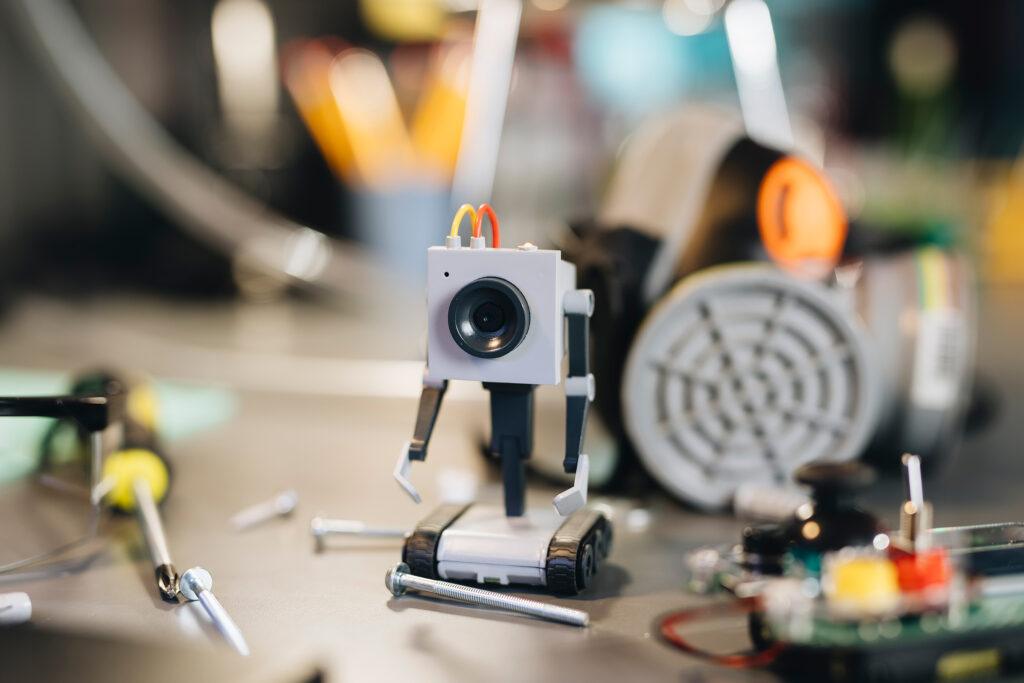
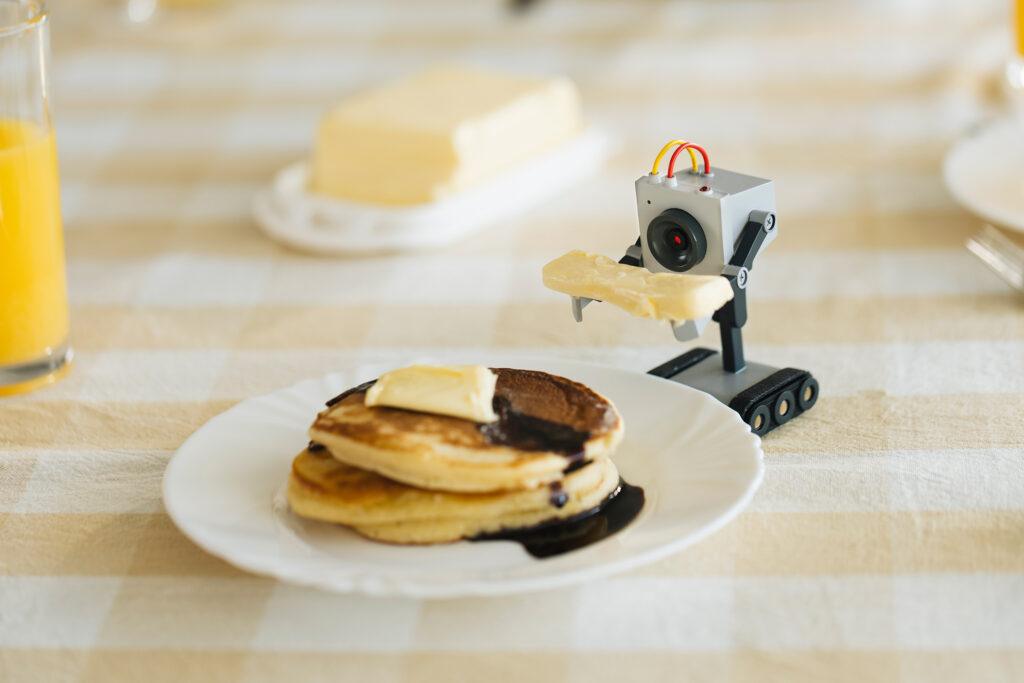
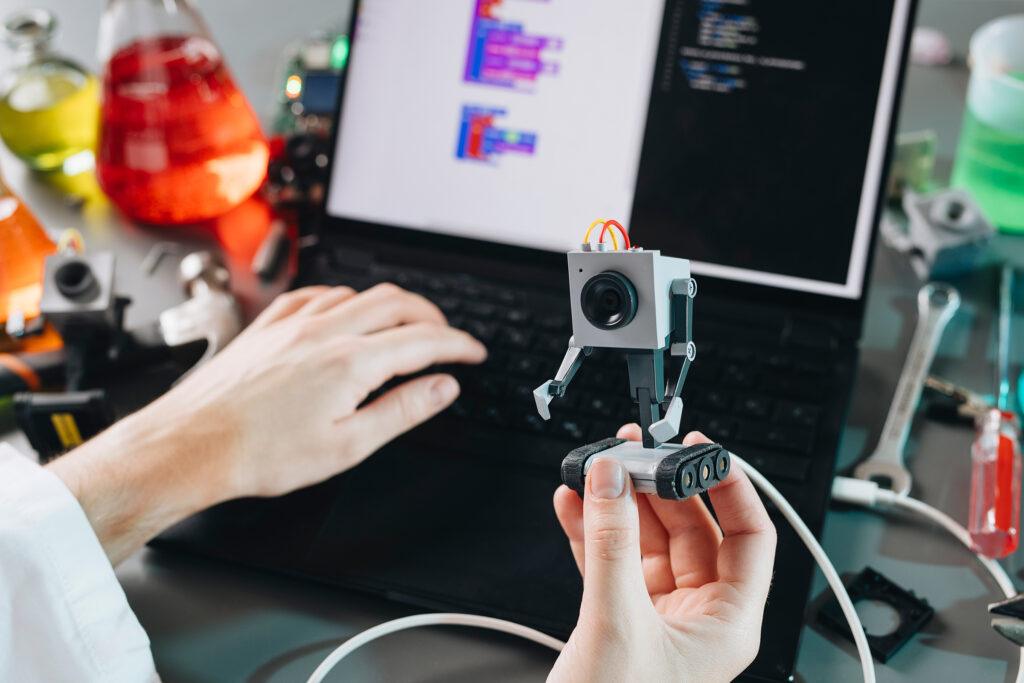
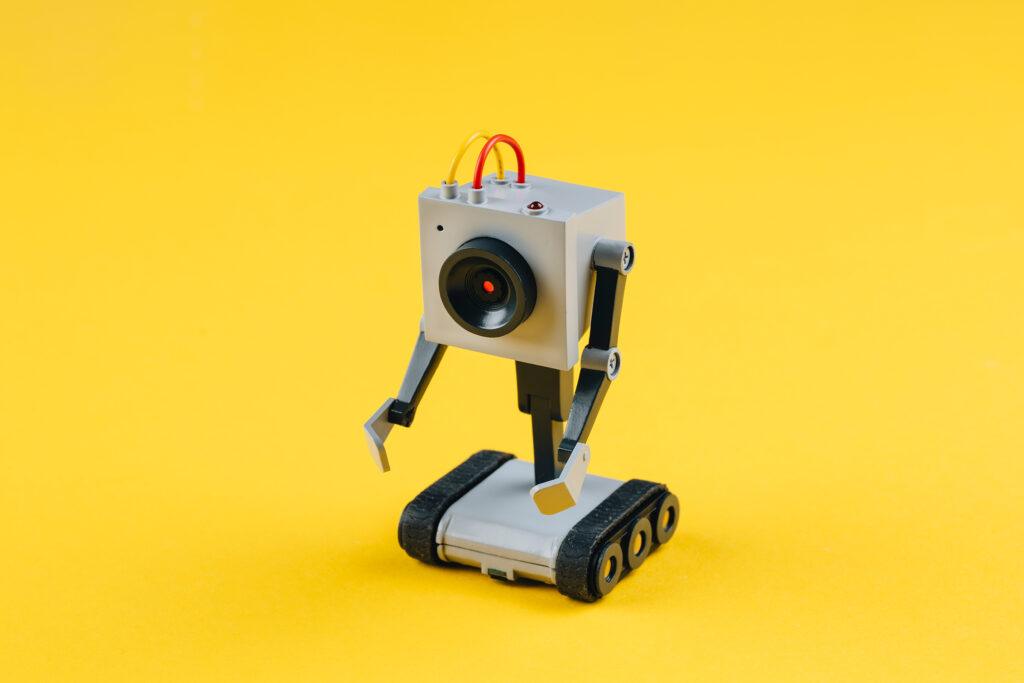
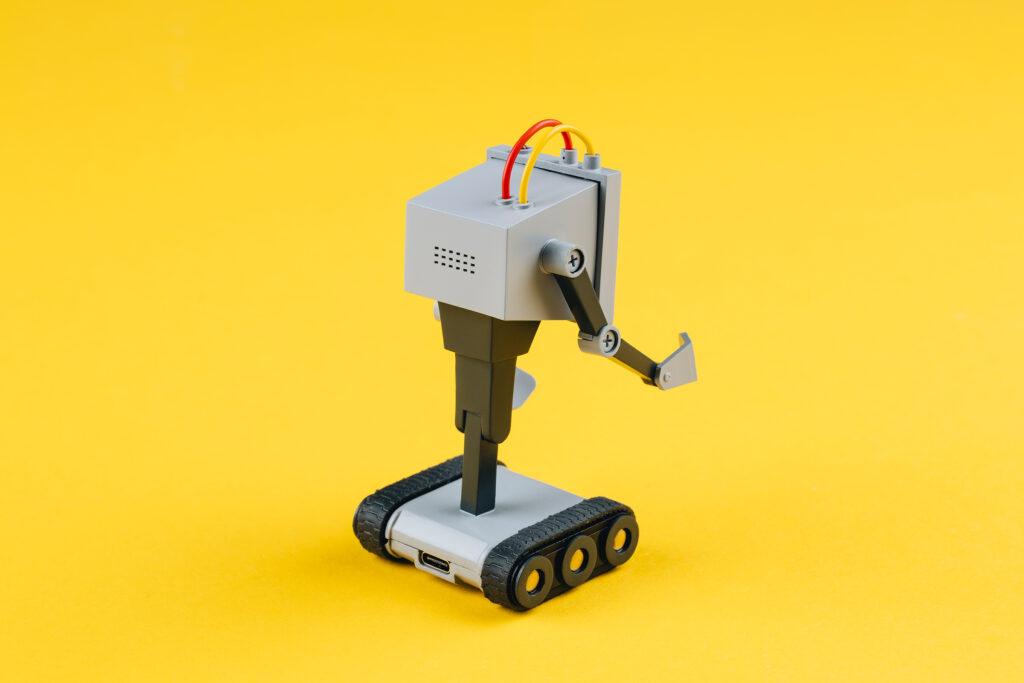
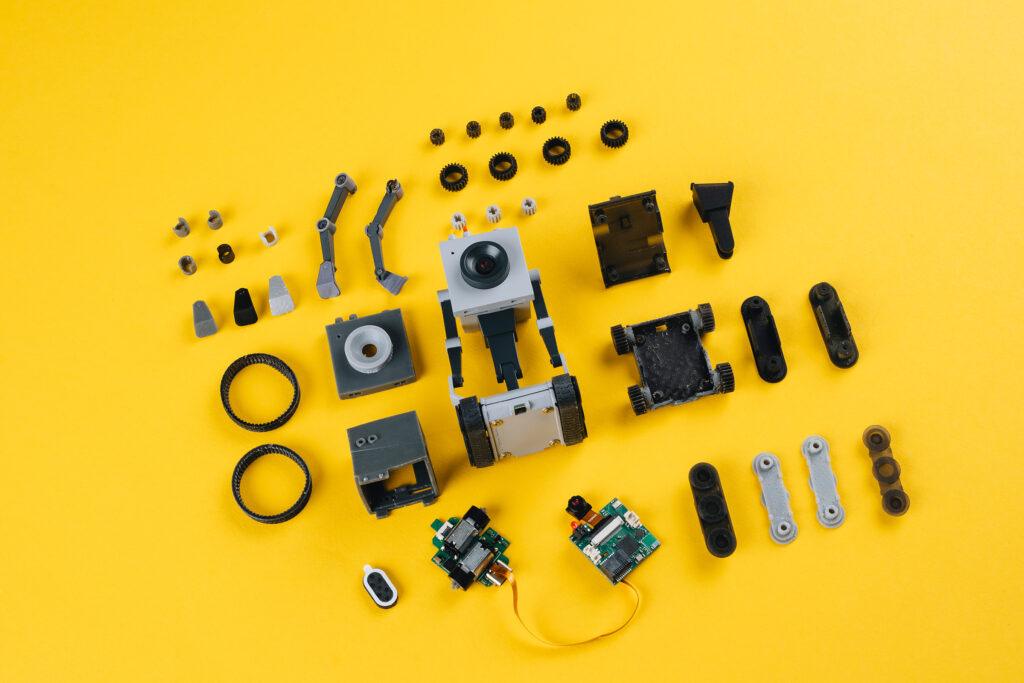
After a string of successful Kickstarter campaigns, Geek Club and CircuitMess have teamed up once again to launch an exciting new project: an AI-powered desk robot designed especially for Rick and Morty fans.
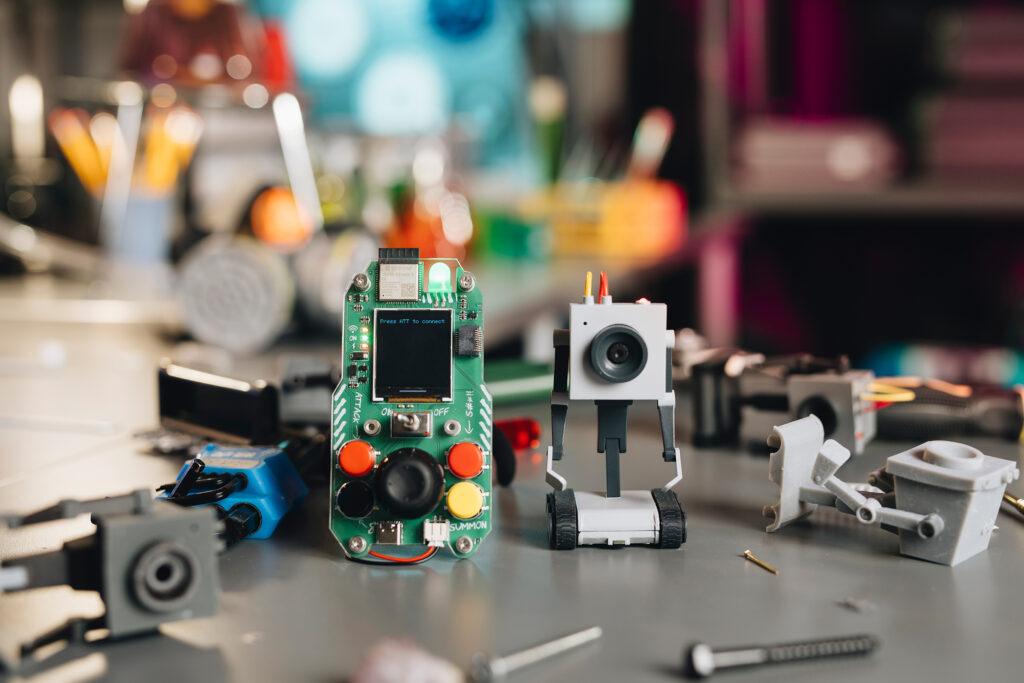
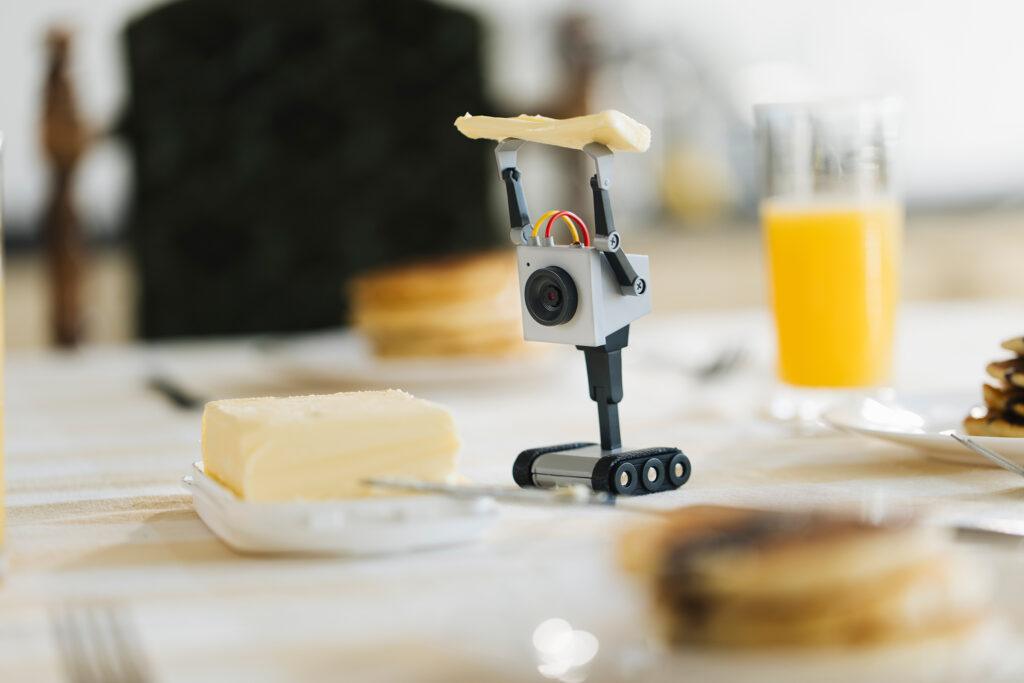
Zagreb, Croatia – November 2024 – Geek Club and CircuitMess are thrilled to announce the official launch of their Kickstarter campaign for the Butter Bot, a revolutionary AI-powered robot inspired by the one made famous in the popular Adult Swim series, Rick and Morty, and first seen in season 1 episode 9. This innovative product is officiallylicensed by Warner Bros. Discovery Global Consumer Products (WBDGCP), bringing the iconic Butter Bot to life in a way fans have never seen before.
From Screen to Reality: A Partnership That Is Bringing Butter Bot to Life
A shared love of Rick and Morty show between CircuitMess and Geek Club teams led to this project. Both companies saw an opportunity to bring a beloved character to life in a way that was both true to the show and technologically innovative. They chose the Butter Bot because of its iconic status and potential for interactive, educational, and entertaining applications. By turning a simple butter-passing robot into a multifunctional AI companion, they aimed to create a product that would resonate with fans and tech enthusiasts alike, merging humor and functionality seamlessly.
From Mars to Multiverse: The Next Chapter for CircuitMess and Geek Club
The collaboration was a logical union of the two companies after the massive success of the previous Kickstarter – NASA Perseverance AI-powered Mars Rover. Both companies create educational STEM DIY kits for kids and adults in order to make learning STEM skills easy and fun. While CircuitMess is focused primarily on toys, Geek Club’s products are always robot and space-themed.
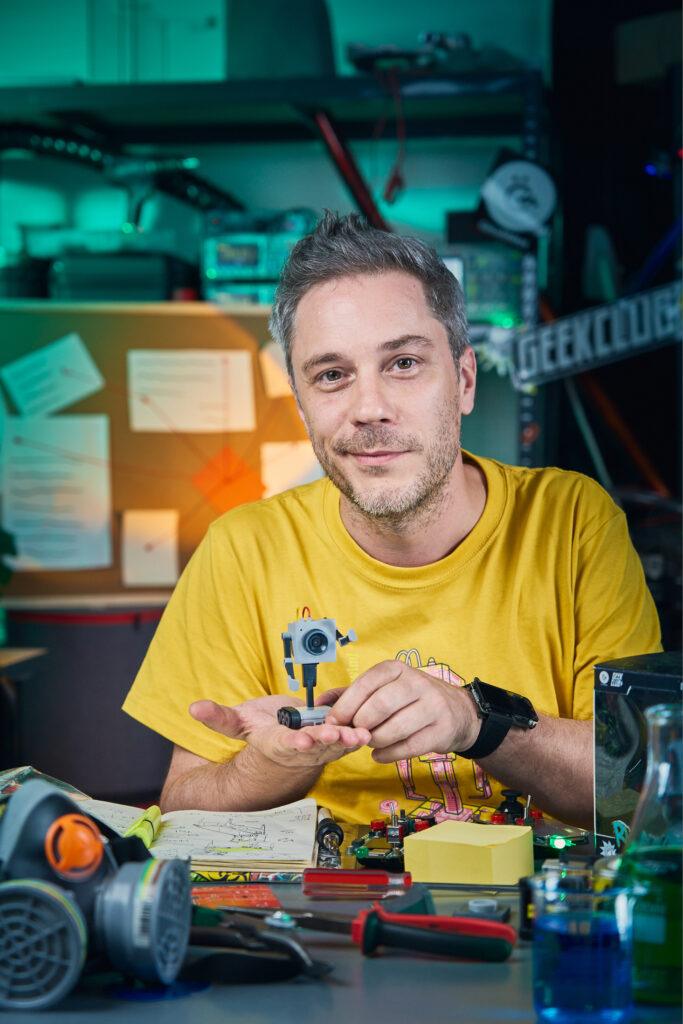
„Partnering with WBDGCP on this project has been an exciting next step in our collaboration with Circtuit Mess, says Nico, co-founder of Geek Club, sharing his enthusiasm: “The Butter Bot is a testament to what happens when creativity, technology, and fandom collide. We’re excited to see the support and engagement from the community as we launch our Kickstarter campaign.“
Geek Club is an American company that specializes in designing and producing DIY robotics kits that educate their users on soldering and electronics. They focus primarily on space exploration and robotics, all to make learning engineering skills easy and fun for their young and adult audience.
Beyond Butter: Introducing the AI-Powered Butter Bot
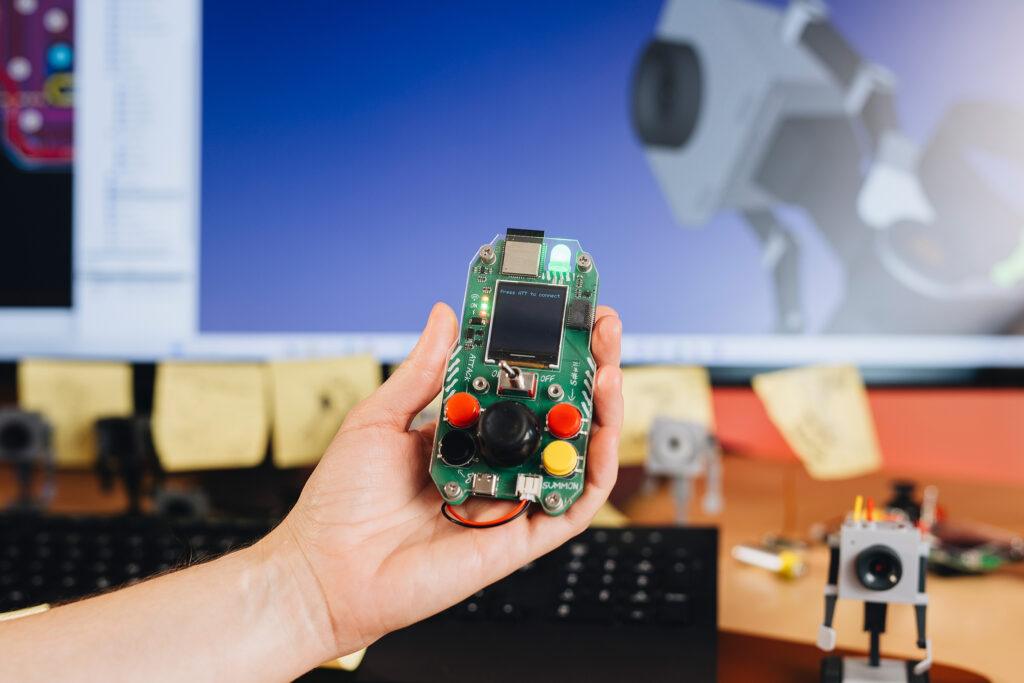
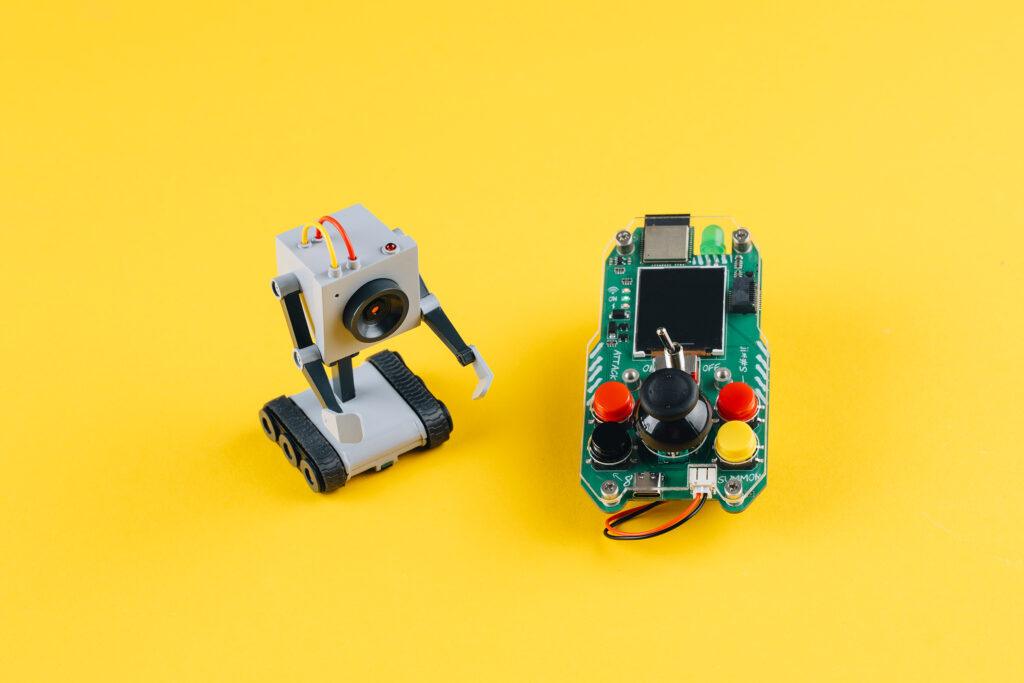
The Butter Bot is not just a simple robot with the sole purpose of passing the butter, as originally in the show. It comes with a unique remote controller that allows for precise maneuvering of its movement while also providing a live feed from the bot’s camera. The interactive robot has advanced AI capabilities, making it a versatile companion in any setting.
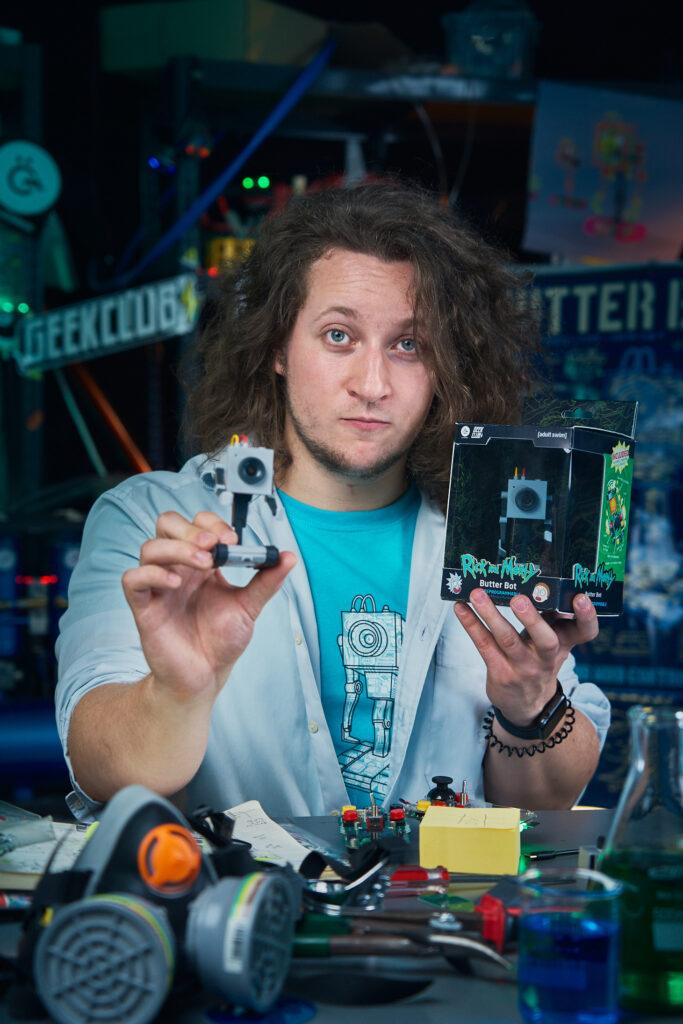
„Bringing the Butter Bot from Rick and Morty into the real world has been an incredible journey,” says Albert Gajšak, CEO of CircuitMess, expressing his excitement about the launch: “We’ve poured our hearts into creating a product that not only honors the original character but also adds a whole new level of interactivity and functionality. We can’t wait to see how fans will use and enjoy it.“
To this day, CircuitMess has developed numerous educational products that encourage kids and adults to create rather than just consume. They successfully delivered 7 Kickstarter campaigns and made thousands of geeks worldwide extremely happy. CircuitMess‘ kits are a unique blend of resources for learning about hardware and software in a fun and exciting way.
The Butter Bot Kickstarter campaign offers backers exclusive early-bird pricing and special rewards.
Geek Club is a crew of designers and engineers led by co-founders Nicolas Deladerrière and Nikita Potrashilin. Their mission is to build electronic construction kits for curious minds in over 70 countries worldwide. They are most often inspired by NASA and other Space Agencies of the world and hope to push their fans’ minds further, strengthen their skills, and advance their knowledge of electronics and Space.
Their vision is to create a world of inventors for the next generation of technology with their space-themed STEM kits. Find out more at www.geekclub.com.
CircuitMess is a technology startup founded in 2017 by Albert Gajšak and Tomislav Car after a successful Kickstarter campaign for MAKERbuino.
CircuitMess employs young, ambitious people and has recently moved to a new office in Croatia’s capital, Zagreb, searching for talented individuals who will help them create unique electronic products and bring technology to the crowd in a fun and exciting way. Find out more at www.circuitmess.com.
Rick and Morty is the Emmy® award-winning half-hour animated hit comedy series on Adult Swim that follows a sociopathic genius scientist who drags his inherently timid grandson on insanely dangerous adventures across the universe. Rick Sanchez is living with his daughter Beth’s family and constantly bringing her, his son-in-law Jerry, granddaughter Summer, and grandson Morty into intergalactic escapades.
Rick and Morty stars Ian Cardoni, Harry Belden, Sarah Chalke, Chris Parnell, and Spencer Grammer.
About Warner Bros. Discovery Global Consumer Products
Warner Bros. Discovery Global Consumer Products (WBDGCP), part of Warner Bros. Discovery’s Revenue & Strategy division, extends the company’s powerful portfolio of entertainment brands and franchises into the lives of fans around the world. WBDGCP partners with best-in-class licensees globally on award-winning toy, fashion, home décor and publishing programs inspired by the biggest franchises from Warner Bros.’ film, television, animation, and games studios, HBO, Discovery, DC, Cartoon Network, HGTV, Eurosport, Adult Swim, and more. With innovative global licensing and merchandising programs, retail initiatives, and promotional partnerships, WBDGCP is one of the leading licensing and retail merchandising organizations in the world.