ABot Advanced by Avishkaar

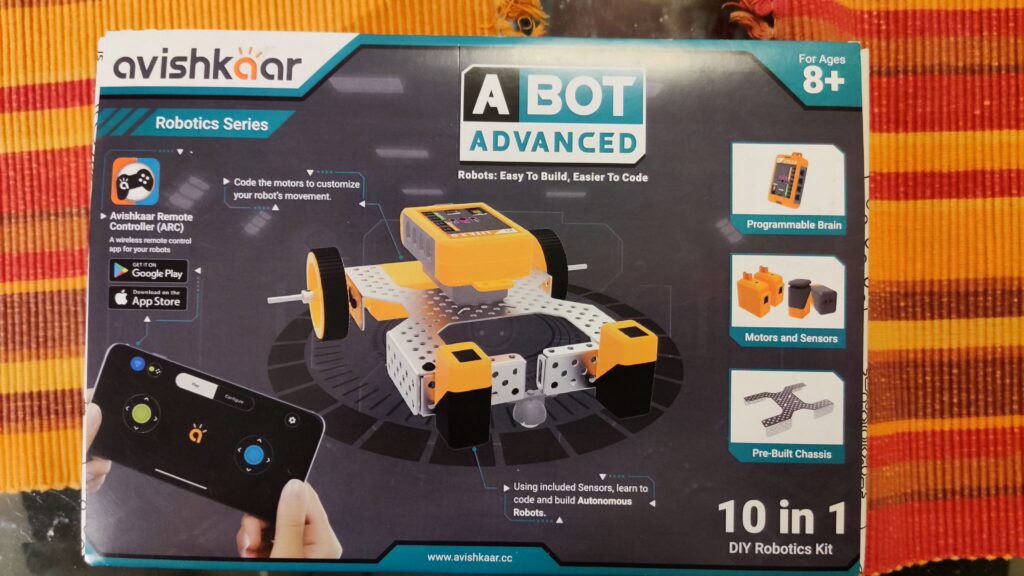
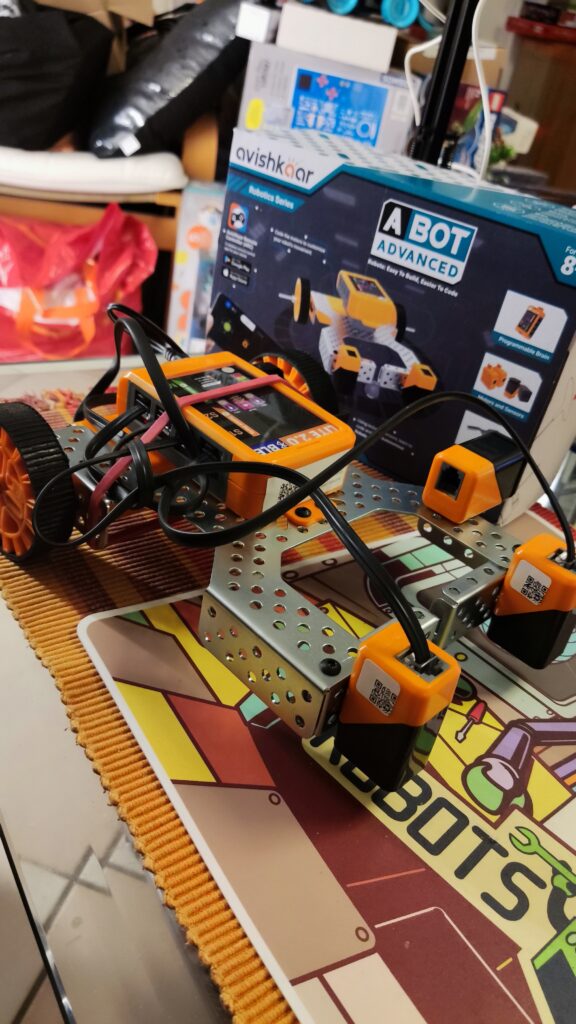
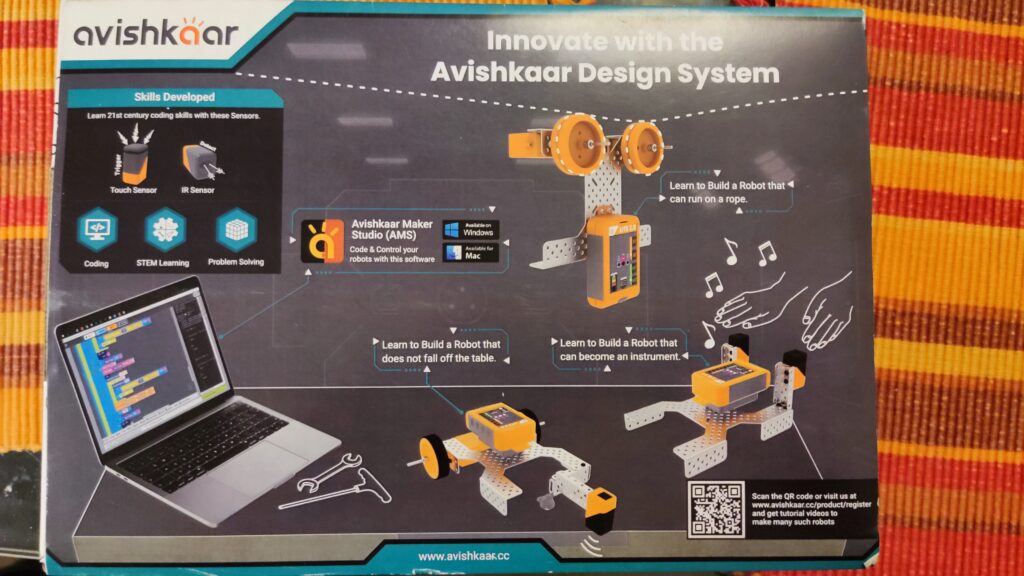
The Avishkaar ABot Advanced Kit is a comprehensive DIY kit for STEM robotics and coding designed specifically for children aged 8 and up. It contains over 60 parts, including metal parts, motors, sensors, wheels, USB cables, screws, nuts, an Allen wrench, and a wrench. With these parts, children can build 10 different robots, from simple vehicles to more complex constructions The set reminded me of the mBot when I set it up, as it was also based on a sturdy metal construction. The included stickers and the tool are nice. The instructions were easy to understand and I didn’t find any errors or had any problems assembling. The app for remote control and programming must be activated with the product code and the user must be registered before using it for the first time. When deploying, e.g. in the classroom, you should have done this in advance. By the way, the 9V block battery visible in the video is not included when purchased from a dealer, but a full-fledged battery pack. I only use the 9V battery because of delivery problems. Overall, however, it is interesting that the robot makes this possible at all. I’m playing with the idea of connecting a solar cell here and operating the robot with solar energy…like a real Mars rover…

Here is more detailed information:

  • Easy to build programmable robots: With this kit, kids can create 10 different robots with over 60 pieces. This includes metal parts, an easily programmable brain, motors, sensors (2x light sensor, 1x touch sensor/button), wheels, USB cables, screws, nuts, an Allen key, a wrench, cables, and instructions.
  • Control via mobile app: The robots can be controlled via a remote control app. They can also be programmed using a visual block-based programming environment (similar to Scratch/Blockly).
  • Learning Objectives: With the ABot Advanced Kit, children learn robotics, programming, construction, mechanical design and problem solving.
  • Compatibility: The mobile app is compatible with iOS 11 or later and Android 10 or later.
  • Inexpensive Kit: The ABot Advanced Kit offers a sturdy metal frame to which motors and sensors can be attached. For the equivalent of about 60€, the set offers good value for money. Maybe the set will soon be available at a German retailer.

You can find a comprehensive assembly video of one of the 10 robot models here:

The set is available here: https://shop.avishkaar.cc/products/abot-advanced

ABot Advanced by Avishkaar

Das Avishkaar ABot Advanced Kit ist ein umfassendes DIY-Set für STEM-Robotik und Codierung, das speziell für Kinder ab 8 Jahren entwickelt wurde. Es enthält über 60 Teile, darunter Metallteile, Motoren, Sensoren, Räder, USB-Kabel, Schrauben, Muttern, ein Inbusschlüssel und ein Schraubenschlüssel. Mit diesen Teilen können Kinder 10 verschiedene Roboter bauen, von einfachen Fahrzeugen bis hin zu komplexeren Konstruktionen Das Set erinnerte mich beim Aufbau an den mBot, da auch hier eine stabile Metallkonstruktion als Grundlage diente. Nett sind die mitgelieferten Sticker und das Werkzeug. Die Anleitung war einfach zu verstehen und ich fand keine Fehler oder hatte Probleme beim Zusammenbau. Die App zur Fernsteuerung und Programmierung muss vor der ersten Verwendung mit dem Produktcode aktiviert und der Benutzer registriert werden. Beim Einsatz, z.B. im Klassenzimmer, sollte man dies vorab schon erledigt haben. Die im Video sichtbare 9V Blockbatterie ist übrigens beim Kauf über einen Händler nicht dabei, sondern ein vollwertiges Akkupack. Ich verwende die 9V Batterie nur wegen Lieferschwierigkeiten. Insgesamt aber schon interessant, dass der Roboter dies überhaupt ermöglicht. Ich spiele direkt mit dem Gedanken hier eine Solarzelle anzuschließen und den Roboter mit Sonnenenergie zu betreiben…wie so ein richtiger Marsrover…

Hier sind weitere detaillierte Informationen:

  • Einfach zu bauende programmierbare Roboter: Mit diesem Kit können Kinder 10 verschiedene Roboter mit über 60 Teilen erstellen. Dazu gehören Metallteile, ein leicht programmierbares Gehirn, Motoren, Sensoren (2x Lichtsensor, 1x Berührungssensor/Taster), Räder, USB-Kabel, Schrauben, Muttern, ein Inbusschlüssel, ein Schraubenschlüssel, Kabel und eine Anleitung.
  • Steuerung über mobile App: Die Roboter können über eine Fernbedienungs-App gesteuert werden. Außerdem können sie mithilfe einer visuellen blockbasierten Programmierumgebung (ähnlich Scratch/Blockly) programmiert werden.
  • Lernziele: Mit dem ABot Advanced Kit lernen Kinder Robotik, Programmierung, Konstruktion, mechanisches Design und Problemlösung.
  • Kompatibilität: Die mobile App ist mit iOS 11 oder höher und Android 10 oder höher kompatibel.
  • Preiswertes Kit: Das ABot Advanced Kit bietet einen stabilen Metallrahmen an dem Motoren und Sensoren angebracht werden können. Für umgerechnet ca. 60€ bietet das Set ein gutes Preis-Leistungsverhältnis. Vielleicht findet sich das Set ja auch bald bei einem deutschen Händler.

Ein umfassendes Aufbauvideos eines der 10 Robotermodelle findet ihr hier:

Das Set ist u.a. hier erhältlich: https://shop.avishkaar.cc/products/abot-advanced

BerryBot: STEM Education for Young Engineers with a wooden robot

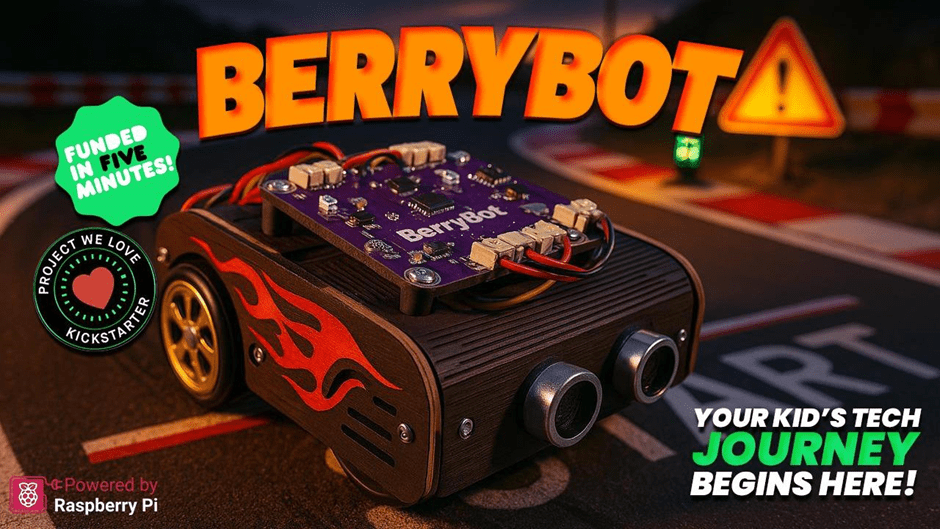
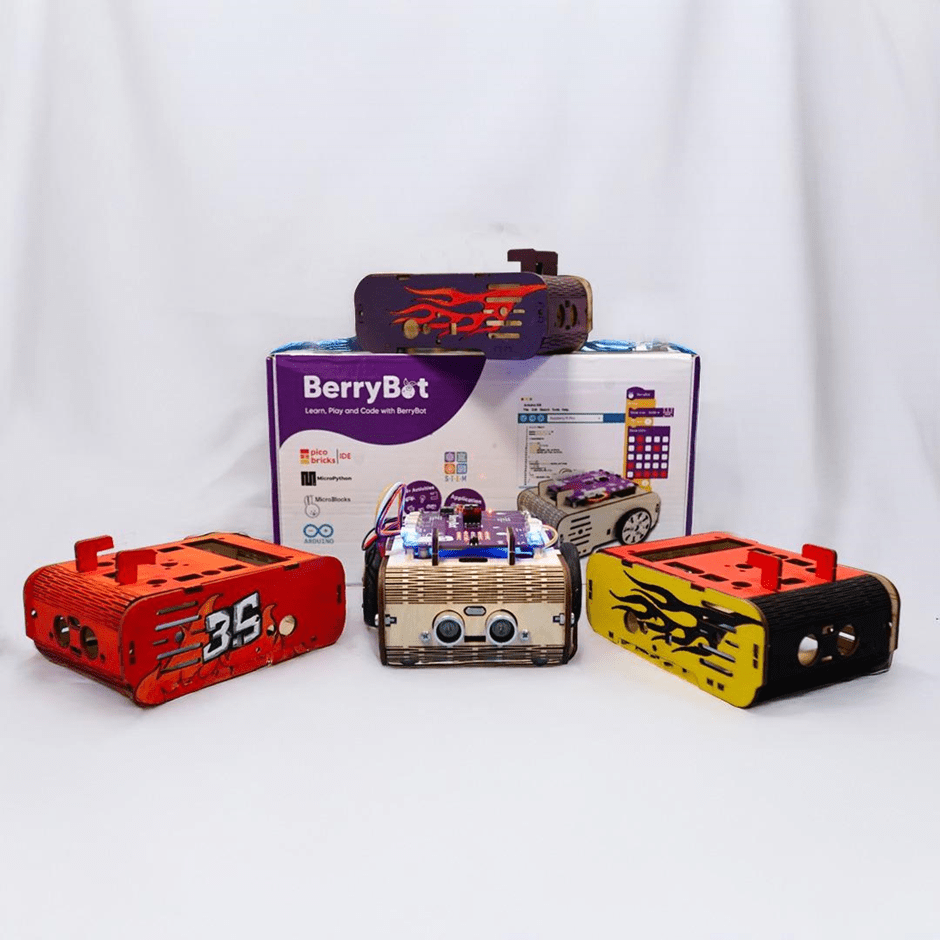
Robotistan, a pioneer in innovative educational solutions, has introduced a new STEM robot called BerryBot. Designed to help children develop coding and robotics skills, this creative and educational robot offers practical experiences in science, technology, engineering, and mathematics (STEM).

A New Era in Robotics Education

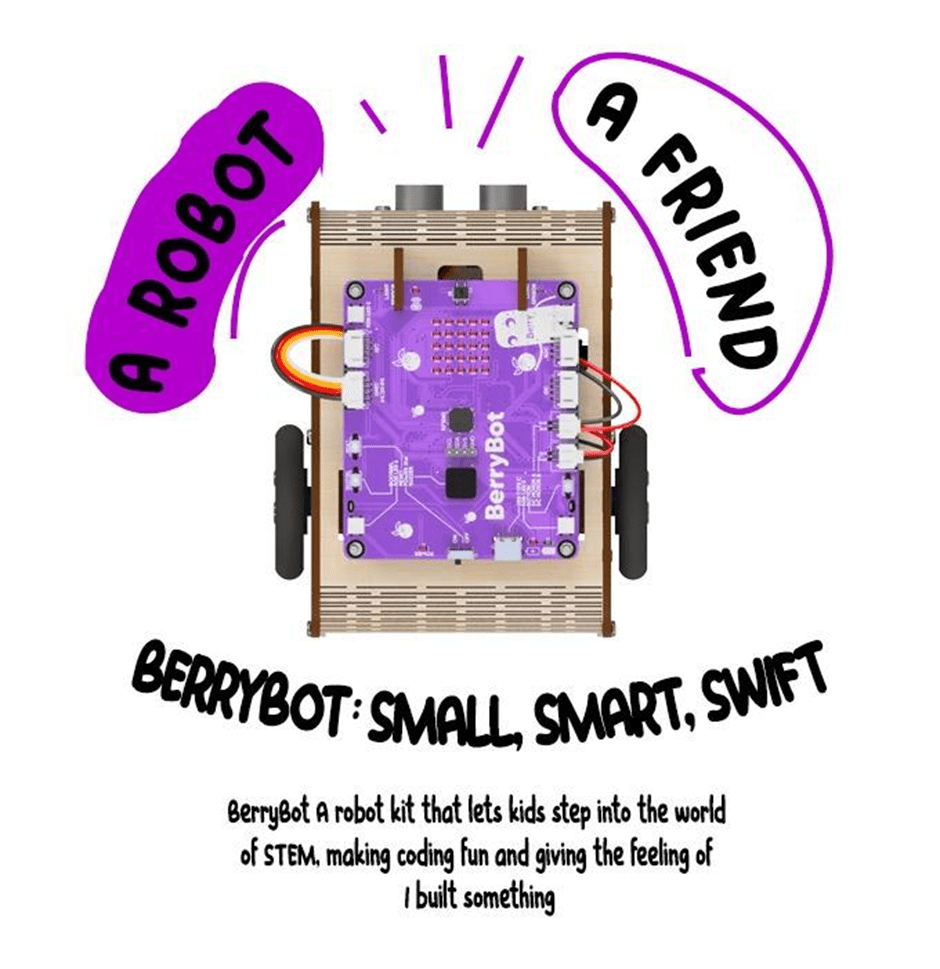
BerryBot is more than just a robot; it’s a learning platform that nurtures creativity and problem-solving skills. With its compact and customizable design, BerryBot allows users to paint and personalize their robot, thanks to its wooden body.

The wooden structure not only reflects an eco-friendly design approach but also allows children to shape their robots according to their own style. BerryBot is designed to be flexible enough for both classroom and home use.

Key Features

BerryBot’s innovative features support the development of both technical and creative skills:

  • Customizable Wooden Body:

    • Kids can paint their robots to reflect their unique style.
    • Durable and sustainable construction.

  • Versatile Coding Options:

    • Block-based programming for beginners.
    • Advanced programming with Python and Arduino IDE.
    • User-friendly interface for an easy learning process.

  • Multi-Mode Movement:

    • Line-following, sumo, and free movement modes.
    • Real-time visual feedback via the LED matrix display.
    • Wireless control through Bluetooth connectivity.

An Educational Tool Combining Coding Skills with Creativity

BerryBot offers young aspiring engineers a fun and educational experience. While creating different movement scenarios, children not only enhance their problem-solving skills but also develop creative projects.

Thanks to BerryBot’s multi-mode structure, users can program the robot’s movement capabilities in various ways. This feature transforms BerryBot from being just a toy to a valuable educational tool that encourages creative thinking.

Mehmet Akçalı, Marketing and Product Director at Robotistan, highlighted the educational features of BerryBot:

„BerryBot offers a practical and fun way for children to step into the world of STEM. Combining coding skills with creative projects, this robot will become an indispensable educational tool for both teachers and parents.“

He also mentioned a special opportunity for early supporters:

„We’re thrilled to announce our Kickstarter campaign, where backers can take advantage of the Early Bird offer. Additionally, as part of our commitment to supporting STEM education, for every 10 pledges, we will gift one BerryBot to a school or an educational organization in need. This way, our supporters not only get an amazing educational robot but also help inspire the next generation of young innovators.“

Shaping the Engineers of the Future

As the importance of STEM education continues to grow, innovative tools like BerryBot are preparing young minds for the future. With its fun yet educational nature, BerryBot strengthens children’s coding, algorithmic thinking, and problem-solving skills while also inspiring creative projects.

Robotistan emphasizes that BerryBot is not just an educational robot but also a platform where children can express themselves. Produced with this vision in mind, BerryBot is ready to make a difference both at home and in educational environments.

To learn more about BerryBot and to be among the first to own it and take advantage of the Early Bird offer, visit the Kickstarter page!

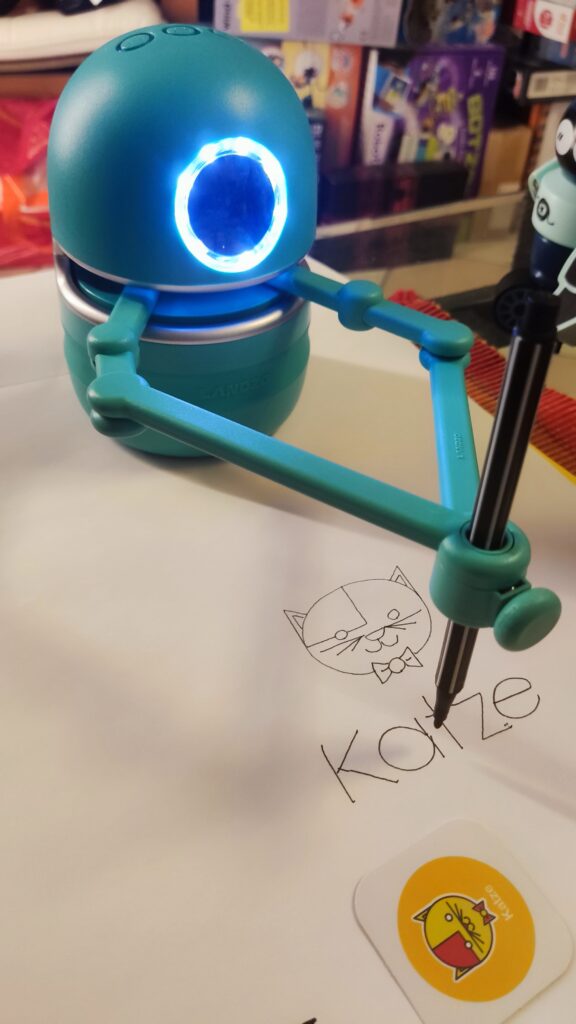
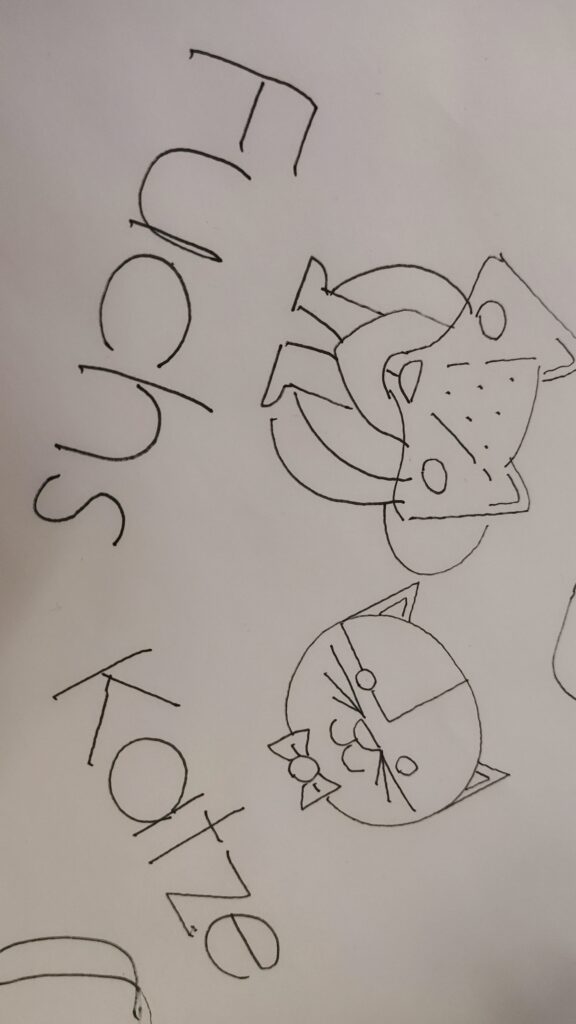
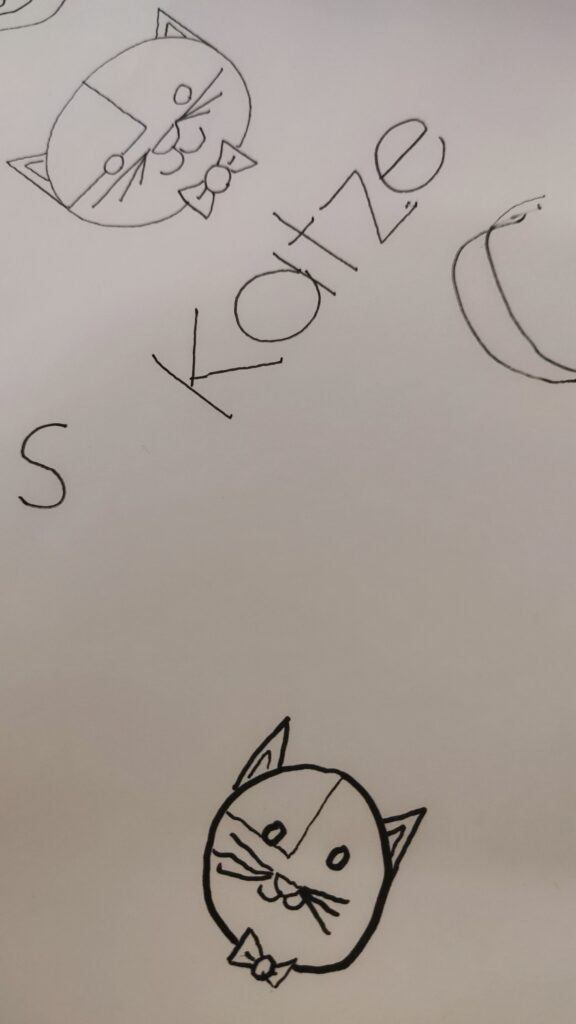
Quincy, ein malender Lernroboter

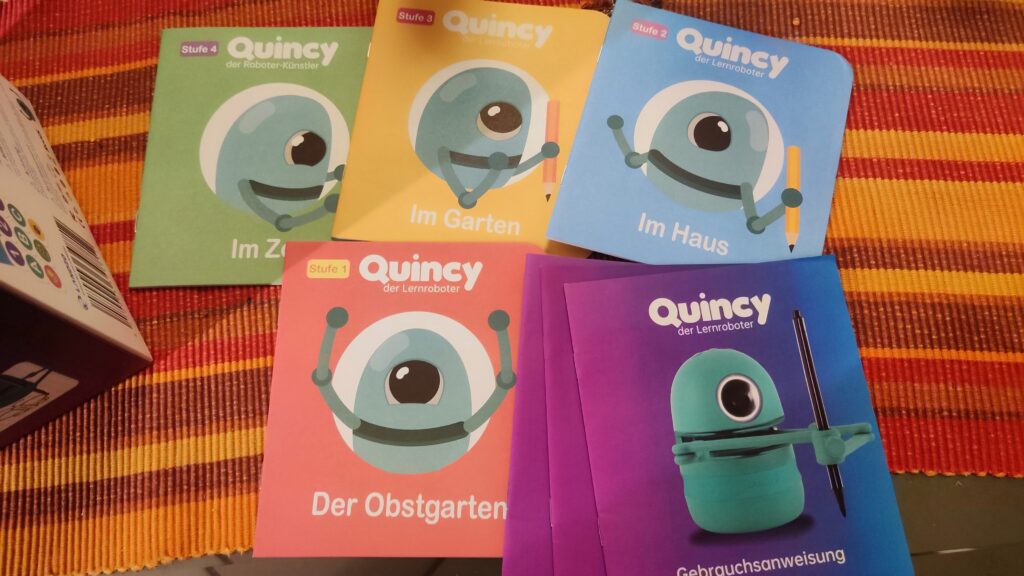
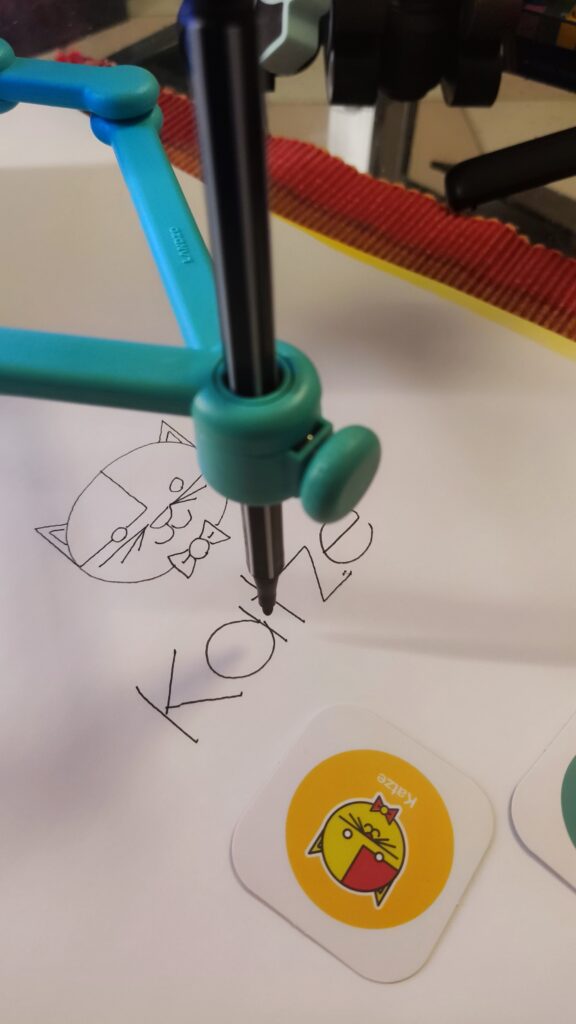
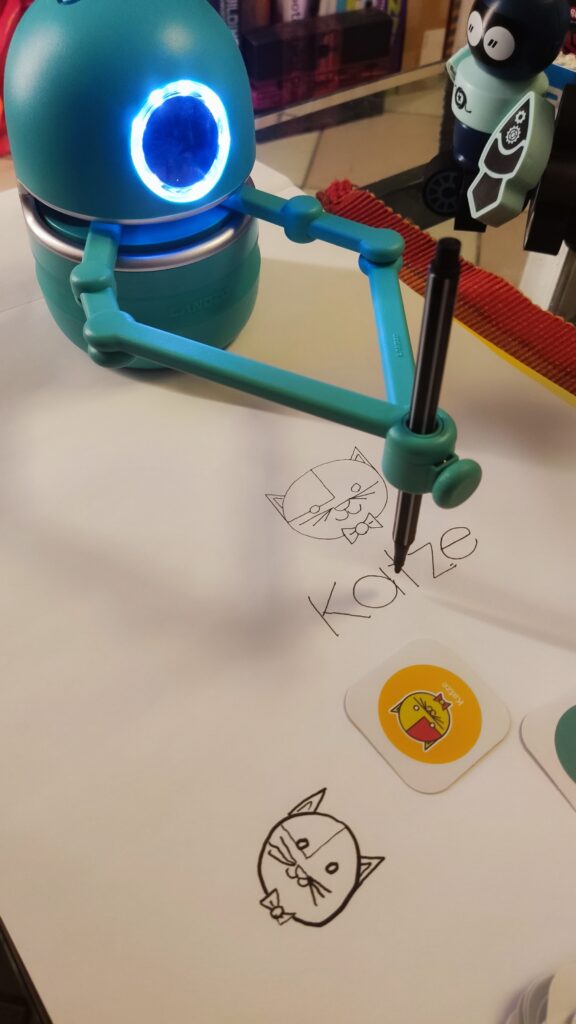
Quincy ist ein Roboter, der speziell für Kinder im Alter von 3 bis 8 Jahren entwickelt wurde. Er hat die Gestalt eines putzigen Roboter-Zyklopen mit zwei magnetischen Armen, die einen Stift halten können. Er kann verschiedene Bilder zeichnen, die er von speziellen Karten scannt, und dabei Kinder anleiten, ihm zu folgen und mitzuzeichnen. Er kann auch lehren, wie man das Alphabet, die Rechtschreibung, das Zählen und Mathematik lernt, indem er ihnen Geschichten erzählt, Fragen stellt und sie zum Mitmachen auffordert.

Quincy ist mehr als nur ein Spielzeug, er ist ein innovativer Lernbegleiter, der die Kreativität, die kognitiven und die sprachlichen Fähigkeiten der Kinder fördert. Er verwendet eine interaktive und spielerische Methode, um die Kinder zu motivieren. Er passt sich dem Lernniveau und dem Tempo der Kinder an und gibt ihnen positives Feedback und Ermutigung. Er ist ebenso ein schönes Spielzeug, das die Kinder unterhält und aktiv beschäftigt.

Quincy funktioniert mit verschiedenen Karten, die er mit seinem Auge, bzw. der dahinter verbauten Kamera, scannen kann. Es gibt vier Arten von Karten: Zeichenkarten, Buchstabenkarten, Zahlenkarten und Mathe-Herausforderungskarten. Die Zeichenkarten enthalten Bilder von Tieren, Pflanzen, Objekten und anderen Themen, die Quincy zeichnen und erklären kann. Die Buchstabenkarten enthalten die 26 Buchstaben des Alphabets, die Quincy verwenden kann, um die Kinder das Alphabet und die Rechtschreibung zu lehren. Die Zahlenkarten enthalten die Zahlen von 0 bis 9, die Quincy verwenden kann, um Kindern das Zählen und die Grundrechenarten zu lehren. Die Mathe-Herausforderungskarten enthalten Geschichten mit Mathefragen, die Quincy zeichnen und erzählen kann, und die Kinder sollen die richtige Antwort mit den Zahlenkarten geben.

Um Quincy zu benutzen, muss man ihn zuerst einschalten, indem man den Lautstärkeregler nach rechts dreht. Dann muss man einen Stift in seine Arme stecken, so dass die Spitze das Papier berührt. Dann muss man Quincy auf die obere Mitte des Papiers stellen, so dass seine Arme über dem Papier sind. Dann kann man eine Karte auswählen, die man Quincy zeigen möchte, und sie in etwa 5 cm Entfernung von sein Auge halten. Wenn sein Auge blinkt, bedeutet das, dass er die Karte erkannt hat, und man kann die Weiter-Taste drücken, um fortzufahren. Quincy wird dann das Bild zeichnen oder die Geschichte erzählen, und die Kinder können mitzeichnen oder ihm antworten. Mit der Weiter, Wiederholen oder Pause Taste lassen sich die Ansagen entsprechend steuern.

Quincy hat ein modernes und einzigartiges Design, das ihm Flexibilität und Stabilität beim Zeichnen und Schreiben verleiht. Er hat eine Saugnapfkonstruktion, die verhindert, dass er versehentlich beim Zeichnen verrutscht, und einen Arm, der durch seine magnetische Befestigung verhindert, dass er abbricht, wenn er mal herunterfällt. Seine schnelle Scanfähigkeit von 0,5 Sekunden ermöglicht es ihm, Bilder sofort zu erkennen und zu zeichnen. Er hat einen eingebauten 2500mAh wiederaufladbaren Lithium-Akku, der 2-2,5 Stunden zum Aufladen benötigt und 5,5 Stunden ohne Unterbrechung arbeiten kann. Er hat einen eingebauten gut klingenden Lautsprecher, der seine Stimme klar und angenehm macht. Er ist aus PET-Kunststoff gefertigt und hat eine rutschfeste Silikonbasis.

Das erste Ausprobieren und Starten von Qunicy gelang uns auf Anhieb und stellt keine Hürde dar. Vermutlich schaffen es die meisten Kinder, ohne die Hilfe Ihrer Eltern, Quincy in Betrieb zu nehmen. Wir empfehlen Quincy direkt neben einem Malblock zu platzieren, der gegen Verrutschen gesichert ist oder entsprechendes Eigengewicht besitzt.

Quincy ist bei Amazon für ca. 90 Euro erhältlich. Das Quincy Starterpaket enthält: Quincy, eine Bedienungsanleitung, zwei magnetische Arme, ein Ladekabel sowie zwei Stifte. Außerdem sind 24 Zeichenaufgaben, 4 Mathematikaufgaben, 26 Buchstabenkarten und 10 Zahlenkarten enthalten. Es gibt auch ein Quincy Erweiterungsset, das bald erhältlich sein wird, und das mehr Rechenaufgaben, Zeichenaufgaben und Buchstabieraufgaben bietet.

Quincy ist ein pädagogischer Zeichenroboter, der Kindern hilft, ihre Kreativität zu entwickeln und das Zeichnen zu lernen. Er ist ein perfekter Hauslehrer für Ihre Kinder, der ihnen verschiedene Fähigkeiten und Kenntnisse vermittelt, wie z.B das Alphabet, Rechtschreibung, Zählen, Mathe und mehr. Er ist ein lustiger und lehrreicher Begleiter, der Kinder zu motivieren und beschäftigen weiß.

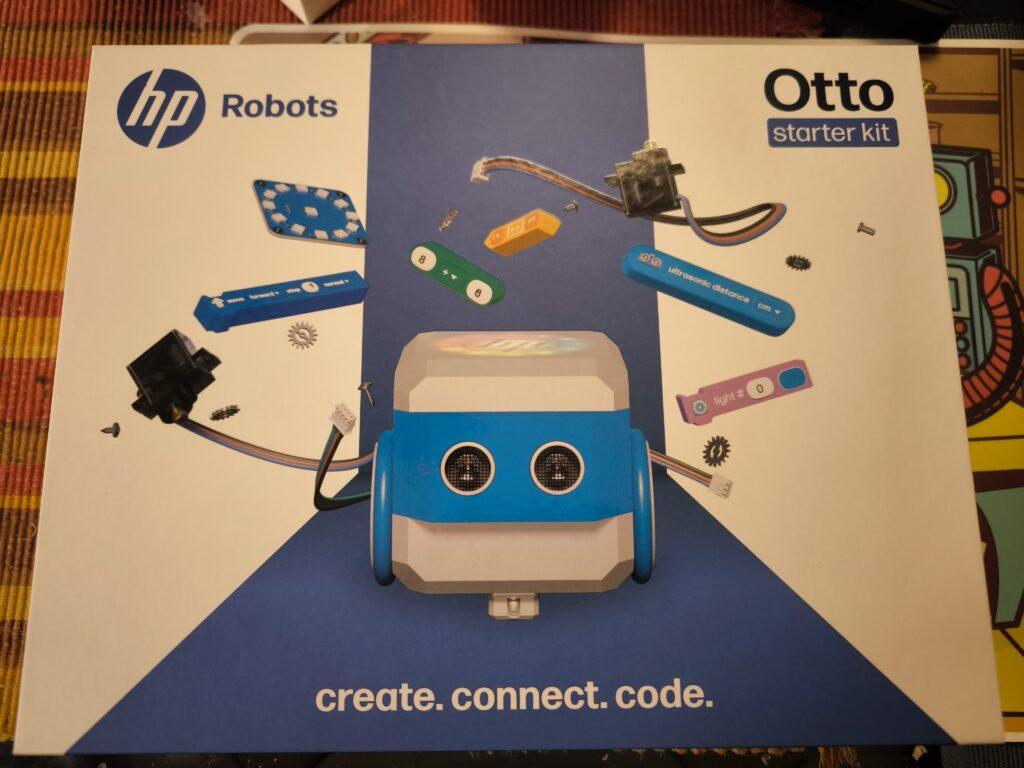
Creativity in motion: The modular robot Otto from HP Robots

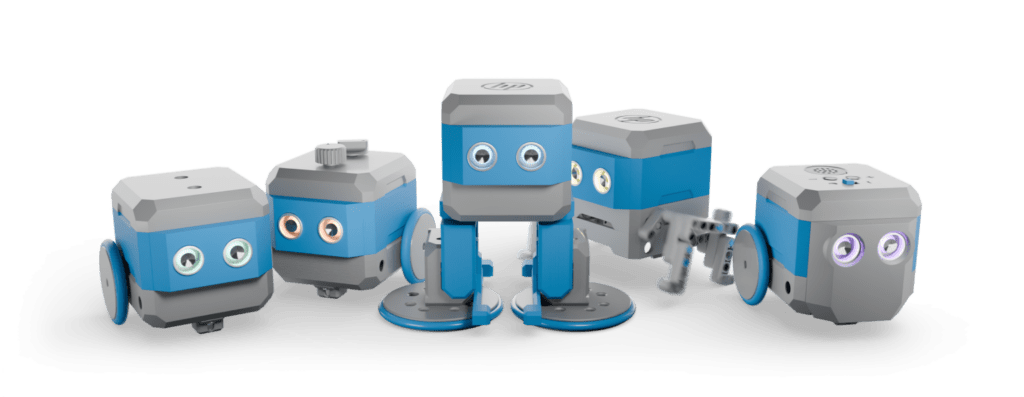
The HP Robots Otto is a versatile, modular robot designed specifically for educational purposes. It offers students and teachers an exciting opportunity to immerse themselves in the world of robotics, 3D printing, electronics and programming. The robot was developed by HP as part of their robotics initiative and is particularly suitable for use in science, technology, engineering and mathematics (STEM) classes.

Key features of Otto:

  • Modular design: Otto is a modular robot that allows students to build, program and customize it through extensions. This promotes an understanding of technology and creativity. The modular structure allows various components such as motors, sensors and LEDs to be added or replaced, which increases the learning curve for students.
  • Programmability: The robot can be programmed with various programming languages, including block-based programming for beginners and Python and C++ for advanced programmers. This diversity allows students to continuously improve their coding skills and adapt to the complexity of the tasks.
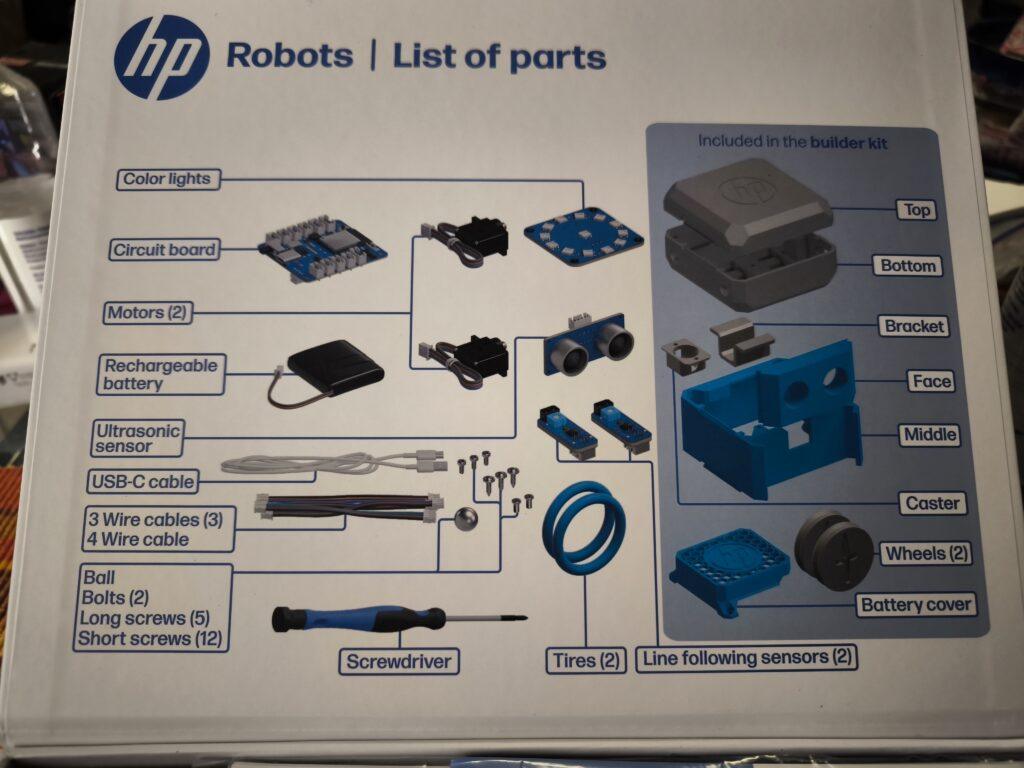
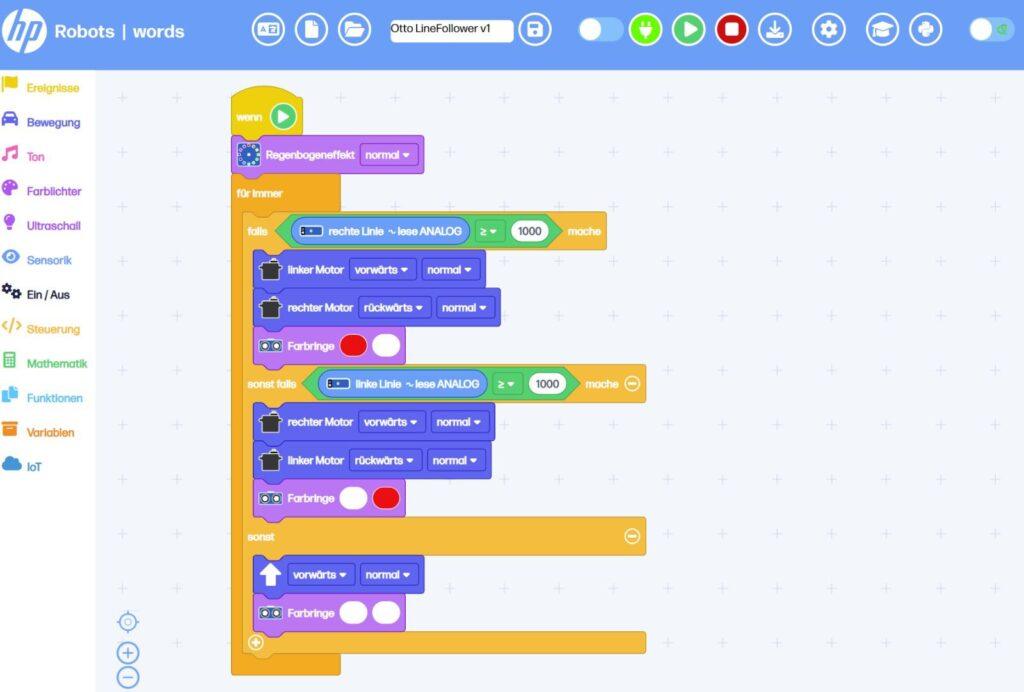
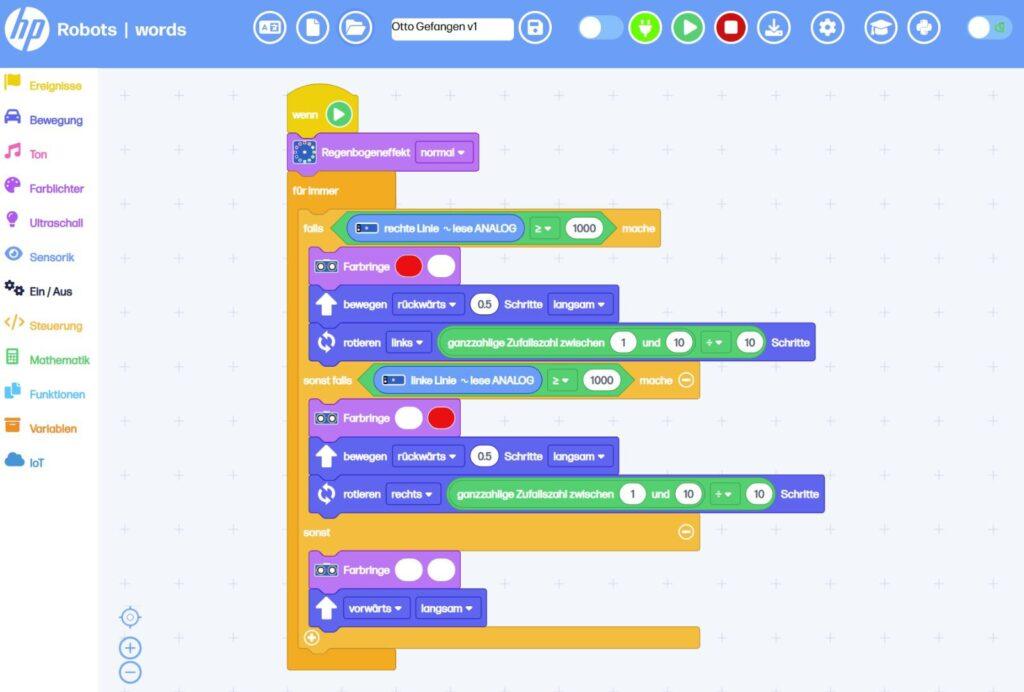
  • Sensors and functions: Equipped with ultrasonic sensors for obstacle detection, line tracking sensors and RGB LEDs, Otto offers numerous interactive possibilities. These features allow students to program complex tasks such as navigating courses or tracing lines. The sensors help to detect the environment and react accordingly.
  • 3D printing and customizability: Students can design Otto’s outer parts themselves and produce them with a 3D printer. This allows for further personalization and customization of the robot. This creative freedom not only promotes technical understanding, but also artistic skills. Own parts can be designed and sensors can be attached to desired locations.

Educational approach:

Otto is ideal for use in schools and is aimed at students from the age of 8. Younger students can work under supervision, while older students from the age of 14 can also use and expand the robot independently. The kit contains all the necessary components to build a functioning robot, including motors, sensors, and a rechargeable battery.

Programming environments:

Otto is programmed via a web-based platform that runs on all operating systems. This platform offers different modes:

  • Block-based programming: Similar to Scratch Jr., ideal for beginners. This visual programming makes it easier to get started in the world of programming and helps students understand basic concepts such as loops and conditions.
  • Python: A Python editor is available for advanced users. Python is a popular language that works well for teaching because it is easy to read and write. Students can use Python to develop more complex algorithms and expand their programming skills.
  • C++: Compatible with the Arduino IDE for users who have deeper programming knowledge. C++ offers a high degree of flexibility and allows students to access the hardware directly, allowing for their own advanced projects.

Expansion Kits:

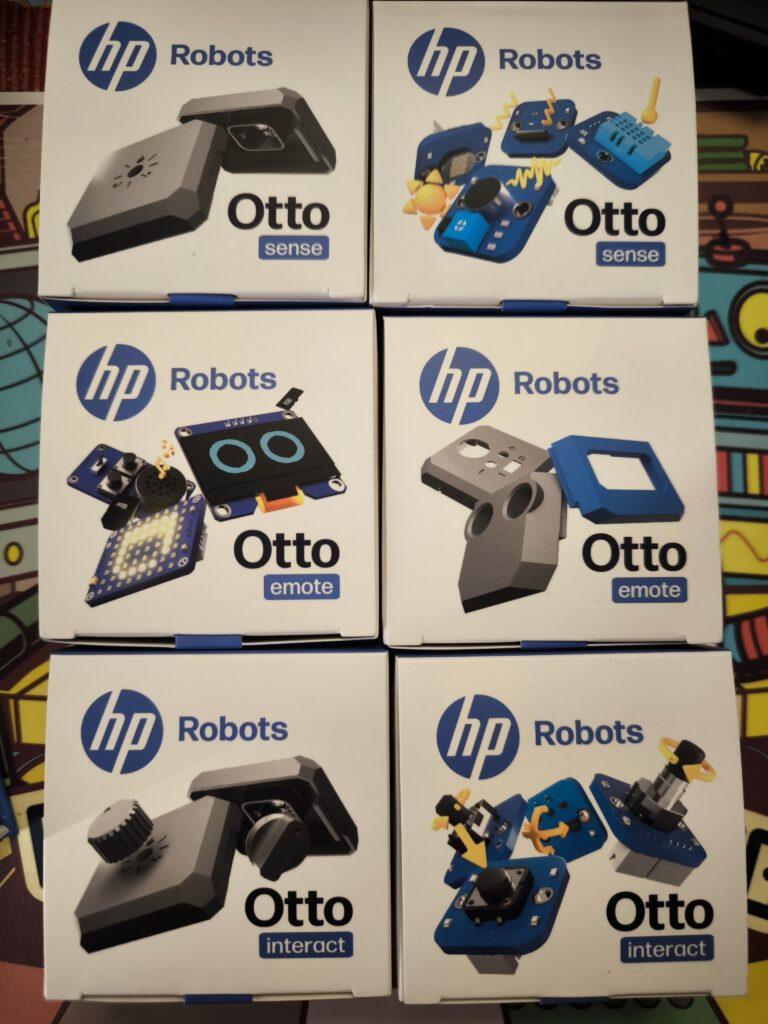
In addition to the Starter Kit, there are several expansion kits. All expansion kits require the starter kit, as they are built on top of it.

Emote Expansion Kit:

  • It includes components such as an LED matrix display, OLED display, and an MP3 player that allow the robot to display visual and acoustic responses.
  • This kit is particularly suitable for creative projects where Otto should act as an interactive companion.
  • The emote kit allows Otto to show emotions, mirror human interactions, and develop different personalities.

Sense Expansion Kit:

  • With the Sense Kit, Otto can perceive its surroundings through various sensors.
  • Included are sensors for temperature, humidity, light and noise as well as an inclination sensor. These enable a wide range of interactions with the environment.
  • The kit is ideal for projects that focus on environmental detection and data analysis.

Interact Expansion Kit:

  • The Interact kit expands Otto’s tactile interaction capability through modules such as push buttons, rotary knobs and accelerometers.
  • It enables precise inputs and reactions, as well as measurement of acceleration.
  • This kit is great for playful activities and interactive games.

Invent Expansion Kit:

  • The Invent kit is specifically designed to encourage users‘ creativity. It allows the individual adaptation of Otto’s functionalities and design through 3D printing and additional modules as well as compatible clamping blocks.
  • Users can design and print new accessories to make the robot unique.
  • Equip Otto with legs and teach him to walk or make him fit for outdoor use off-road with chains.

Use in the classroom:

Otto comes with extensive resources developed by teachers. These materials help teachers design effective STEM lessons without the need for prior knowledge. The robot can be used both in the classroom and at home. The didactic materials include:
  • Curricula: Structured lesson plans that help teachers plan and execute lessons.
  • Project ideas and worksheets: A variety of projects that encourage students to think creatively and expand their skills.
  • Tutorials and videos: Additional learning materials to help students better understand complex concepts.

Conclusion:

The HP Robots Otto is an excellent tool for fostering technical understanding and creativity in students. Thanks to its modular design and diverse programming options, it offers a hands-on learning experience in the field of robotics and electronics. Ideal for use in schools, Otto provides teachers with a comprehensive platform to accompany students on an exciting journey into the world of technology. In particular, Otto’s versatility through the 3D-printed parts and expansion packs offers the opportunity to build the personal learning robot.

HP Robots Otto – Infrared/Line Tracking Sensors Test

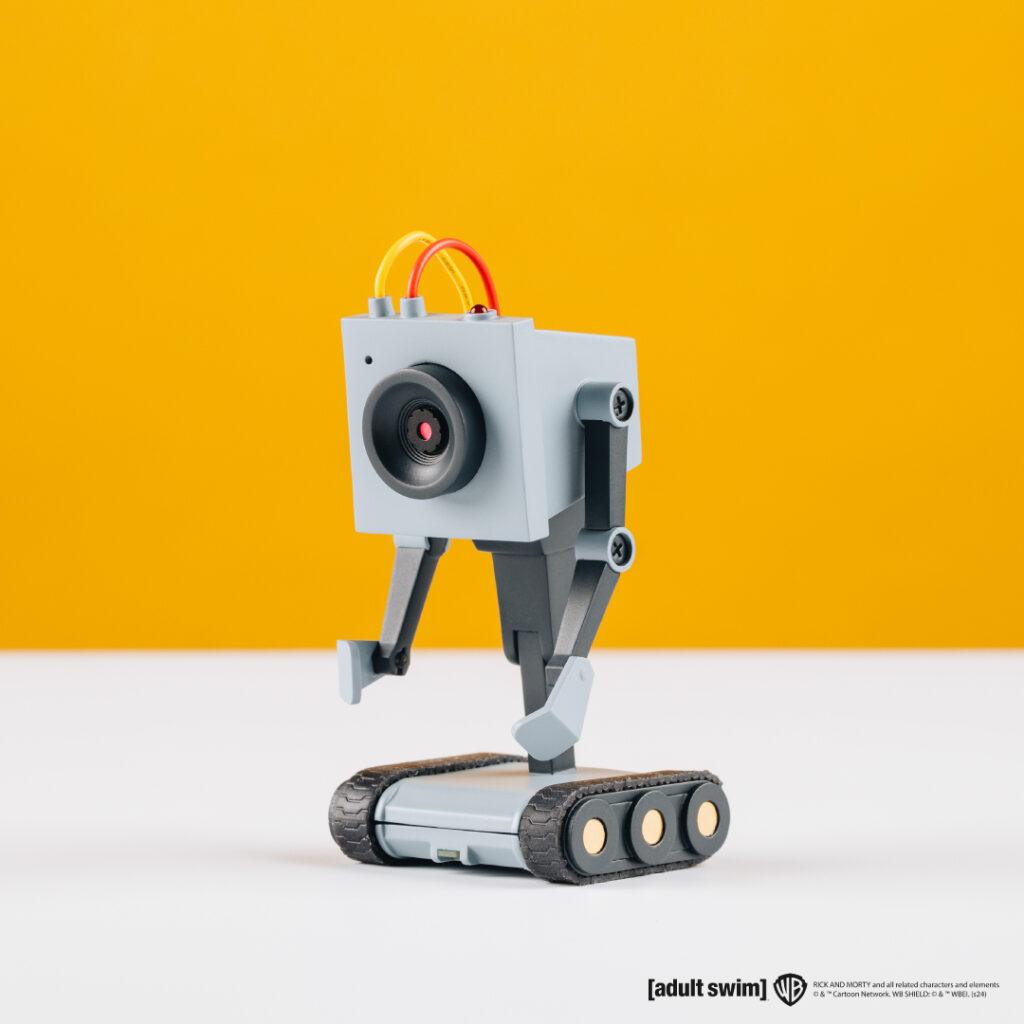
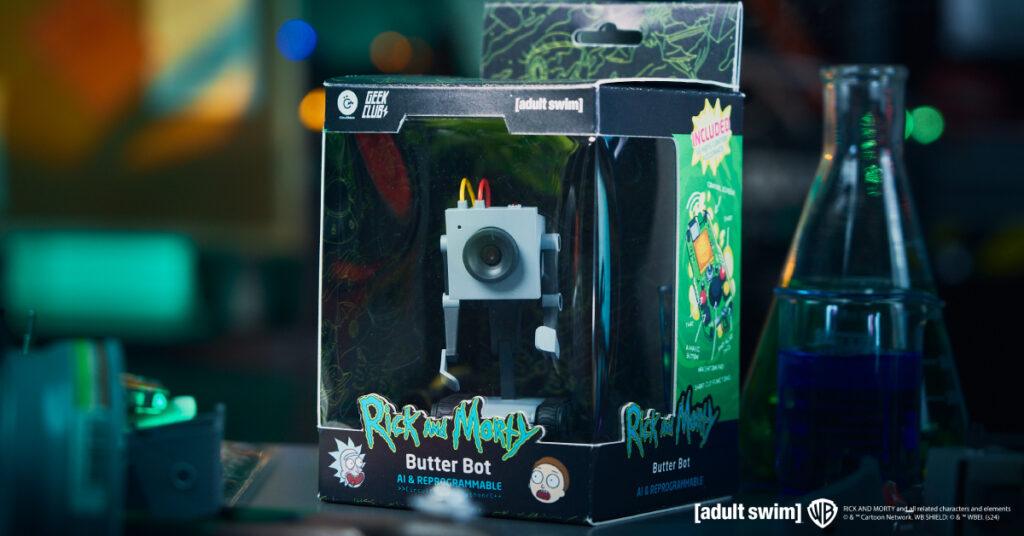
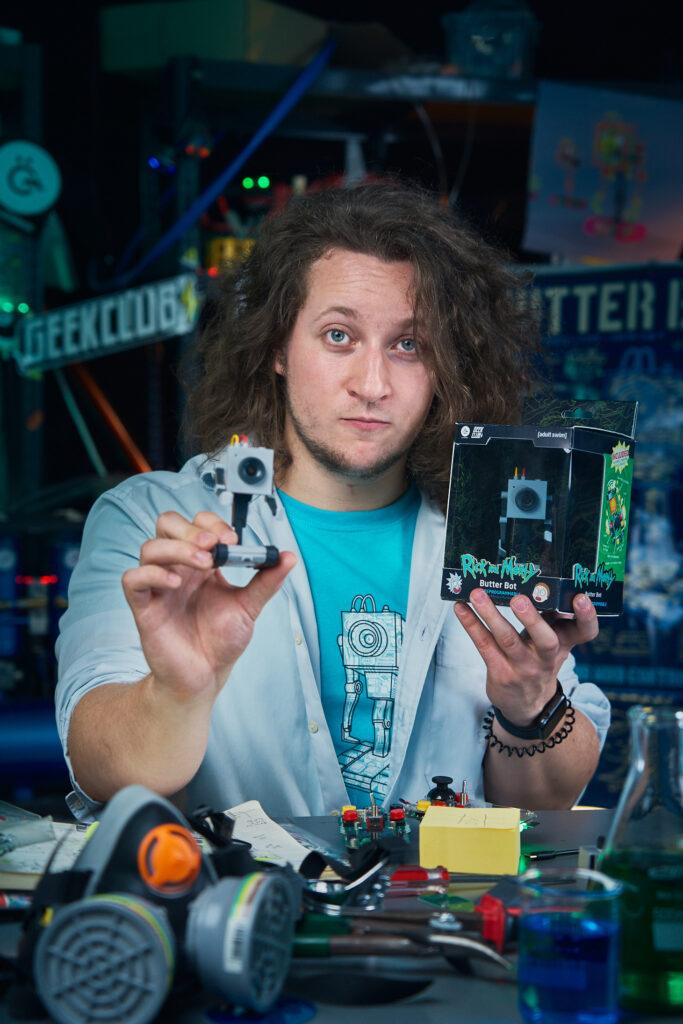
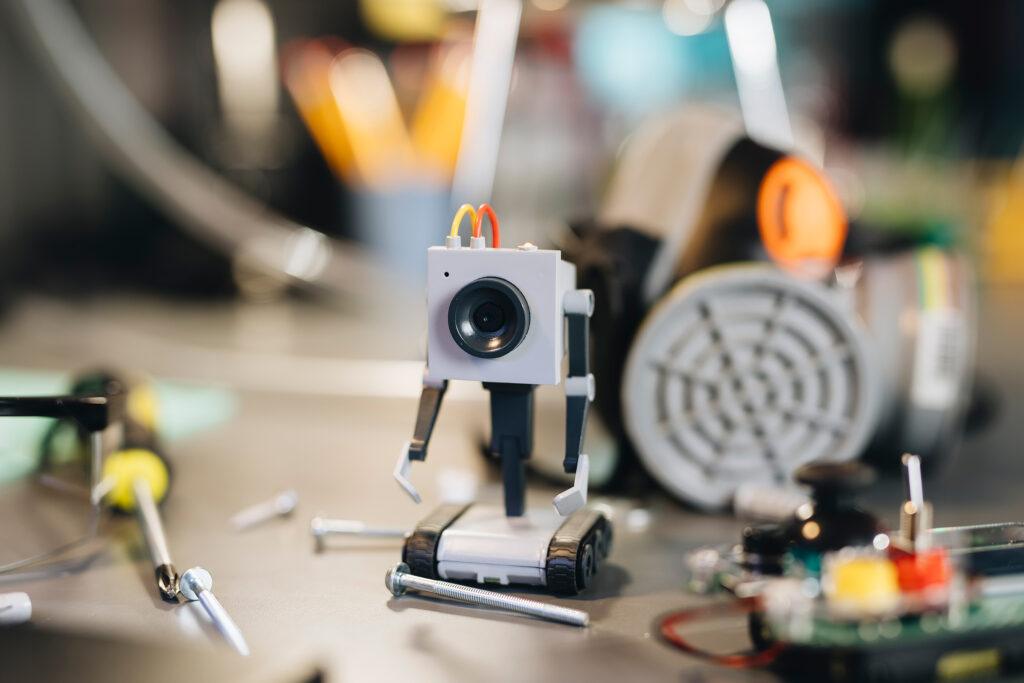
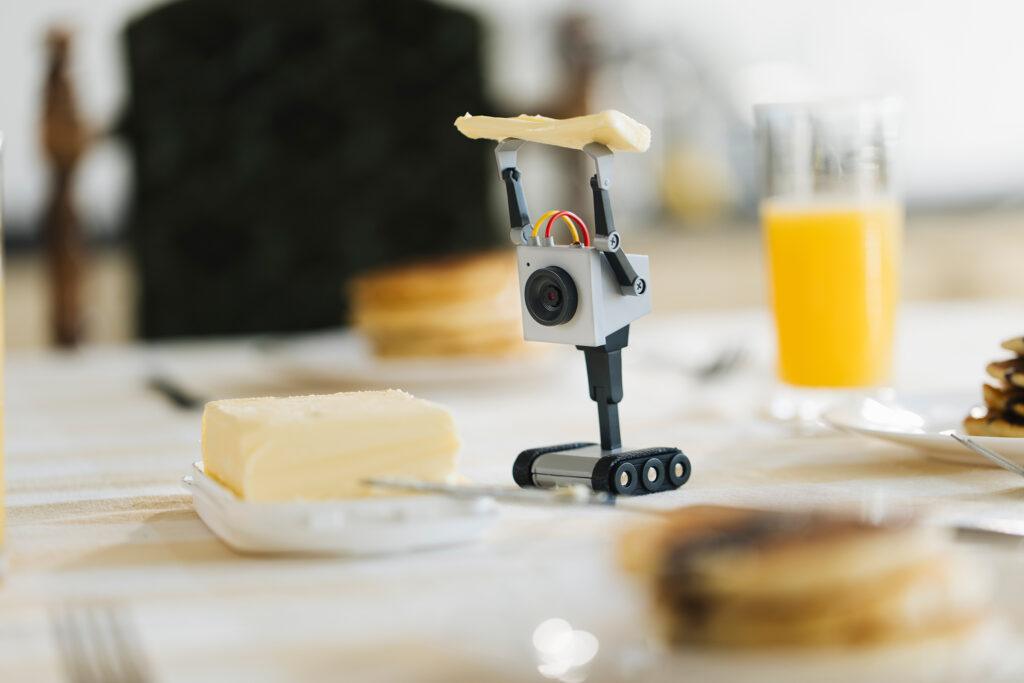
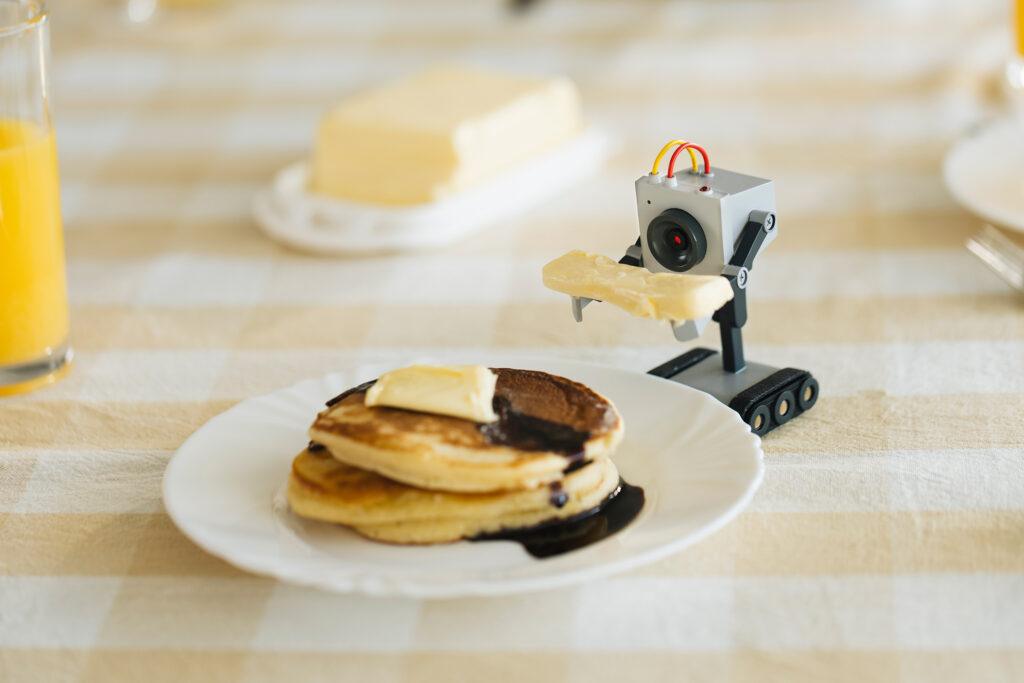
Geek Club and CircuitMess in Partnership with Warner Bros. Discovery Global Consumer Product Launch Rick and Morty™ Butter Bot

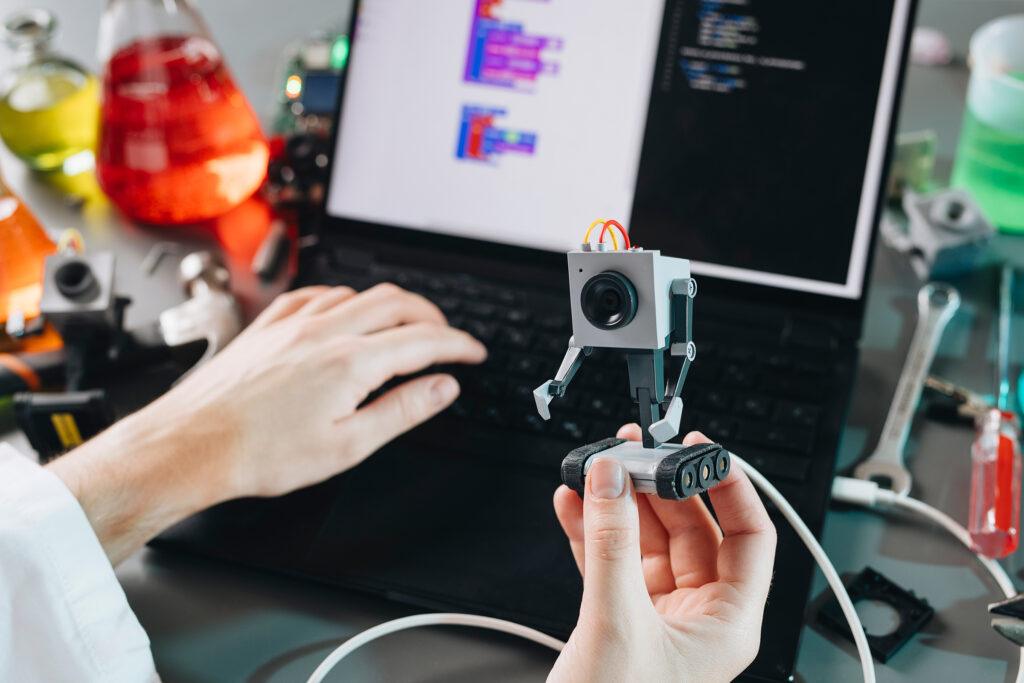
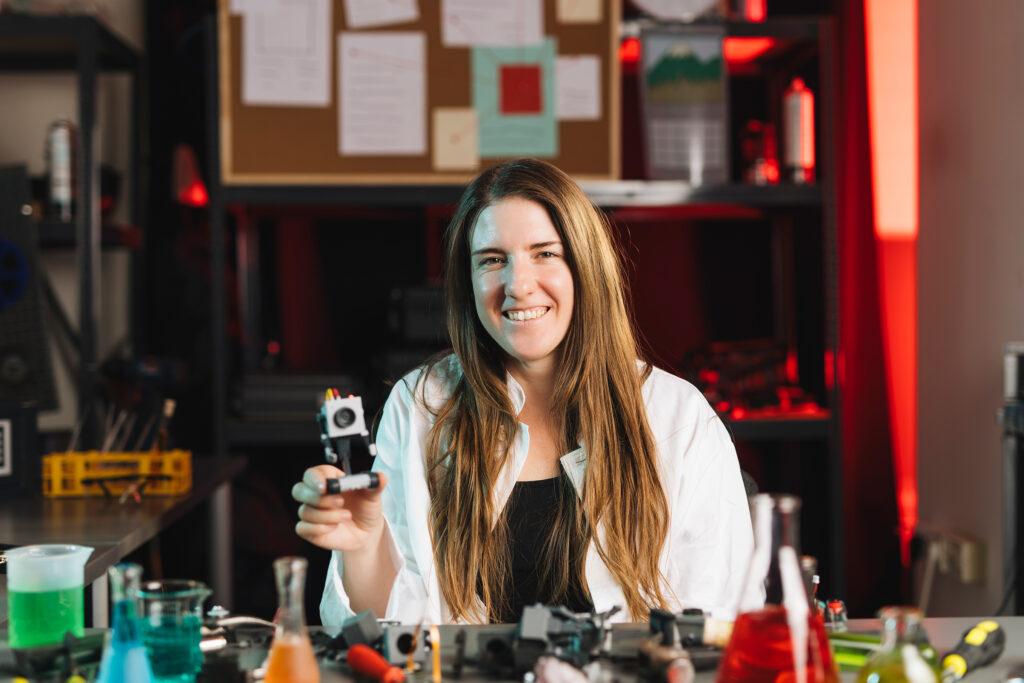
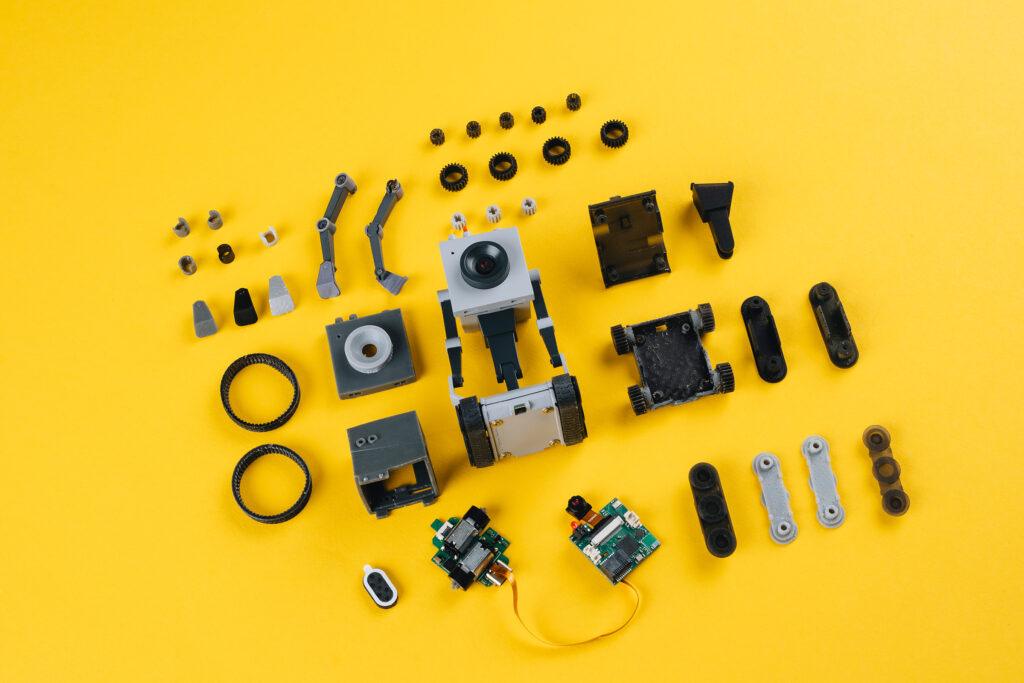
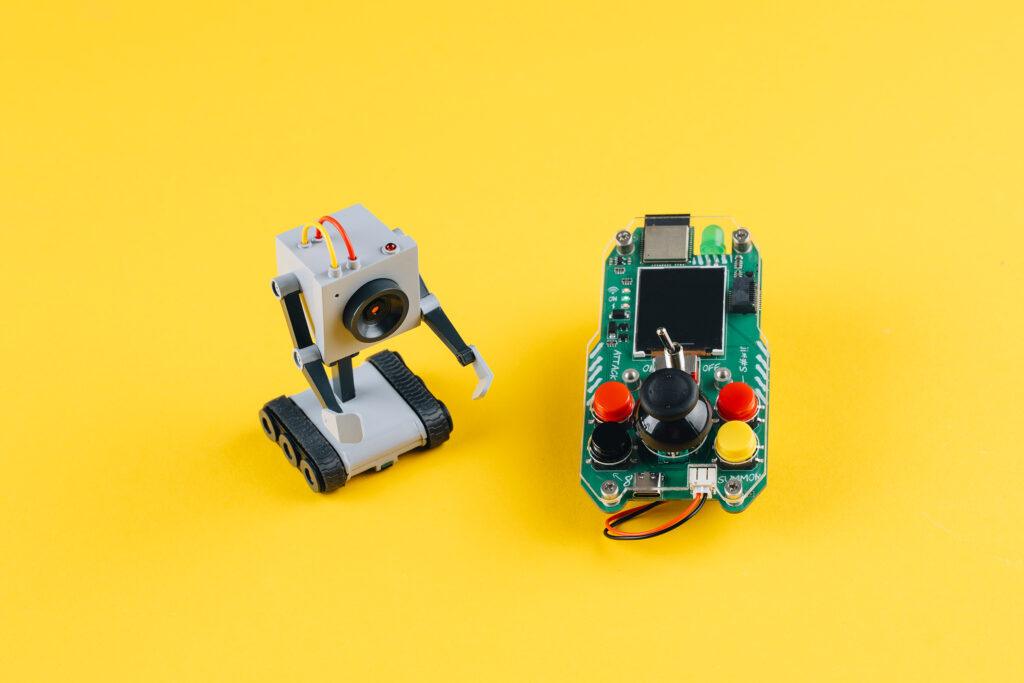
After a string of successful Kickstarter campaigns, Geek Club and CircuitMess have teamed up once again to launch an exciting new project: an AI-powered desk robot designed especially for Rick and Morty fans.

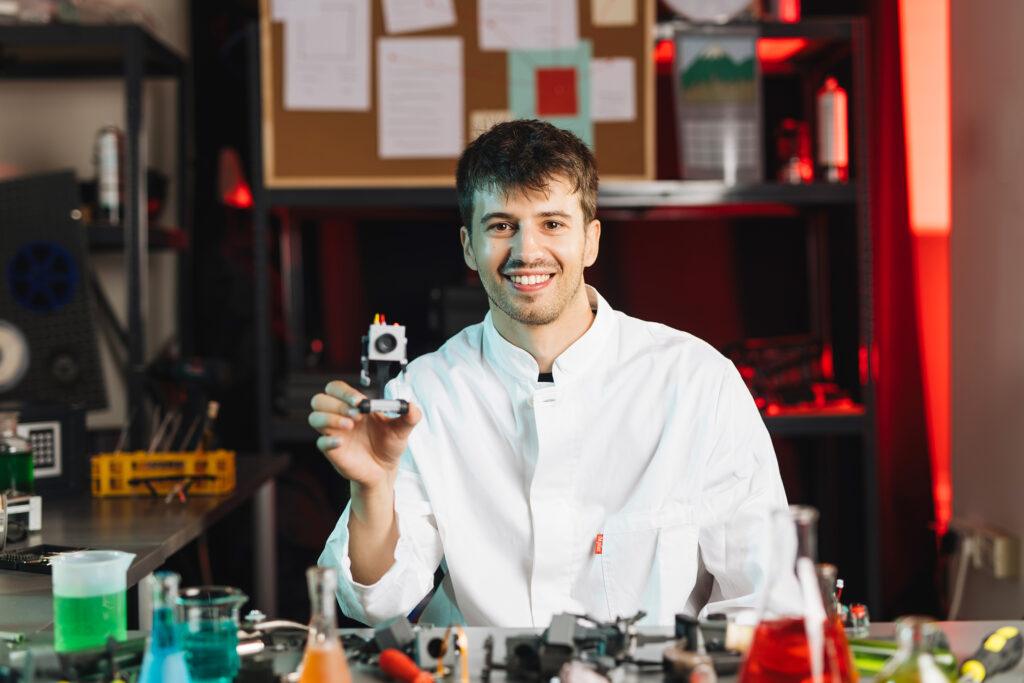
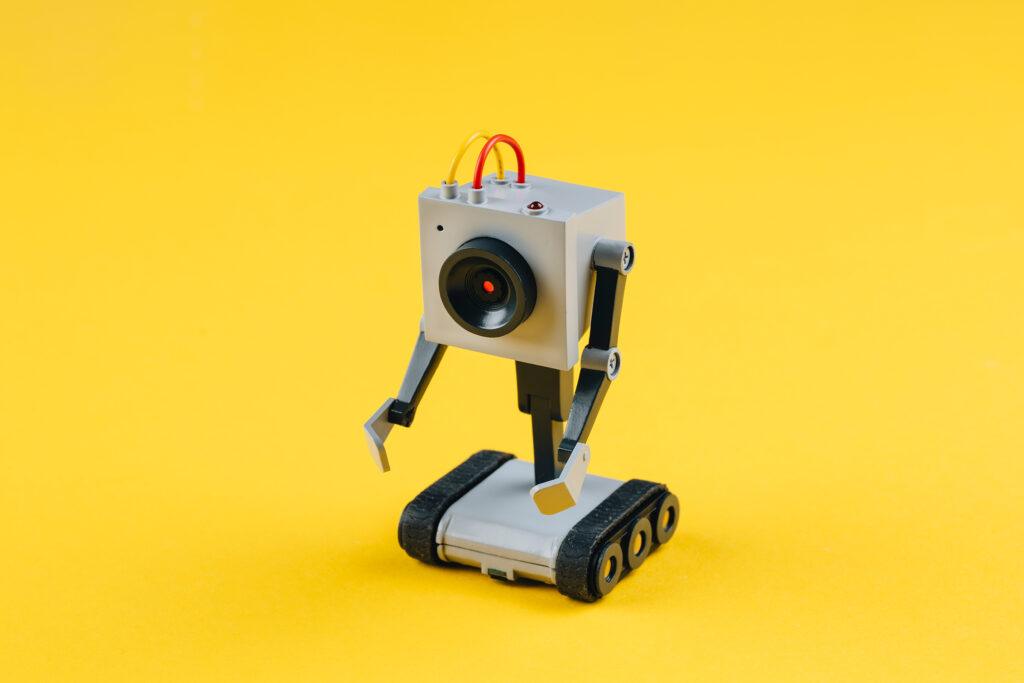
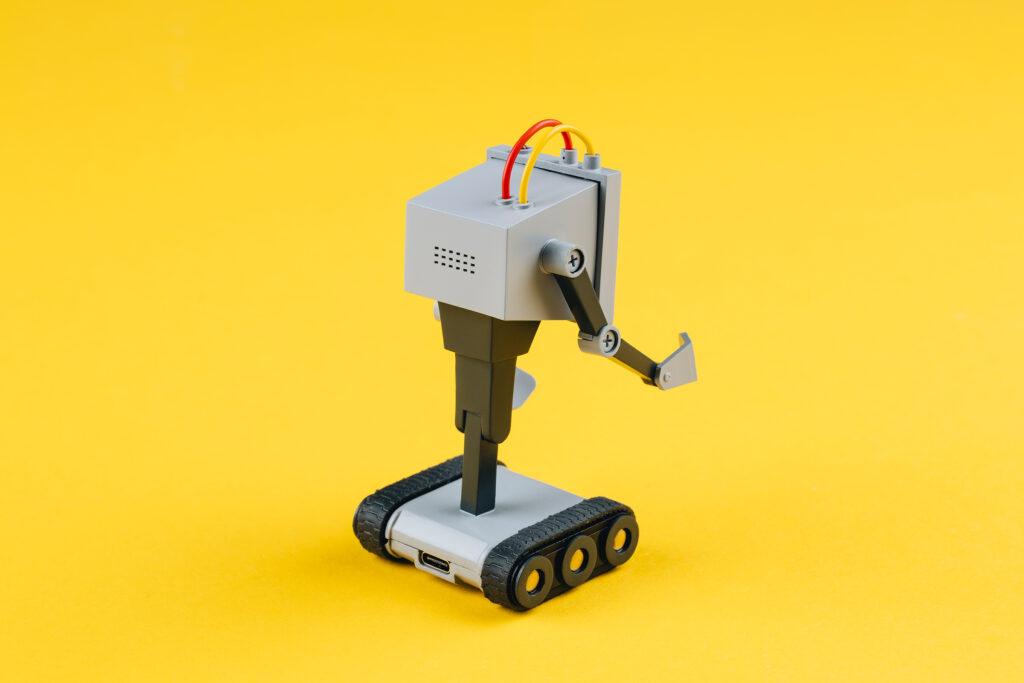
Zagreb, Croatia – November 2024Geek Club and CircuitMess are thrilled to announce the official launch of their Kickstarter campaign for the Butter Bot, a revolutionary AI-powered robot inspired by the one made famous in the popular Adult Swim series, Rick and Morty, and first seen in season 1 episode 9. This innovative product is officially licensed by Warner Bros. Discovery Global Consumer Products (WBDGCP), bringing the iconic Butter Bot to life in a way fans have never seen before.

From Screen to Reality: A Partnership That Is Bringing Butter Bot to Life

A shared love of Rick and Morty show between CircuitMess and Geek Club teams led to this project. Both companies saw an opportunity to bring a beloved character to life in a way that was both true to the show and technologically innovative. They chose the Butter Bot because of its iconic status and potential for interactive, educational, and entertaining applications. By turning a simple butter-passing robot into a multifunctional AI companion, they aimed to create a product that would resonate with fans and tech enthusiasts alike, merging humor and functionality seamlessly.

From Mars to Multiverse: The Next Chapter for CircuitMess and Geek Club

The collaboration was a logical union of the two companies after the massive success of the previous Kickstarter – NASA Perseverance AI-powered Mars Rover. Both companies create educational STEM DIY kits for kids and adults in order to make learning STEM skills easy and fun. While CircuitMess is focused primarily on toys, Geek Club’s products are always robot and space-themed.

„Partnering with WBDGCP on this project has been an exciting next step in our collaboration with Circtuit Mess, says Nico, co-founder of Geek Club, sharing his enthusiasm:  “The Butter Bot is a testament to what happens when creativity, technology, and fandom collide. We’re excited to see the support and engagement from the community as we launch our Kickstarter campaign.“

Geek Club is an American company that specializes in designing and producing DIY robotics kits that educate their users on soldering and electronics. They focus primarily on space exploration and robotics, all to make learning engineering skills easy and fun for their young and adult audience.

Beyond Butter: Introducing the AI-Powered Butter Bot

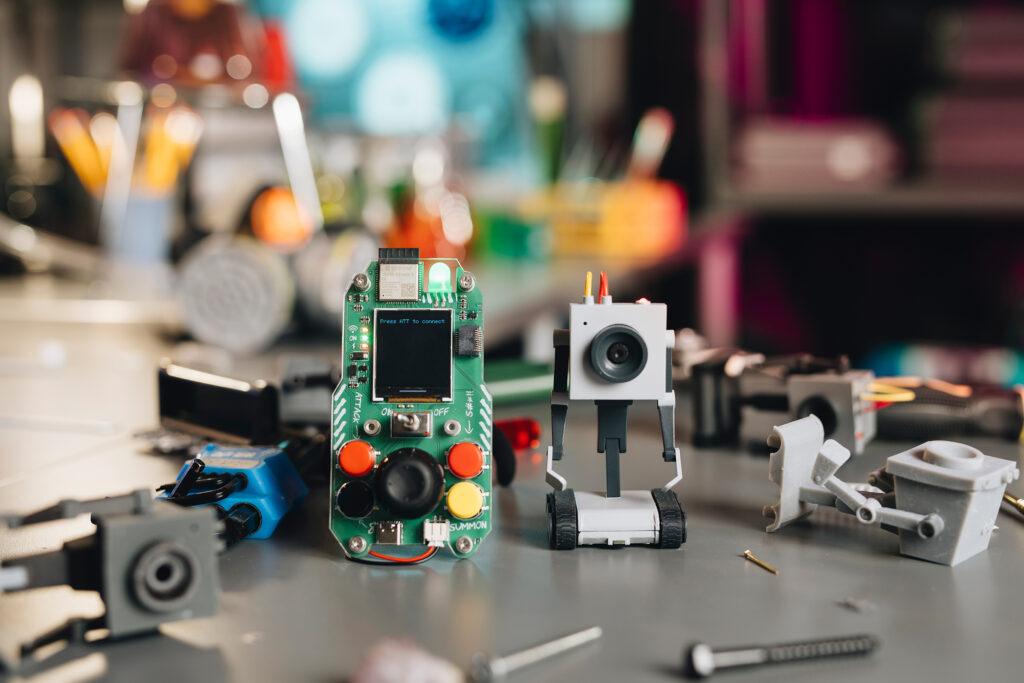
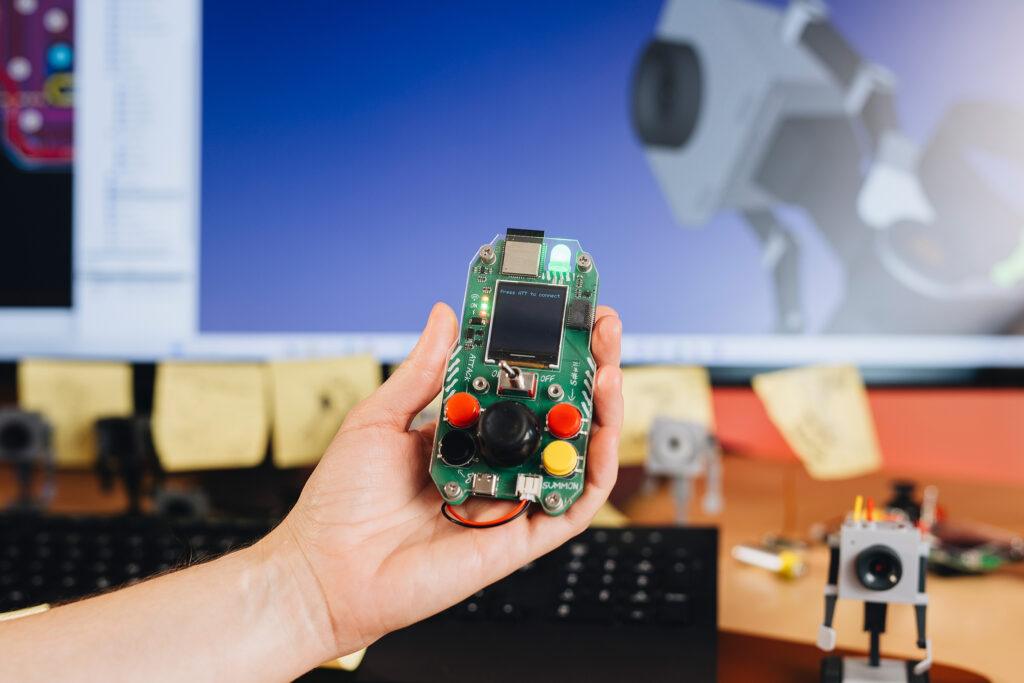
The Butter Bot is not just a simple robot with the sole purpose of passing the butter, as originally in the show. It comes with a unique remote controller that allows for precise maneuvering of its movement while also providing a live feed from the bot’s camera. The interactive robot has advanced AI capabilities, making it a versatile companion in any setting.

„Bringing the Butter Bot from Rick and Morty into the real world has been an incredible journey,” says Albert Gajšak, CEO of CircuitMess, expressing his excitement about the launch: “We’ve poured our hearts into creating a product that not only honors the original character but also adds a whole new level of interactivity and functionality. We can’t wait to see how fans will use and enjoy it.“

To this day, CircuitMess has developed numerous educational products that encourage kids and adults to create rather than just consume. They successfully delivered 7 Kickstarter campaigns and made thousands of geeks worldwide extremely happy. CircuitMess‘ kits are a unique blend of resources for learning about hardware and software in a fun and exciting way.

The Butter Bot Kickstarter campaign offers backers exclusive early-bird pricing and special rewards.

For more information and to back the project, visit the Butter Bot Kickstarter page here (https://www.kickstarter.com/projects/albertgajsak/rick-and-mortytm-butter-bot-an-ai-powered-desk-robot), or check out the  Geek Club and CircuitMess websites to see all their other kits.

About Geek Club

Geek Club is a crew of designers and engineers led by co-founders Nicolas Deladerrière and Nikita Potrashilin. Their mission is to build electronic construction kits for curious minds in over 70 countries worldwide. They are most often inspired by NASA and other Space Agencies of the world and hope to push their fans’ minds further, strengthen their skills, and advance their knowledge of electronics and Space.

Their vision is to create a world of inventors for the next generation of technology with their space-themed STEM kits. Find out more at www.geekclub.com.

Nicolas Deladerrière, co-founder of Geek Club

Mail: [email protected]

About CircuitMess

CircuitMess is a technology startup founded in 2017 by Albert Gajšak and Tomislav Car after a successful Kickstarter campaign for MAKERbuino.

CircuitMess employs young, ambitious people and has recently moved to a new office in Croatia’s capital, Zagreb, searching for talented individuals who will help them create unique electronic products and bring technology to the crowd in a fun and exciting way. Find out more at www.circuitmess.com.

Albert Gajšak, co-founder and CEO of CircuitMess

Mail: [email protected]

About Rick and Morty

Rick and Morty is the Emmy® award-winning half-hour animated hit comedy series on Adult Swim that follows a sociopathic genius scientist who drags his inherently timid grandson on insanely dangerous adventures across the universe. Rick Sanchez is living with his daughter Beth’s family and constantly bringing her, his son-in-law Jerry, granddaughter Summer, and grandson Morty into intergalactic escapades.

Rick and Morty stars Ian Cardoni, Harry Belden, Sarah Chalke, Chris Parnell, and Spencer Grammer.

About Warner Bros. Discovery Global Consumer Products

Warner Bros. Discovery Global Consumer Products (WBDGCP), part of Warner Bros. Discovery’s Revenue & Strategy division, extends the company’s powerful portfolio of entertainment brands and franchises into the lives of fans around the world. WBDGCP partners with best-in-class licensees globally on award-winning toy, fashion, home décor and publishing programs inspired by the biggest franchises from Warner Bros.’ film, television, animation, and games studios, HBO, Discovery, DC, Cartoon Network, HGTV, Eurosport, Adult Swim, and more. With innovative global licensing and merchandising programs, retail initiatives, and promotional partnerships, WBDGCP is one of the leading licensing and retail merchandising organizations in the world.   

Get your own Rick and Morty Butter Bot!

https://circuitmess.com/pages/butter-bot-teaser

Successful Kickstarter campaign: MD Robot Kit promotes creativity and education in robotics

MangDang’s Kickstarter project „MD Robot Kit: Unlock your AI Robot Engineering Dream Job“ aims to promote the creativity and technical know-how of robotics enthusiasts. It offers two main robots, each addressing different needs and interests.

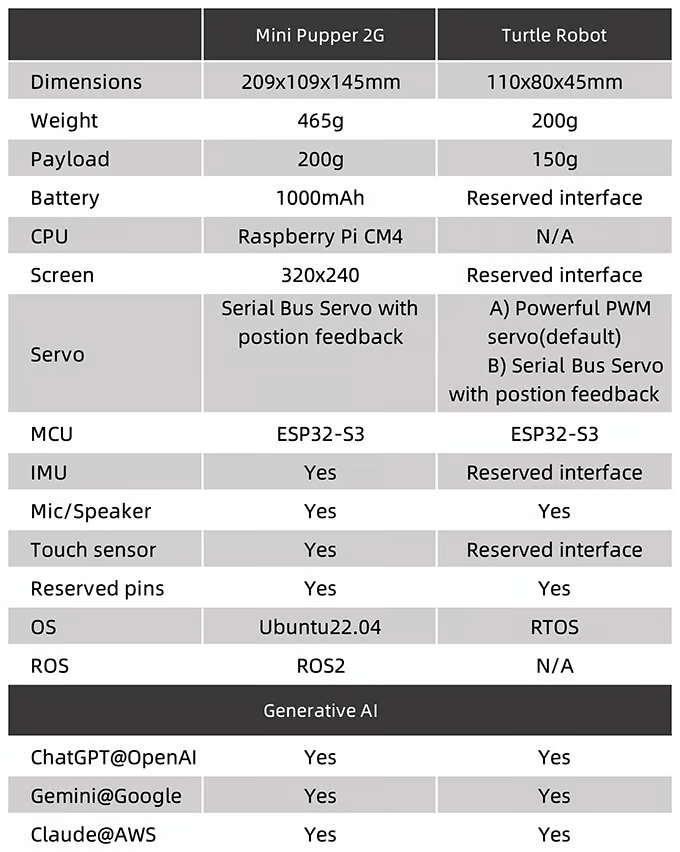
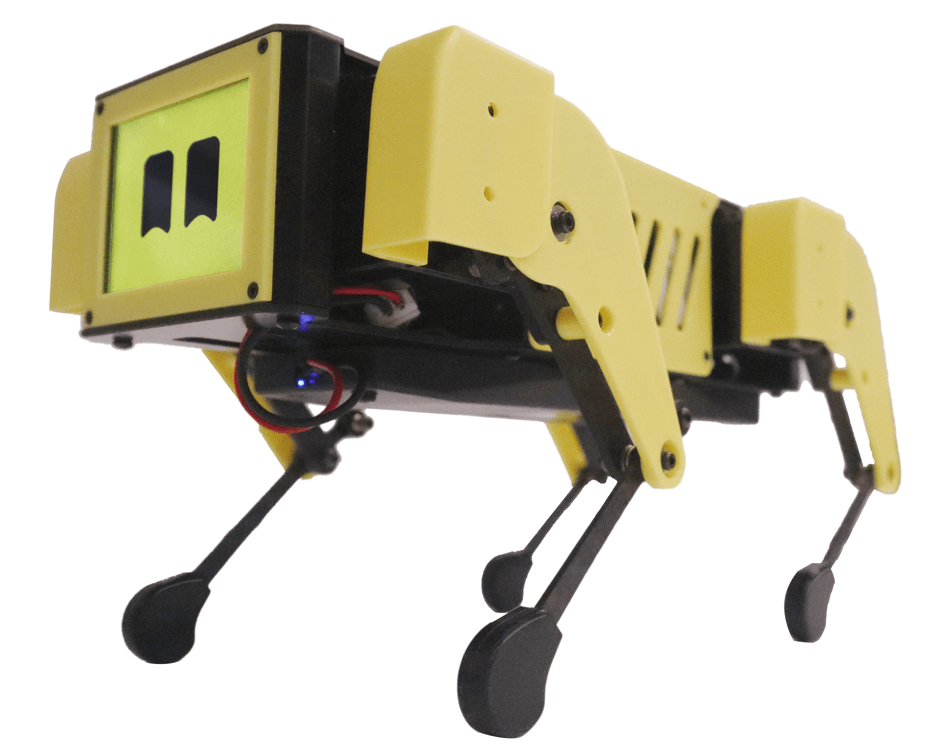
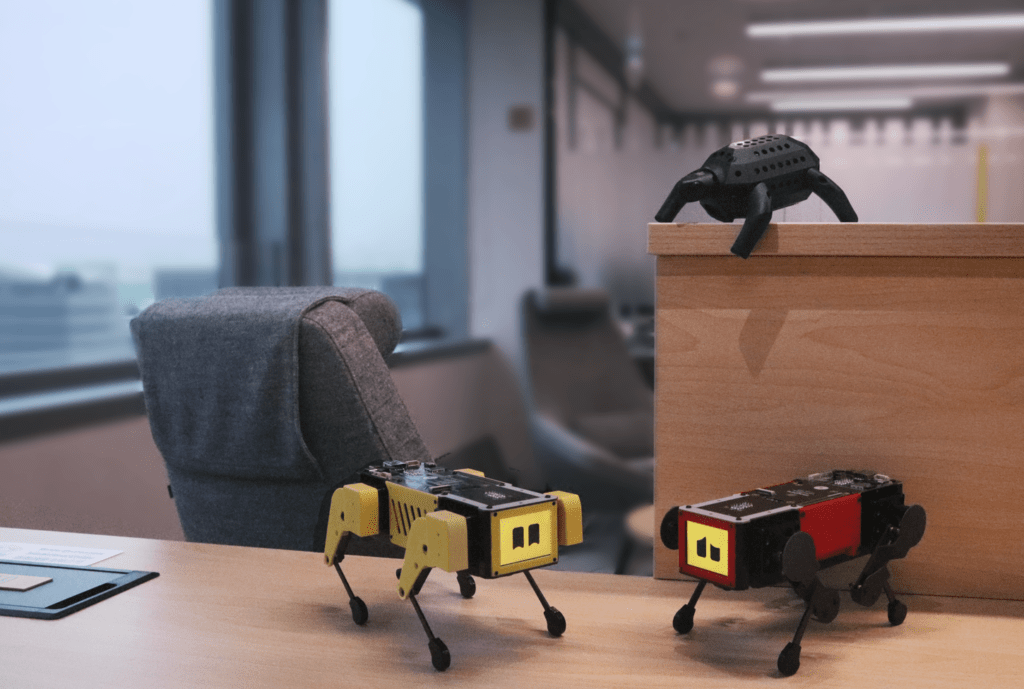
The first robot, the Mini Pupper, is available in several versions, including Mini Pupper 1, Mini Pupper 2, and the 2G and 2GA models. This robot is a low-cost, personal quadruped kit that comes with open-source software. The Mini Pupper supports multimodal generative AI platforms such as OpenAI’s ChatGPT, Google’s Gemini, and AWS’s Claude. It is also compatible with ROS1 and ROS2, which expands its capabilities in the areas of SLAM (Simultaneous Localization and Mapping) and navigation. The integration of OpenCV allows the robot to perform deep learning with cameras. Thanks to the use of Raspberry Pi and Arduino, the Mini Pupper offers high adaptability and expandability, making it ideal for developers who want to realize their own projects.

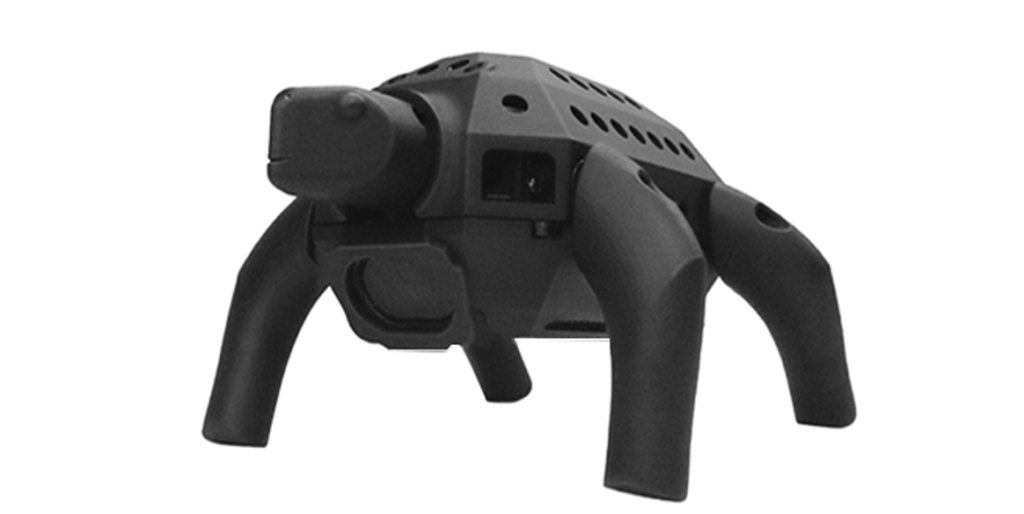
The second robot presented is the Turtle Robot, which will be available soon. This robot is specifically aimed at schools, homeschooling families, and robot enthusiasts. While detailed specifications have not yet been fully released, it is clear that the Turtle Robot also aims to support learning and creativity in the field of robotics.

The campaign itself has set a funding goal of 9000€ and has clearly exceeded it with a sum of just under 19000€, which corresponds to over 200% of the original goal. The campaign runs from September 5, 2024 to October 5, 2024 and has attracted 80 supporters so far. A standout feature of the MD Robot Kits is their open-source nature, which allows users to assemble the robots in less than an hour. This makes them particularly accessible to a wide range of audiences, ranging from educational institutions to DIY enthusiasts. The project is designed not only to impart technical knowledge, but also to promote the joy of creating and customizing robots.

1. Mini Pupper:

  • Versions: Mini Pupper 1 (2021), Mini Pupper 2 (2022), Mini Pupper 2G & 2GA.
  • Design: A low-cost, personal quadruped kit with open-source software.
  • Features: Supports multimodal generative AI such as OpenAI’s ChatGPT, Google’s Gemini, and AWS’s Claude. It is compatible with ROS1 and ROS2 for SLAM & navigation and is based on OpenCV for deep learning with cameras.
  • Extensibility: Uses Raspberry Pi and Arduino, which allows for high adaptability.
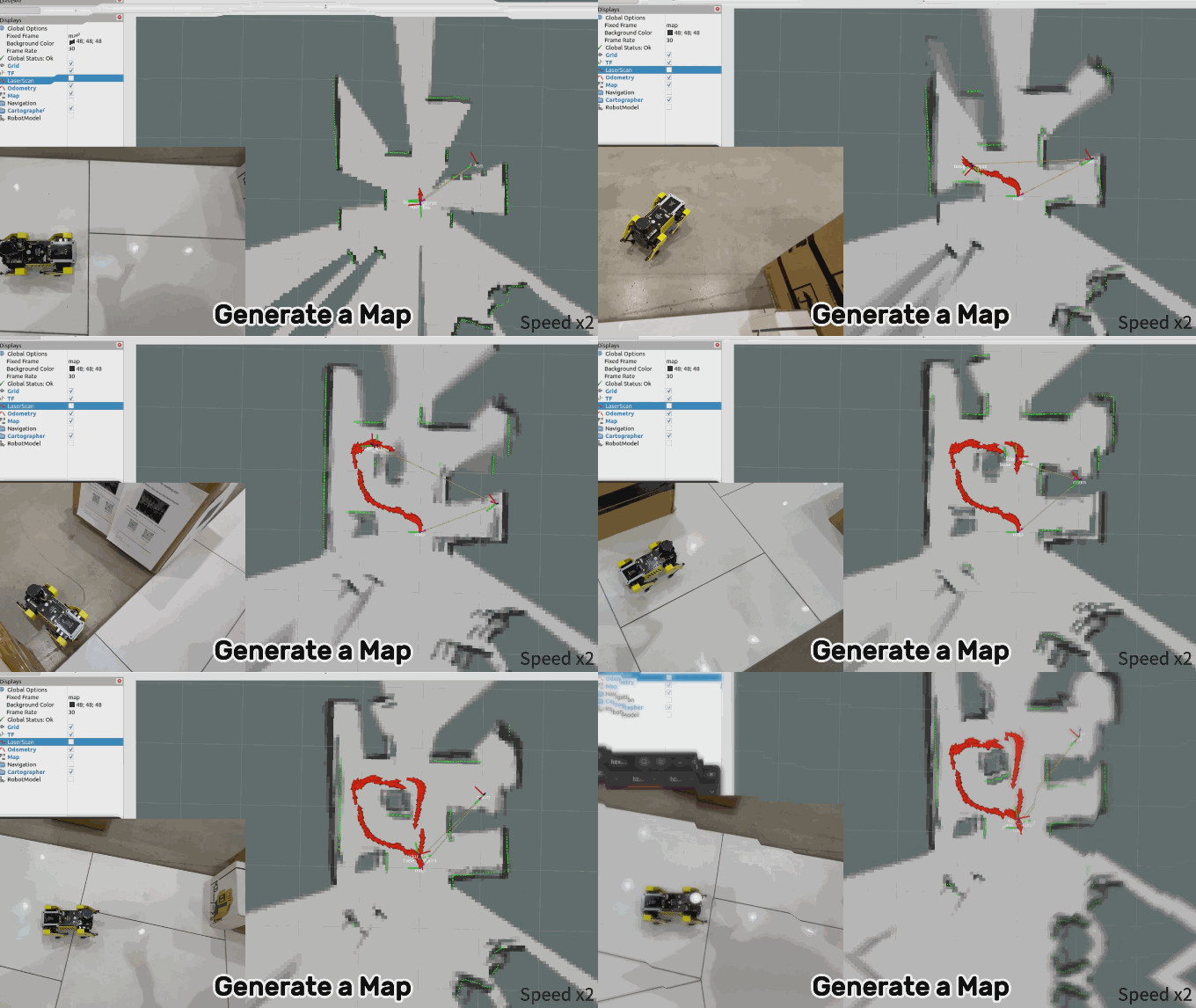
  • Open-source platform: The Mini Pupper supports the Robot Operating System (ROS) and offers features such as SLAM (Simultaneous Localization and Mapping) and navigation. It is equipped with lidar and camera sensors that allow it to map its surroundings and move autonomously
  • Technical specifications: The robot has 12 degrees of freedom, made possible by advanced servo motors. These motors provide feedback on acceleration and force, which allows precise control.
  • Hardware and expandability: The Mini Pupper uses the Raspberry Pi 4B or the Raspberry Pi Compute Module 4 as the central processing unit and is equipped with an ESP32 as a microcontroller. It has an IPS display with a resolution of 240 x 320 pixels, a microphone, speakers and a touch sensor.
  • Adaptability: Thanks to its open-source nature, the Mini Pupper can be modified deeply. Users can add their own modules and customize the robot for different projects, such as tracking objects in space.
  • Education and community: The Mini Pupper is ideal for schools and homeschooling families. It comes with comprehensive guidance and resources to help you get started with robotics. Users can become part of a global community to share ideas and get support.
  • Price and availability: As part of the Kickstarter campaign, the Mini Pupper will be offered in different versions, with the base model costing around 479 euros. Delivery is scheduled to begin in February, with supporters aware of the financial risk of crowdfunding campaigns.

2. Turtle Robot:

  • Open-source project: The Turtle Robot is based on Arduino and is an open-source project that supports the integration of generative AI. This allows users to customize and expand the robot.
  • Affordability: The Turtle Robot is a low-cost learning platform for multimodal generative AI and comes at an introductory price of 60% off $99. This makes it particularly attractive to educational institutions and DIY enthusiasts.
  • Ease of use: The robot is designed to be set up and put into operation within a week. This makes it easier for beginners to start learning and experimenting quickly.
  • Support and resources: MangDang offers comprehensive support across multiple channels, as well as access to all code and design files via a GitHub repository. Users can print the STL design files and contribute their own ideas.
  • Multimodal Generative AI: The Turtle Robot uses advanced AI technologies that enable continuous voice interactions. The AI can remember previous conversations and give personalized answers based on them.
  • Application examples: There are two Arduino projects that can be used with the Turtle Robot: one for testing individual functions and another that performs all functions via voice control.
  • Availability: The Turtle Robot was available as part of the Kickstarter campaign until October 2024 and will be available in an online store after that.

https://www.kickstarter.com/projects/mdrobotkits/md-robot-kits-open-source-support-your-genai-creativity?ref=txm87x

Erfolgreiche Kickstarter-Kampagne: MD Robot Kit fördert Kreativität und Bildung in der Robotik

Das Kickstarter-Projekt „MD Robot Kit: Unlock your AI Robot Engineering Dream Job“ von MangDang zielt darauf ab, die Kreativität und das technische Know-how von Robotik-Enthusiasten zu fördern. Es bietet zwei Hauptroboter, die jeweils unterschiedliche Bedürfnisse und Interessen ansprechen.

Der erste Roboter, der Mini Pupper, ist in mehreren Versionen erhältlich, darunter Mini Pupper 1, Mini Pupper 2 sowie die Modelle 2G und 2GA. Dieser Roboter ist ein kostengünstiges, persönliches Quadruped-Kit, das mit Open-Source-Software ausgestattet ist. Der Mini Pupper unterstützt multimodale generative KI-Plattformen wie ChatGPT von OpenAI, Gemini von Google und Claude von AWS. Zudem ist er mit ROS1 und ROS2 kompatibel, was seine Fähigkeiten in den Bereichen SLAM (Simultaneous Localization and Mapping) und Navigation erweitert. Die Integration von OpenCV ermöglicht es dem Roboter, Deep Learning mit Kameras durchzuführen. Dank der Nutzung von Raspberry Pi und Arduino bietet der Mini Pupper eine hohe Anpassungsfähigkeit und Erweiterbarkeit, was ihn ideal für Entwickler macht, die ihre eigenen Projekte realisieren möchten.

Der zweite vorgestellte Roboter ist der Turtle Robot, der bald verfügbar sein wird. Dieser Roboter richtet sich speziell an Schulen, Homeschooling-Familien und Roboter-Enthusiasten. Während detaillierte Spezifikationen noch nicht vollständig veröffentlicht wurden, ist klar, dass der Turtle Robot ebenfalls darauf abzielt, das Lernen und die Kreativität im Bereich der Robotik zu unterstützen.

Die Kampagne selbst hat ein Finanzierungsziel von 9000€ gesetzt und dieses mit einer erreichten Summe von knapp 19000€ , was über 200% des ursprünglichen Ziels entspricht, deutlich übertroffen. Die Kampagne läuft vom 5. September 2024 bis zum 5. Oktober 2024 und zog bisher 80 Unterstützer an. Ein herausragendes Merkmal der MD Robot Kits ist ihre Open-Source-Natur, die es den Nutzern ermöglicht, die Roboter in weniger als einer Stunde zusammenzubauen. Dies macht sie besonders zugänglich für eine breite Zielgruppe, die von Bildungseinrichtungen bis hin zu DIY-Enthusiasten reicht. Das Projekt ist darauf ausgelegt, nicht nur technisches Wissen zu vermitteln, sondern auch die Freude an der Schaffung und Anpassung von Robotern zu fördern.

Roboter

1. Mini Pupper:

  • Versionen: Mini Pupper 1 (2021), Mini Pupper 2 (2022), Mini Pupper 2G & 2GA.
  • Design: Ein kostengünstiges, persönliches Quadruped-Kit mit Open-Source-Software.
  • Funktionen: Unterstützt multimodale generative KI wie ChatGPT von OpenAI, Gemini von Google und Claude von AWS. Es ist kompatibel mit ROS1 und ROS2 für SLAM & Navigation und basiert auf OpenCV für Deep Learning mit Kameras.
  • Erweiterbarkeit: Nutzt Raspberry Pi und Arduino, was hohe Anpassungsfähigkeit ermöglicht.
  • Open-Source-Plattform: Der Mini Pupper unterstützt das Robot Operating System (ROS) und bietet Funktionen wie SLAM (Simultaneous Localization and Mapping) und Navigation. Er ist mit Lidar- und Kamerasensoren ausgestattet, die es ihm ermöglichen, seine Umgebung zu kartieren und sich autonom zu bewegen.
  • Technische Spezifikationen: Der Roboter verfügt über 12 Freiheitsgrade, die durch fortschrittliche Servomotoren ermöglicht werden. Diese Motoren bieten Feedback zu Beschleunigung und Kraft, was eine präzise Steuerung erlaubt.
  • Hardware und Erweiterbarkeit: Der Mini Pupper nutzt den Raspberry Pi 4B oder das Raspberry Pi Compute Module 4 als zentrale Recheneinheit und ist mit einem ESP32 als Mikrocontroller ausgestattet. Er verfügt über ein IPS-Display mit einer Auflösung von 240 x 320 Pixeln, ein Mikrofon, Lautsprecher und einen Touch-Sensor.
  • Anpassungsfähigkeit: Dank seiner Open-Source-Natur kann der Mini Pupper tiefgreifend modifiziert werden. Nutzer können eigene Module hinzufügen und den Roboter für verschiedene Projekte anpassen, wie z.B. das Verfolgen von Objekten im Raum.
  • Bildung und Community: Der Mini Pupper ist ideal für Schulen und Homeschooling-Familien geeignet. Er wird mit umfassenden Anleitungen und Ressourcen geliefert, die den Einstieg in die Robotik erleichtern. Nutzer können Teil einer globalen Community werden, um Ideen auszutauschen und Unterstützung zu erhalten.
  • Preis und Verfügbarkeit: Im Rahmen der Kickstarter-Kampagne wird der Mini Pupper in verschiedenen Versionen angeboten, wobei das Basismodell etwa 479 Euro kostet. Die Auslieferung soll im Februar beginnen, wobei Unterstützer das finanzielle Risiko von Crowdfunding-Kampagnen beachten sollten.

2. Turtle Robot:

  • Open-Source-Projekt: Der Turtle Robot basiert auf Arduino und ist ein Open-Source-Projekt, das die Integration von generativer KI unterstützt. Dies ermöglicht den Nutzern, den Roboter individuell anzupassen und zu erweitern.
  • Erschwinglichkeit: Der Turtle Robot ist eine kostengünstige Lernplattform für multimodale generative KI und wird zu einem Einführungspreis von 60% Rabatt auf 99 US-Dollar angeboten. Dies macht ihn besonders attraktiv für Bildungseinrichtungen und DIY-Enthusiasten.
  • Benutzerfreundlichkeit: Der Roboter ist so konzipiert, dass er innerhalb einer Woche aufgebaut und in Betrieb genommen werden kann. Dies erleichtert es Anfängern, schnell mit dem Lernen und Experimentieren zu beginnen.
  • Unterstützung und Ressourcen: MangDang bietet umfassende Unterstützung über verschiedene Kanäle sowie Zugang zu allen Code- und Design-Dateien über ein GitHub-Repository. Nutzer können die STL-Design-Dateien ausdrucken und ihre eigenen Ideen einbringen.
  • Multimodale Generative KI: Der Turtle Robot nutzt fortschrittliche KI-Technologien, die kontinuierliche Sprachinteraktionen ermöglichen. Die KI kann sich an frühere Gespräche erinnern und darauf basierend personalisierte Antworten geben.
  • Anwendungsbeispiele: Es gibt zwei Arduino-Projekte, die mit dem Turtle Robot genutzt werden können: eines zum Testen einzelner Funktionen und ein weiteres, das alle Funktionen über Sprachsteuerung ausführt.
  • Verfügbarkeit: Der Turtle Robot war im Rahmen der Kickstarter-Kampagne bis Oktober 2024 erhältlich und wird danach in einem Online-Shop verfügbar sein.

https://www.kickstarter.com/projects/mdrobotkits/md-robot-kits-open-source-support-your-genai-creativity?ref=txm87x